


Support our independent tech coverage. Chrome Unboxed is written by real people, for real people—not search algorithms. Join Chrome Unboxed Plus for just $2 a month to get an ad-free experience, access to our private Discord, and more. Learn more about membership here.
START FREE TRIAL (MONTHLY)START FREE TRIAL (ANNUAL)
Google’s making a significant-yet-expected shift on Chromebooks a bit earlier than I would have expected, replacing Google Assistant with Gemini. As we’ve heard across the board of late, Google Assistant is on the way out over the coming weeks and months and will be completely replaced by Gemini. I just never thought we’d see it so immediately on ChromeOS.
For many years at this point, we’ve had Google Assistant available to handle basic functions, calculation, and quick answers. It was functional, but its utility on a Chromebook was always a bit limited.
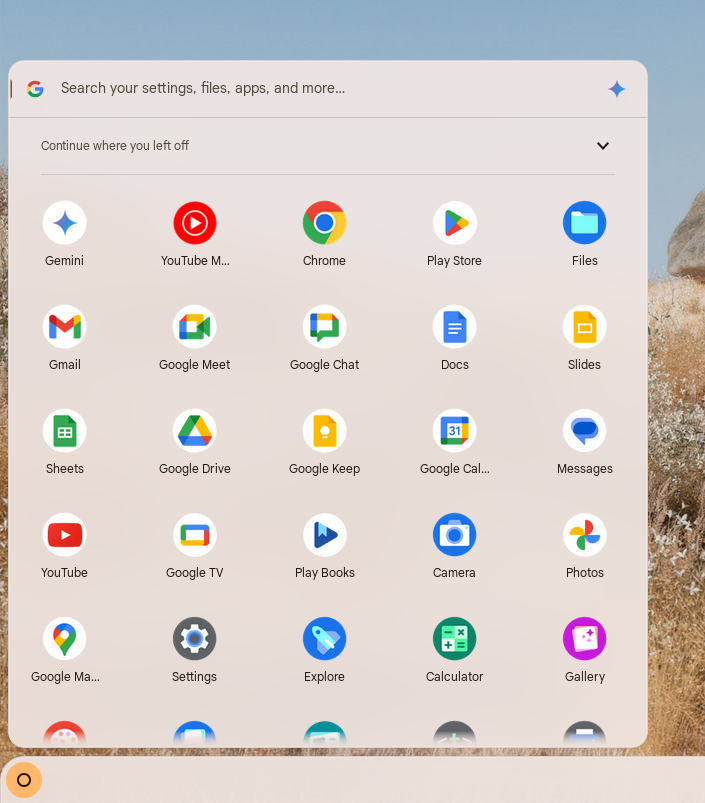
With the release of ChromeOS 134, Gemini is taking the reins. I have updated the Acer Chromebook Plus Spin 714 I currently have on the desk to the latest ChromeOS 134 build, but so far the changeover hasn’t happened. When it does, however, Google says the familiar Assistant icon will be replaced by a shortcut to the Gemini PWA and will be more than just a simple icon swap.
For starters, Gemini offers a more robust and versatile interface on Chromebooks already, with access to a powerful chatbot capable of handling complex queries and productivity-oriented tasks. As we speak, Gemini on Chromebooks can access Gmail, Google Drive, and YouTube to do all sorts of things for you.
For now, it seems the “Hey Google” hotword support is absent, but the shift towards prioritizing a text-based interaction model aligns better with the Chromebook’s anyway. I’ve had the hotword option disabled for a few years at this point on all my devices. Voice input should still work – it’s already been an option in the Gemini PWA up to this point – but you’ll need to click the Gemini button to get started for now.
Google also says the quick functions from the launcher will stay intact, and I’m glad for that. Ultimately, the Google Assistant on ChromeOS was mainly useful for quick calculations, weather updates, and simple queries from the launcher pop-up. As long as that stays intact and is now powered by a far more powerful, versatile AI model, I think most Chromebook users will embrace this change.
SUBSCRIBE TO UPSTREAM
Get Chrome Unboxed delivered straight to your inbox
Upstream is our flagship, curated newsletter with the top stories, most click-worthy deals, giveaways, and trending articles from Chrome Unboxed sent directly to your inbox a few times a week. Join 31,000+ subscribers.

