

Since its launch, Google has been clear about its vision for the Gemini app: to create an AI assistant that isn’t just a generic answer machine, but a true partner that learns and understands you. Today, Google is taking a massive step in that direction with an update that gives Gemini a memory of your past conversations. And, in a smart and necessary move, they’re balancing this new personalization with a new “Temporary Chat” feature for when you’d prefer a little more privacy.
A Gemini that actually remembers you
The headline feature in this update is a new setting that allows Gemini to learn from your past conversations over time. When this is turned on, Gemini can remember key details and preferences you’ve shared, leading to far more natural, relevant, and helpful conversations. You no longer have to re-explain context every time you start a new chat; it’s more like you’re collaborating with a partner who’s already up to speed.
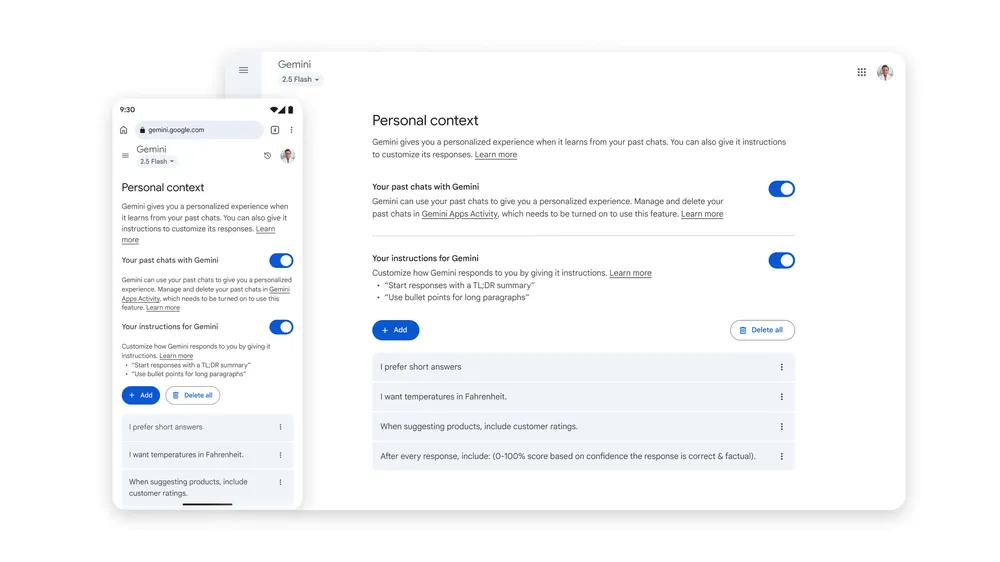
For example, if you’ve previously used Gemini to brainstorm ideas for a YouTube channel about Japanese culture, you can later ask for “new content ideas based on my interests,” and Gemini might suggest a relevant video theme based on that past conversation.
This feature is rolling out over the coming weeks, and it’s important to note that it will be on by default. However, you remain in full control and can turn this setting off at any time in the Gemini app’s settings under “Personal context.”
‘Temporary Chat’ is Gemini’s new incognito mode
Of course, there are times when you don’t want your conversations saved or influencing future results. For those moments, Google is introducing Temporary Chat. Think of it as an incognito mode for your AI assistant.
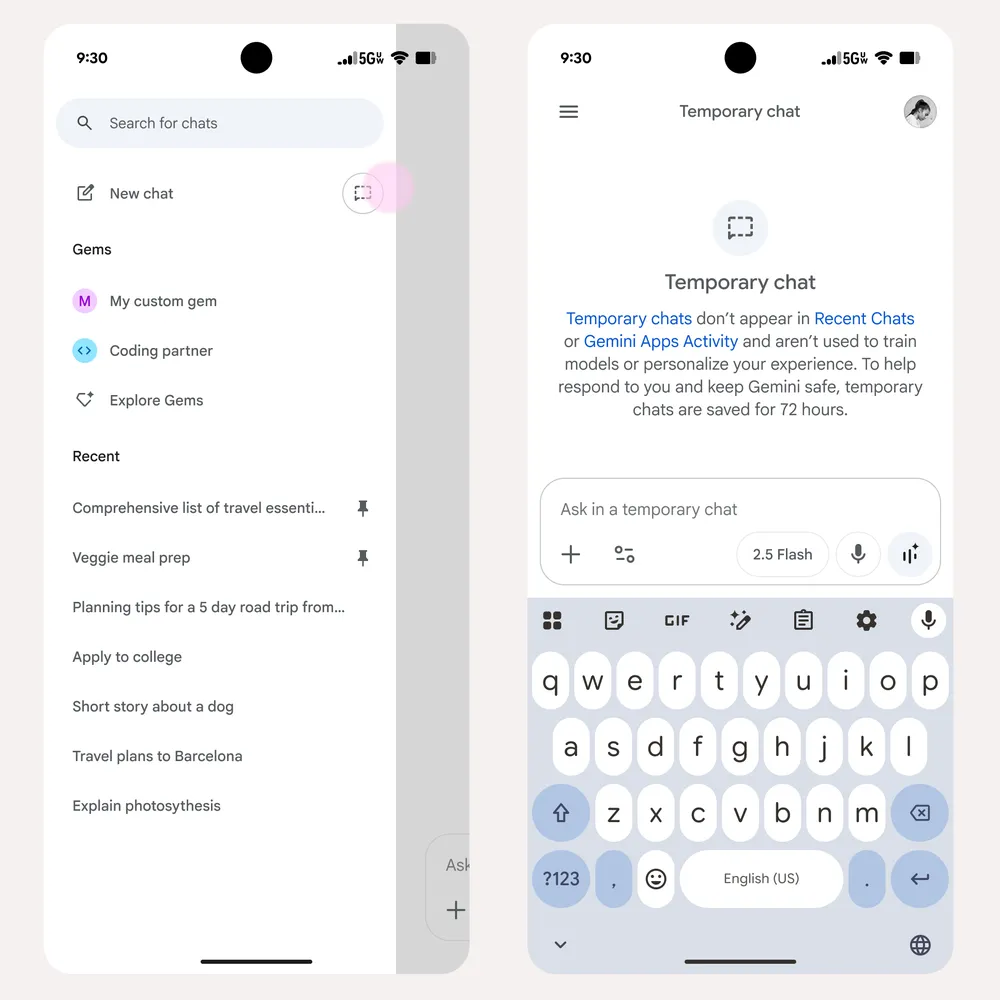
When you start a Temporary Chat, the conversation won’t appear in your recent chats or your Gemini Apps Activity. More importantly, it won’t be used to personalize your Gemini experience or to train Google’s AI models. It’s the perfect solution for asking private questions or brainstorming a one-off idea that’s outside your usual style.
More transparency and control over your data
Alongside these new chat features, Google is updating its data control settings for more transparency. The “Gemini Apps Activity” setting is being renamed to “Keep Activity,” and when it’s on, a sample of your future uploads (like files and photos) will be used to help improve Google services. You can turn this off at any time.
This is a pretty sweet overall update that makes Gemini a more mature and trustworthy assistant. By giving users the choice between a deeply personalized experience that learns from them and a private, temporary one that doesn’t, Google is putting the control in the user’s hands – where it belongs.
Join Chrome Unboxed Plus
Introducing Chrome Unboxed Plus – our revamped membership community. Join today at just $2 / month to get access to our private Discord, exclusive giveaways, AMAs, an ad-free website, ad-free podcast experience and more.
Plus Monthly
$2/mo. after 7-day free trial
Pay monthly to support our independent coverage and get access to exclusive benefits.
Plus Annual
$20/yr. after 7-day free trial
Pay yearly to support our independent coverage and get access to exclusive benefits.
Our newsletters are also a great way to get connected. Subscribe here!
Click here to learn more and for membership FAQ

