

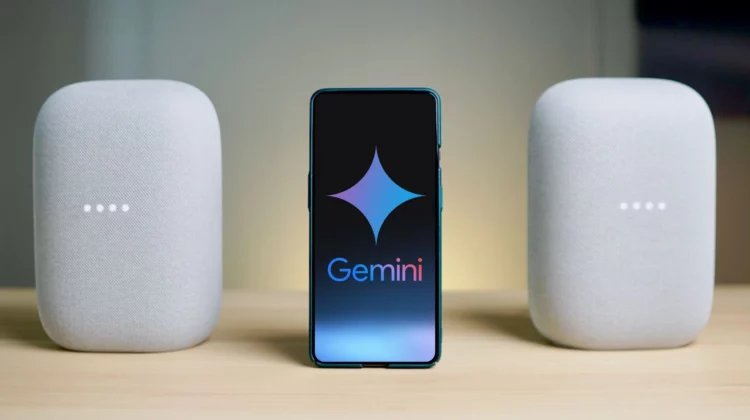
It looks like the Google Home Gemini Extension has officially transitioned from preview to general availability. This stable roll-out, which has unfolded over the past few weeks, marks a significant step forward in how we can now use Gemini to interact with our smart home devices.
Like all other Gemini extensions, enabling this functionality is a breeze. Simply open the Gemini app on your Android or iOS device, tap your profile avatar in the top-right corner, and navigate to Extensions. Under “Device Control,” you’ll find Google Home now sporting a non-preview badge. Toggle it on and agree to “Connect Google Home” to complete the setup.


For those who have been participating in the Google Home Public Preview over the past few months, this transition to stable release brings some welcome improvements. One of the most notable is the ability to control lights and other non-sensitive devices directly from your lock screen without needing to unlock your phone.
For security reasons, sensitive controls will still require you to open the Google Home app. The stable version also enhances media control, allowing you to adjust volume, pause, and resume playback on entertainment devices. Additionally, the thermostat tile now mirrors the functionality and appearance of the one in the Google Home app, creating a more consistent user experience.
The true power of the Google Home extension lies in its ability to understand and execute natural, complex queries. Imagine being able to say, “Turn on all the house lights except the bedrooms,” and then follow up with, “Actually, just turn on the kitchen and living room lights.” These types of nuanced commands are now possible, making smart home control more intuitive than ever. Here’s a rundown of all the stuff you can now control:
- Lights: Turn on/off individual lights or entire rooms, dim or brighten lights, and even change their color.
- Switches and Outlets: Control the power to connected devices.
- Thermostats: Adjust temperature, switch between heating and cooling modes, and set specific temperatures.
- Fans, Heaters, and A/C Units: Turn devices on/off and adjust fan speed or temperature.
- Window Coverings: Open and close curtains, blinds, and shutters.
- Media Devices: Control power, volume, and playback on TVs and speakers.
- Other Smart Home Devices: Control vacuums, washers, coffee makers, and more.
VIA: 9to5 Google
Join Chrome Unboxed Plus
Introducing Chrome Unboxed Plus – our revamped membership community. Join today at just $2 / month to get access to our private Discord, exclusive giveaways, AMAs, an ad-free website, ad-free podcast experience and more.
Plus Monthly
$2/mo. after 7-day free trial
Pay monthly to support our independent coverage and get access to exclusive benefits.
Plus Annual
$20/yr. after 7-day free trial
Pay yearly to support our independent coverage and get access to exclusive benefits.
Our newsletters are also a great way to get connected. Subscribe here!
Click here to learn more and for membership FAQ

