

Support our independent tech coverage. Chrome Unboxed is written by real people, for real people—not search algorithms. Join Chrome Unboxed Plus for just $2 a month to get an ad-free experience, access to our private Discord, and more. Learn more about membership here.
START FREE TRIAL (MONTHLY)START FREE TRIAL (ANNUAL)
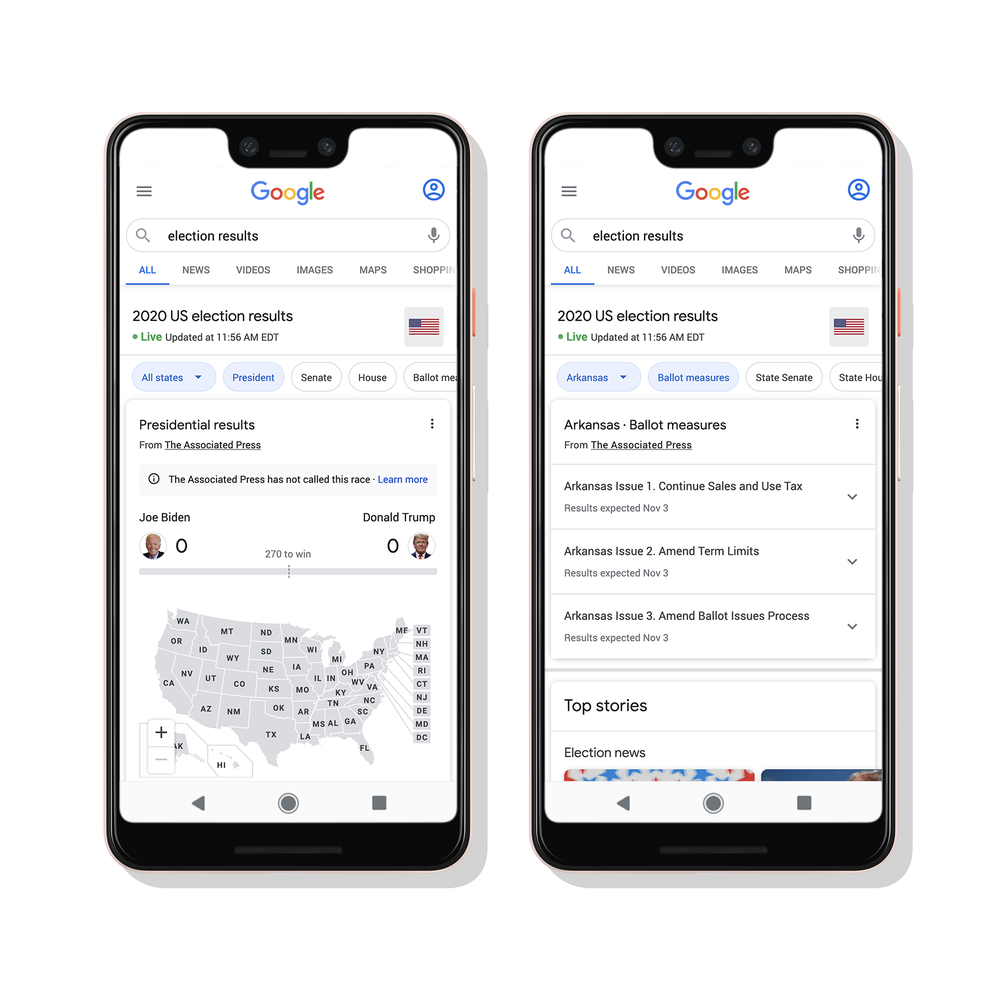
With just under a week until the U.S. Election, Google is bringing helpful tools to their Assistant, Search, Youtube, and more so that you can be informed on where to vote and follow the event’s coverage. They are partnering with The Associated Press (AP) – a trusted source of information on election results – to provide authoritative results across their services. All you have to do to get started is ask your Assistant on mobile, smart speakers and smart displays “Hey Google, what are the current election results?” You can just type a similar query in Google Search too.
Google will also feature real-time election live streams on Youtube and host authoritative voting panels there too, which can give you context about relevant election-related search results – including searches about federal or presidential candidates, voter registration and how to vote. Since election results may be delayed this year, Google has decided to enforce its Sensitive Events policy, which will automatically pause all ads referencing the 2020 election, its candidates, or the outcome for a short time immediately when the polls close on November 3rd so that they can help limit the potential for ads which may seek to increase confusion post-election.
They’re doing their best to make it easier for you to find your local deadlines, requirements and voting locations with ballot drop boxes via Google Maps as well. Just asking Assistant “Hey Google, where do I vote?” or searching Maps for “Voting locations near me” will return up-to-date information that you can then use to simplify your voting process.
More importantly, they’re putting measures in place to protect their services against abuse. Google’s Trust and Safety teams and their Threat Analysis Group monitor their platforms around the clock for problems. Publishing a quarterly Threat Analysis Group Bulletin, they seek to give regular updates on their efforts to combat coordinated influence operations. They also share information about phishing attempts against the presidential campaigns and updates on disinformation attempts. Meeting regularly with law enforcement officials and other technology companies to share leads and threats around suspected election interference has become a common practice as well. Outlining their abuse protection measures and partnering with the Associated Press to maintain user trust in their tools is not only necessary but admirable. CEO of Google and Alphabet Sundar Pichai testified on Capitol Hill in 2018 over accusations of influencing voting and had this to say:
Providing users with high-quality, accurate and trusted information is sacrosanct to us. it’s what our principles are and our business interests are. Our natural, long-term incentives are aligned with that. We want to serve users everywhere and we need to earn their trust to do so.
Sundar Pichai
It’s awesome to see Google stepping up and helping to make all of this information accessible and easy to find – especially for those who are new to voting or just aren’t familiar with the process for any reason. If you’re looking to vote this week, be sure to make use of these tools!
SUBSCRIBE TO UPSTREAM
Get Chrome Unboxed delivered straight to your inbox
Upstream is our flagship, curated newsletter with the top stories, most click-worthy deals, giveaways, and trending articles from Chrome Unboxed sent directly to your inbox a few times a week. Join 31,000+ subscribers.

