


Support our independent tech coverage. Chrome Unboxed is written by real people, for real people—not search algorithms. Join Chrome Unboxed Plus for just $2 a month to get an ad-free experience, access to our private Discord, and more. Learn more about membership here.
START FREE TRIAL (MONTHLY)START FREE TRIAL (ANNUAL)
The announcement made during Google I/O regarding the release of the Pixel Watch this Fall revealed that it would combine the best of Wear OS and Fitbit. Naturally, this prompted questions regarding how Google plans to merge both worlds. For example, is the Google Fit app taking over the Fitbit app, or vice-versa? According to a CNET interview with Fitbit Co-Founder James Park, the two apps will co-exist for now. But how exactly will that work?
We may have gotten a bit of a preview on that when a Google Support page was discovered earlier this month detailing how to show your activity metrics from Google Fit or Fitbit on your Nest display. These integration settings confirm that Google Assistant will be the bridge between the two apps, as seen in the screenshots below:
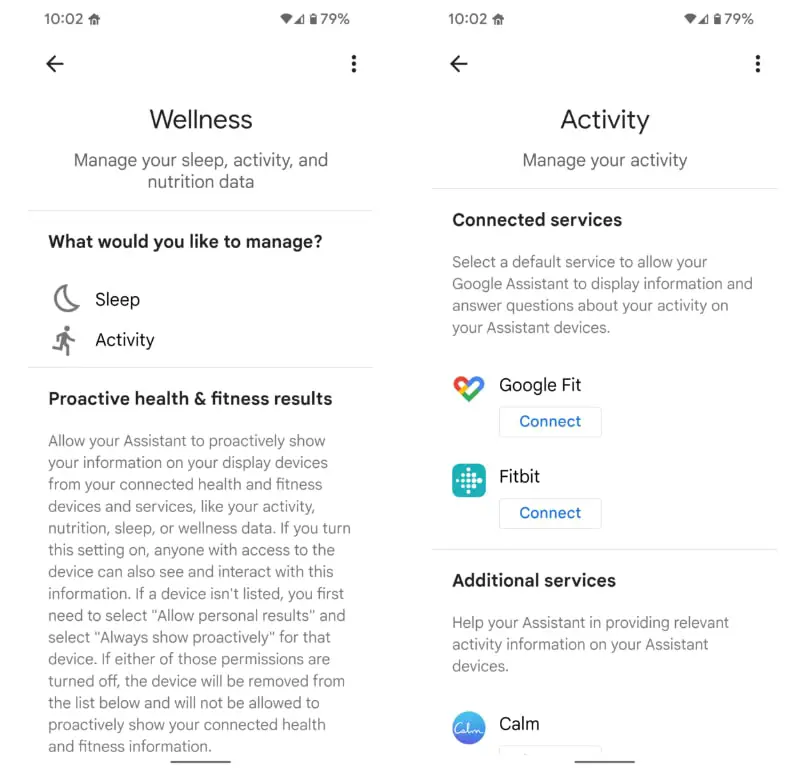
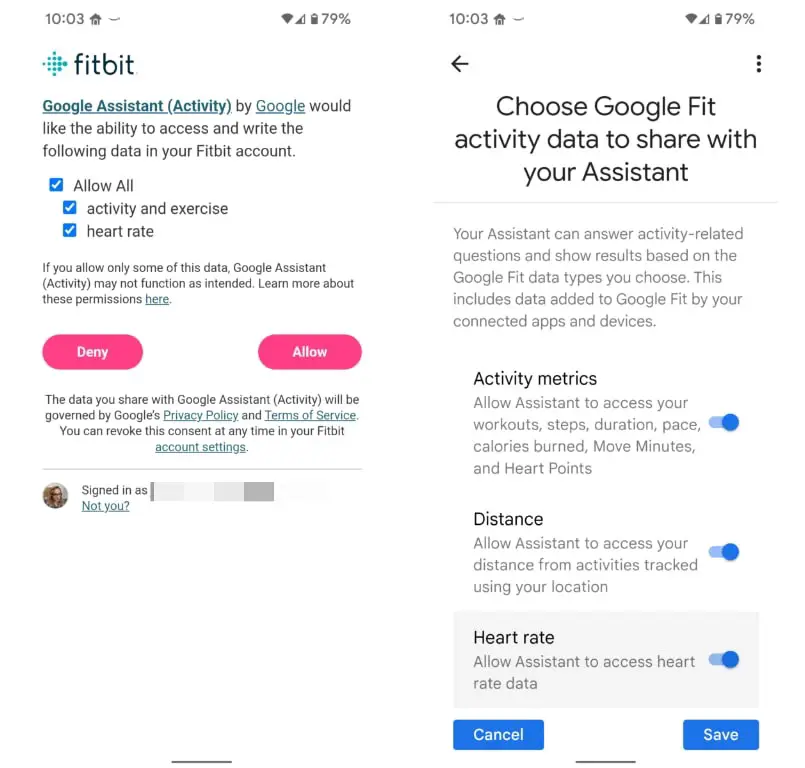
You can grant each of these apps access to your metrics, such as activity and heart rate, and have that sync up directly to Google Assistant. Once the information is part of the assistant, it’s safe to assume it could be integrated into other Google products as well. However, it has to be noted that at this time, you do have to select one of these apps as your default.
The products you choose to have your wellness activity displayed on are really up to you, as you have to explicitly select them from a list and allow them to show your personal results proactively. Be warned, though, that once you turn on personal results for any device, anyone that has access to it will be able to see and interact with this information. So basically, if you do not want other people in your household seeing how many steps you took that day, I wouldn’t turn this on. This is still rolling out, so most Nest displays are still not showing your Fitbit or Google Fit data. It may take a software update or a server-side switch to be turned on so that this feature can fully work.
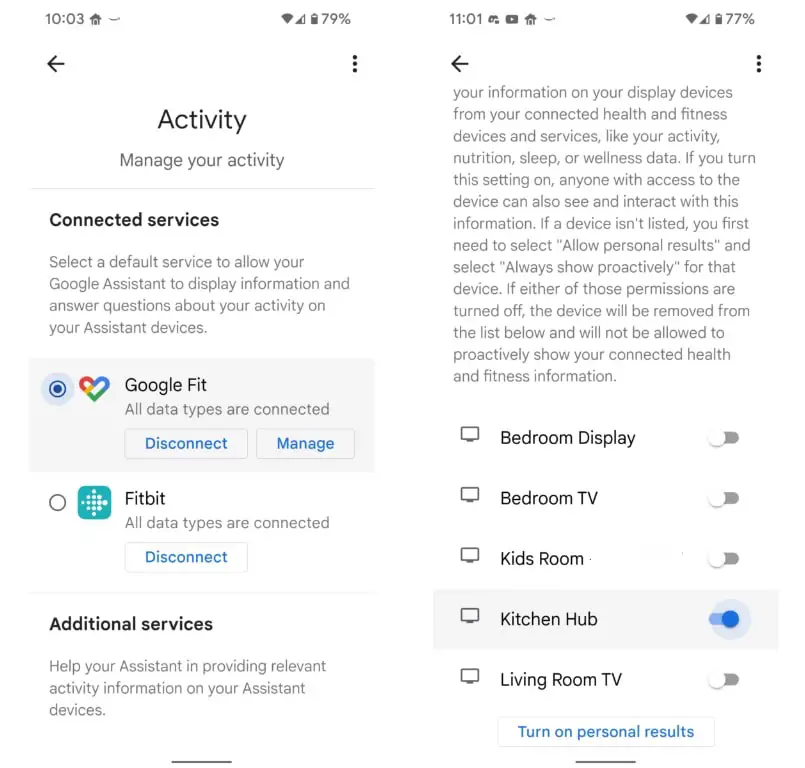
However, the step to have your wellness information displayed on your connected display devices is completely optional, and you can still have your Fitbit and Wear OS devices sync their data back to Google Assistant. What is not clear yet is which app the Pixel Watch will use to track your metrics and how long these two apps will continue to work together. It makes sense to me that they will need to be merged at some point. As David Imel said on the Waveform Podcast, merging the two apps with a rename like “Google FitBit” will continue to serve both the Google Fit and Fitbit communities while keeping the name brand recognition and clout that Fitbit has. While this is a great idea, in my opinion, it is ultimately up to Google how they will end up handling the situation. Hopefully, they can figure it out soon and thus avoid confusion for those that end up purchasing the Pixel Watch this fall.
SUBSCRIBE TO UPSTREAM
Get Chrome Unboxed delivered straight to your inbox
Upstream is our flagship, curated newsletter with the top stories, most click-worthy deals, giveaways, and trending articles from Chrome Unboxed sent directly to your inbox a few times a week. Join 31,000+ subscribers.
