
• Skip to main content
  • Skip to primary sidebar
  • Deals
  • Features
  • Guides
  • Chromebooks
  • Videos
  • Podcast
  • More +
    • Reviews
    • Unboxing
    • Upcoming Devices
    • Chromebook Plus
    • Chrome
    • ChromeOS
    • Chrome OS Flex
  • Search
  • Sign Up
  • Log In
Chrome Unboxed – The Latest Chrome OS News

Chrome Unboxed - The Latest Chrome OS News

A Space for All Things Chrome, Google, and More!

  • Deals
  • Features
  • Guides
  • Chromebooks
  • Videos
  • Podcast
  • More +
    • Reviews
    • Unboxing
    • Upcoming Devices
    • Chromebook Plus
    • Chrome
    • ChromeOS
    • Chrome OS Flex
  • Search
  • Sign Up
  • Log In

Google’s Duo can now be used on tablets and Chromebooks without a phone number

May 29, 2020 By Gabriel Brangers View Comments

Support our independent tech coverage. Chrome Unboxed is written by real people, for real people—not search algorithms. Join Chrome Unboxed Plus for just $2 a month to get an ad-free experience, access to our private Discord, and more. Learn more about membership here.
START FREE TRIAL (MONTHLY)START FREE TRIAL (ANNUAL)

Google has been putting in work when it comes to adding new and necessary features to the company’s various messaging platforms. Just recently, Google expanded its enterprise-focused Meet video conferencing to include any and all users with a Gmail account. This came at a pinnacle point in time as so many of us are still acclimating to teleworking and remote learning. In addition to being available to the masses, Meet added some great functionality features such as 16 person grid-view, low-light mode, noise cancellation, and more. Google Meet is great but for consumers, Duo would still be my first choice.

The mobile-centric video chat platform has added some robust new features over the past few months. AR effects, in-call photos, end-to-end encryption, and now, up to 12 people in a chat all make Google Duo a user-friendly, highly-capable video messaging platform that’s easy to use and available everywhere. Soon, users will even be able to make group calls on Duo for the Web which will make it as well-rounded as many of its competitors.

Xremove ads

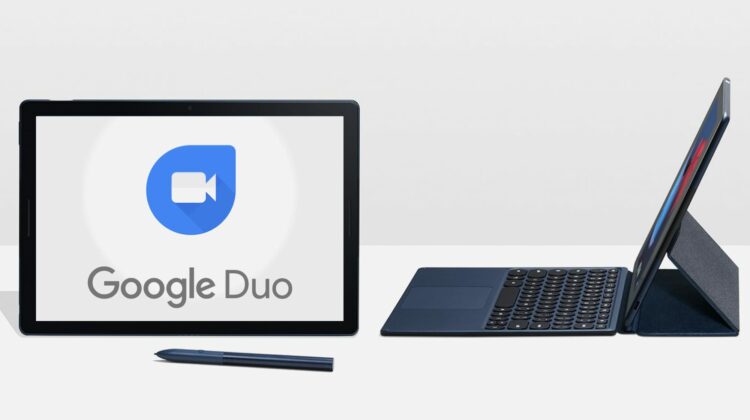
In January, Google announced that Duo for the Web would now allow users to join video chats without the need for an attached phone number. All you need is a standard Gmail account. With that, you can head to duo.google.com and create or join a video call. Users and also invite you to a Duo call with just your email. Today, with no formal announcement, Duo on Android tablets will now allow users to make and receive calls with the Android app with only an email attached. Since most Chromebooks support Android applications, this is also true for Chrome OS. I was able to install the Duo app from the Play Store onto my Pixelbook Go and then, log into Duo with an alternate Gmail. I was able to make calls without the need for linking my phone number.

On the mobile side of things, a new setting has popped up for Android phone users that will allow them to be contacted on Duo via an email address instead of a phone number. In Duo’s settings, you can click the three-dot menu at the top right and select settings. Click “Account” and you should see a toggle for “Reachable with email address.” These updates along with web-based group calls will make Duo my go-to video chat platform 100% of the time so long as the group isn’t larger than 12. One other notable update to Duo is the new graduation effect that will help you celebrate the grads in your life. If you haven’t seen it, check it out. It’s fun.

Featured Videos

Xremove ads

SUBSCRIBE TO UPSTREAM

Get Chrome Unboxed delivered straight to your inbox

Upstream is our flagship, curated newsletter with the top stories, most click-worthy deals, giveaways, and trending articles from Chrome Unboxed sent directly to your inbox a few times a week. Join 31,000+ subscribers.

SUBSCRIBE HERE!

Source: 9to5Google

Filed Under: Apps, ChromeOS

About Gabriel Brangers

Lover of all things coffee. Foodie for life. Passionate drummer, hobby guitar player, Web designer and proud Army Veteran. I have come to drink coffee and tell the world of all things Chrome. "Whatever you do, Carpe the heck out of that Diem" - Roman poet, Horace. Slightly paraphrased.

Primary Sidebar

Xremove ads

Deals

Save $40 on the Google Pixel Watch 4 before the Spring Sale ends

By Joseph Humphrey
April 24, 2026

The best Chromebook deals today

By Robby Payne
April 20, 2026

Deal Alert: the excellent Lenovo Chromebook Plus 2-in-1 returns to $429

By Robby Payne
April 20, 2026

Lenovo Legion Tab Gen 3 drops to $399, ahead of the much pricier Gen 5 release

By Joseph Humphrey
April 18, 2026

How to get 50% off YouTube Premium for a full year with Google One

By Robby Payne
April 16, 2026

More Deals

Xremove ads

Reviews

Lenovo Chromebook Plus 2-in-1 Review: pretty great in a vacuum

By Robby Payne
April 23, 2026

Acer Chromebook Plus Spin 514 Review: Kompanio Ultra power in a convertible

By Robby Payne
December 24, 2025

My review after 6 weeks with the Lenovo Chromebook Plus 14 [VIDEO]

By Robby Payne
August 11, 2025

One week with the best small Android tablet you can buy, and I’m sold

By Robby Payne
May 9, 2025

Best Chromebooks of 2024 [VIDEO]

By Robby Payne
November 28, 2024

More Reviews

Xremove ads

Guides

This Chromebook trackpad shortcut is definitely not new, but is blowing my mind

By Robby Payne
March 11, 2024

How to reduce broadcast delay on YouTube TV to stop live spoilers

By Robby Payne
December 8, 2023

Windows PC keyboard and Chromebook

How to use a Windows keyboard with a Chromebook

By Joseph Humphrey
December 8, 2023

How reset and revert your Chromebook to the previous version of Chrome OS

By Robby Payne
November 29, 2023

My Chromebook Plus features disappeared: here’s how I fixed it

By Robby Payne
November 24, 2023

More Guides

TWITTER · FACEBOOK · INSTAGRAM · YOUTUBE · EMAIL · ABOUT

Copyright © 2026 · Chrome Unboxed · Chrome is a registered trademark of Google Inc.
We are participants in various affiliate advertising programs designed to provide a means for us to earn fees by linking to affiliated sites.

PRIVACY POLICY