


Support our independent tech coverage. Chrome Unboxed is written by real people, for real people—not search algorithms. Join Chrome Unboxed Plus for just $2 a month to get an ad-free experience, access to our private Discord, and more. Learn more about membership here.
START FREE TRIAL (MONTHLY)START FREE TRIAL (ANNUAL)
In the age of remote work, Google Meet has been a lifeline for many of us. Even if you were more accustomed to Zoom during the pandemic, Meet has cemented its place as a competitor and offers plenty of great features that even Zoom doesn’t have.
Now, that’s more true than ever with the launch of Duet AI for Google Workspace. Meet is getting some new AI-powered features that promise to make your virtual meetings less soul sucking. Duet AI itself as a service will cost $30 per person per month, with a no-cost trial available to dip your toes in ahead of committing.
Since Google’s competitor in this space is Microsoft 365 Copilot, Duet will aim to act as your personal AI collaborator. This means a lot of the tasks you normally find yourself churning through will be simplified, allowing you to be more productive and less split in your time and attention.
Whether this will be something you invest in or not, there’s no denying these new tools across all of the tech giant’s services will be interesting to watch and use. Let’s talk about Meet. I’ll have a separate article discussing the updates to Chat in a bit!
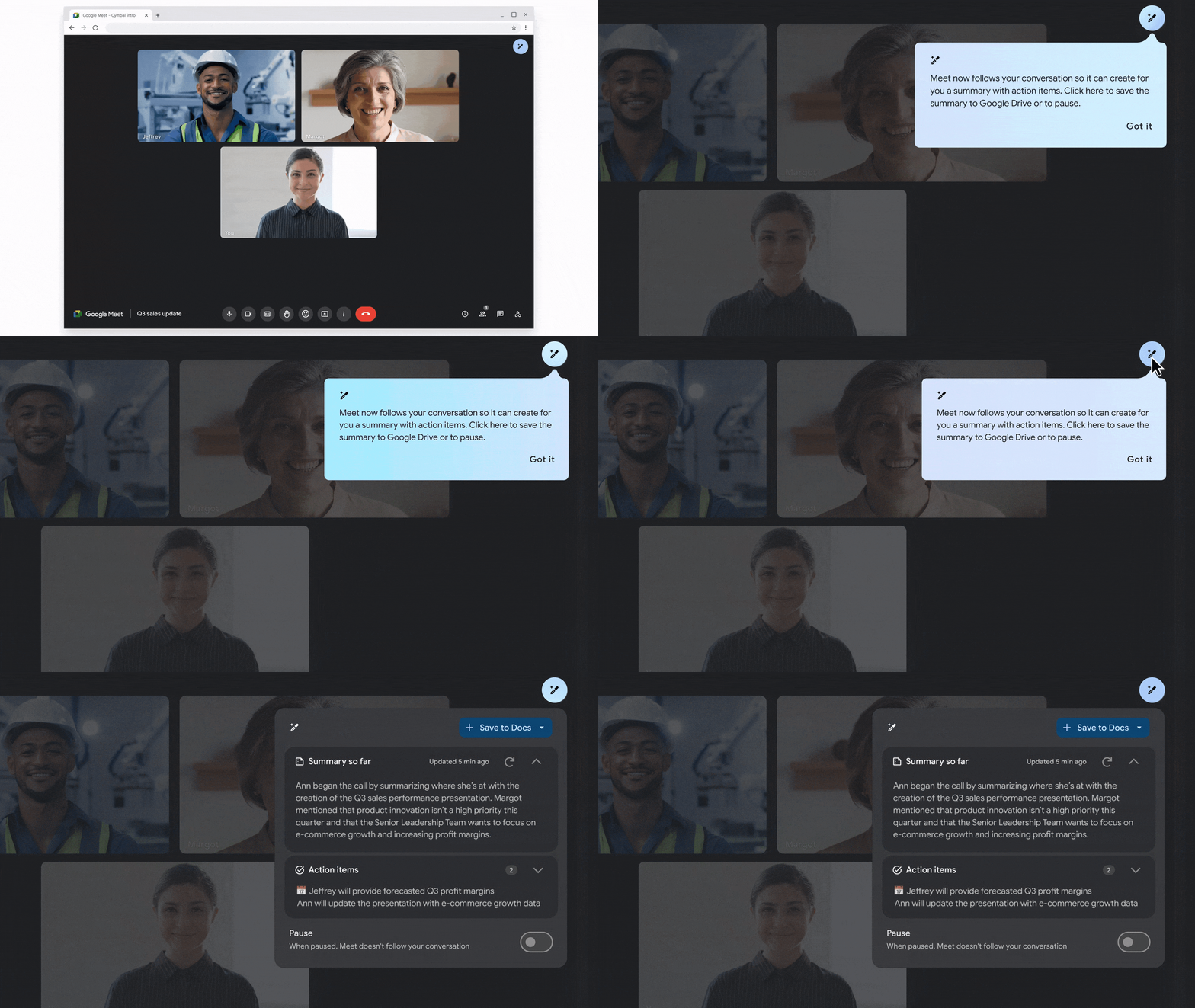
Meet is improving your audio and visual quality through features like studio look, lighting, and sound. Additionally, dynamic tiles and face detection will give meeting attendees their own video tile, complete with their name. The real show-stealer, in my humble opinion, is the automatic translated captions. 18 languages now have support for real-time translation, making it easier for global teams to collaborate. While I don’t collaborate internationally as often as some of you probably do, this is still pretty revolutionary.
Note-taking during meetings can be cumbersome, and yes, it’s okay if you admit it! However, with Duet AI’s “take notes for me” feature, that’s hopefully going to be a thing of the past. Using this will send out meeting summaries to help you and your team stay on track. I’ve personally had people add Firefly AI to calls in Meet in the past, but I’m hoping to convince them to use this instead! For those who join a meeting late, this can be super useful, and for those who can’t make it at all, the new “attend for me” feature will represent you, deliver your messages, and ensure you get a recap afterward.
Essentially, you’ve got a personal assistant taking your calls, summarizing them, and keeping you in the loop every step of the way. My only word of caution is to not let this replace real human interactions! I can already imagine a comedy skit where everyone in a meeting sends their AI, and there are just a handful of AI talking to each other based on bullet points.
Dystopian and creepy, but pretty hilarious. Let me know in the comments if you’re going to sign up for Duet AI and if you’re going to use these new tools and features. Thirty bucks per person per month is kind of steep, especially at scale, so I imagine smaller businesses won’t buy into this as much given budget concerns versus benefits.
SUBSCRIBE TO UPSTREAM
Get Chrome Unboxed delivered straight to your inbox
Upstream is our flagship, curated newsletter with the top stories, most click-worthy deals, giveaways, and trending articles from Chrome Unboxed sent directly to your inbox a few times a week. Join 31,000+ subscribers.

