

Support our independent tech coverage. Chrome Unboxed is written by real people, for real people—not search algorithms. Join Chrome Unboxed Plus for just $2 a month to get an ad-free experience, access to our private Discord, and more. Learn more about membership here.
START FREE TRIAL (MONTHLY)START FREE TRIAL (ANNUAL)
As we had hoped, the Universal Stylus Initiative has grabbed a foothold in the Chrome OS market and USI pens have now become the standard for stylus-compatible Chromebooks. It has been nearly three years since we first discovered that the fledgling stylus technology was headed to Chrome OS. Since then, USI pens have evolved at an accelerated pace. Initially, we had a handful of third-party, white-label pens powered by disposable AAAA batteries. Fast forward three years and we now have OEMs and ODMs making USI pens that are rechargeable, stowable, and there’s even one from HP that charges wirelessly.
The most desirable pens currently available, in my opinion, are those that can be recharged via USB-C and have the look and feel of an actual writing utensil. Models like the latest offering from Penoval come to mind. However, there’s an ever-growing market for USI styluses in the education market and that has prompted makers like Logitech to jump into the USI game. Since USI pens are supposed to all support the same basic protocols, schools will likely narrow their choices based on price and that’s where things get a little dicey. The average rechargeable USI pen will run you $50 or more. Logitech’s new stylus, while dreamy to write with, retails for $65. That equates to a lot of money when you’re talking about equipping entire classrooms.
Enter CTL
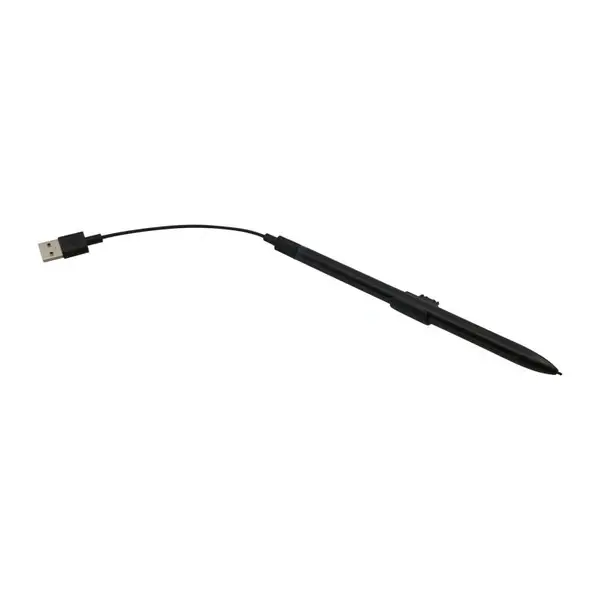
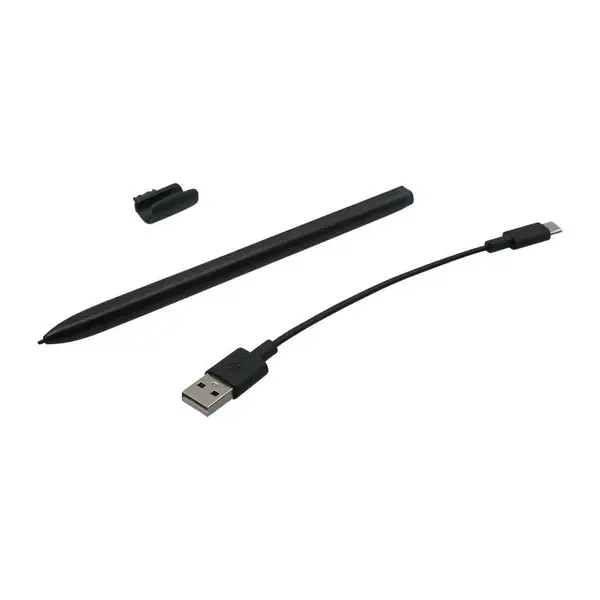
An industry leader in the Chrome OS for education space, Oregon-based CTL has just launched the company’s first-ever USI stylus and it could take the EDU sector by storm. Why? Well, there are a couple of reasons. First and foremost, the price. CTL’s new USI stylus retails for a mere $29.99. That’s cheaper than most of the devices on the market that aren’t rechargeable. Another neat advantage to the CTL stylus is that it appears to include a handy clip that, if my guess is right, is designed to slide directly into an available USB-A port. That means that it should be easy to attach to practically any education model Chromebook.
The CTL USI stylus works with CTL’s NL72T and NL72TW Chromebooks but thanks to the USI protocol, it will also work with any brand of Chromebook that’s USI compatible.

The Continuing Evolution of Chromebook USI Pens
Also included with the new CTL stylus is a USB-A to USB-C charging cable which will allow students to top off their pens directly from their Chromebooks. That said, this pen isn’t exclusive to schools. The rechargeable CTL USI stylus is currently available for pre-order directly from CTL with shipping expected by the end of this month. The pen has a square design which should make it a little easier to handle for fingers of any age and it will also keep the pen from rolling around on a desk or table which is a major bonus inside or outside of the classroom. You can pre-order the CTL USI stylus below or contact CTL directly if you’re interested in placing a bulk order for your district or school.
SUBSCRIBE TO UPSTREAM
Get Chrome Unboxed delivered straight to your inbox
Upstream is our flagship, curated newsletter with the top stories, most click-worthy deals, giveaways, and trending articles from Chrome Unboxed sent directly to your inbox a few times a week. Join 31,000+ subscribers.

