


Support our independent tech coverage. Chrome Unboxed is written by real people, for real people—not search algorithms. Join Chrome Unboxed Plus for just $2 a month to get an ad-free experience, access to our private Discord, and more. Learn more about membership here.
START FREE TRIAL (MONTHLY)START FREE TRIAL (ANNUAL)
With the launch of Google’s Works with Chromebook program, we are finally starting to see more Chrome OS-compatible and Chrome OS-specific accessories that are tested and/or designed specifically from Chrome OS hardware. Third-party makers such as Logitech have hopped on the bandwagon and given us some solid, affordable options in the way of Works with Chromebook keyboards and mice but now, we’re starting to see actual Chromebook manufacturers putting out accessories of their own.
Dell has had a wireless Chrome OS keyboard for some time now and while the overall design is good, I found myself aggravated by its lack of support in the center of the accessory. It has no center support on the bottom of the keyboard and it made it feel very cheap and sloppy to use. HP’s latest keyboard looks and feels much like an Apple keyboard and it is a very solid device. The drawback, however, is a big one for some buyers. It doesn’t have an integrated numeric keypad and that’s a deal-breaker for a lot of users. We have the white HP keyboard here in the office and it’s great. Sadly, I can’t find that one anywhere for purchase. The black version is available at HP for $39.99 but it doesn’t come with the cool matching mouse.
Anyway, now you have another option if you’re in the market for a wireless keyboard and/or mouse for your Chrome OS device. CTL, makers of education-focused Chromebooks, Chromeboxes, and accessories has just launched a wireless combo that features the latest Bluetooth 5.2 and that’s a big deal for Chrome OS users. As we all know, Chrome OS devices have been historically notorious for having pretty bad Bluetooth connectivity issues. With the release of Bluetooth 5 and some ongoing updates, Bluetooth has become more than manageable if your device and your peripherals both have Bluetooth 5. The combination results in more reliable connectivity, more data transfer bandwidth, and longer battery life for your accessories.
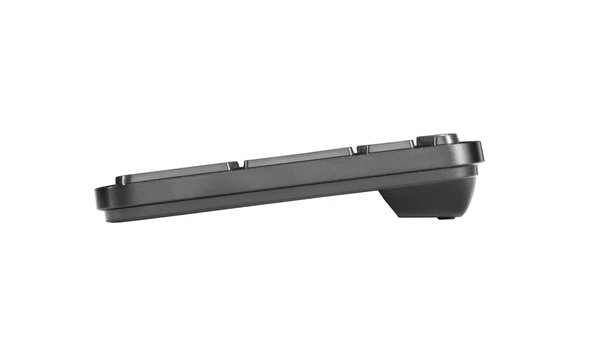
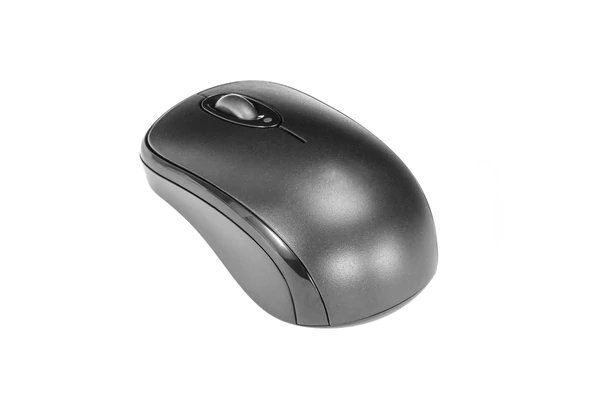

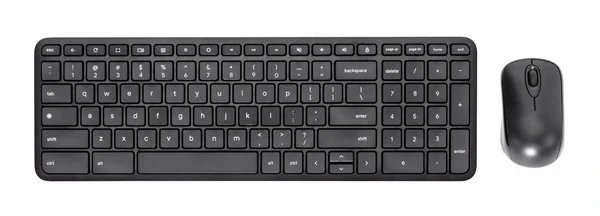
The new accessories from CTL are clearly geared towards the classroom but they are available to the public and would make a great addition to any desktop setup. I had a chance to speak with the CEO of CTL and he told me that his company worked directly with Google to design the keyboard and after using one for a week or so, I can say that the partnership was a success. While I lean more towards “clicky” keyboards, I can say that the CTL keyboard is a pleasure to type on. It has a relatively deep but very smooth travel that requires you to be an intentional typer. That’s a good thing because this keyboard will likely grace countless classrooms where students will be learning to type for the first time. This is the type of keyboard that really prevents lazy typing which is something that I am very guilty of. Typing on the CTL off and on has helped me tighten up my keystrokes, for sure.
The wireless CTL mouse is your standard, run of the mill Bluetooth mouse and it works just fine. It’s large enough for large hands like mine but still sleek enough for the youngsters. CTL’s CEO Erik Stromquist did tell me that they would be moving the logo to the bottom of the mouse to keep it as clean-looking as possible.
One of the best features of both of these accessories brings us back to connectivity. Unlike accessories from Logitech neither the keyboard nor the mouse from CTL uses a dongle and historically, Chrome OS devices and Bluetooth direct peripherals can be a headache. I have a number of Bluetooth accessories that pair with my Chromebooks just fine but oftentimes will fail to reconnect when they have been separated from my laptop for too long. Others will simply disconnect for absolutely no reason. I can happily say that this is not the case with CTL’s new Works with Chromebook accessories. Both the keyboard and mouse can pair to my Chromebook concurrently and even after taking my laptop home and coming back, both of the accessories connected immediately after powering them on. This is a huge win for Chrome OS accessories and scores some major brownie points for CTL.
If you’re looking for a solid keyboard/mouse combo that is designed with Chrome OS in mind, CTL’s hardware is a solid choice. To add some icing to the cake here, CTL is taking pre-orders for the keyboard and mouse combo and knocking $10 off of the price if you place your order now. You can buy the keyboard for only $29.99 or you can pick up the combo for $39.99 and they will start shipping in mid-February. Education customers can contact CTL directly for bulk purchases and pricing. You can find the CTL Works with Chromebook accessories at the link below. Don’t forget to check out CTL’s budget-friendly rechargeable USI stylus that just launched last week.
SUBSCRIBE TO UPSTREAM
Get Chrome Unboxed delivered straight to your inbox
Upstream is our flagship, curated newsletter with the top stories, most click-worthy deals, giveaways, and trending articles from Chrome Unboxed sent directly to your inbox a few times a week. Join 31,000+ subscribers.

