


Support our independent tech coverage. Chrome Unboxed is written by real people, for real people—not search algorithms. Join Chrome Unboxed Plus for just $2 a month to get an ad-free experience, access to our private Discord, and more. Learn more about membership here.
START FREE TRIAL (MONTHLY)START FREE TRIAL (ANNUAL)
Google’s been working on its side panel Reading Mode for quite some time, and as you probably already know by now, it condenses a web article or page into a readable format with no ads, images or videos – just text. You may need to enable this from the developer flags tied to “Read Anything”. You can see the previous version of the tools here.
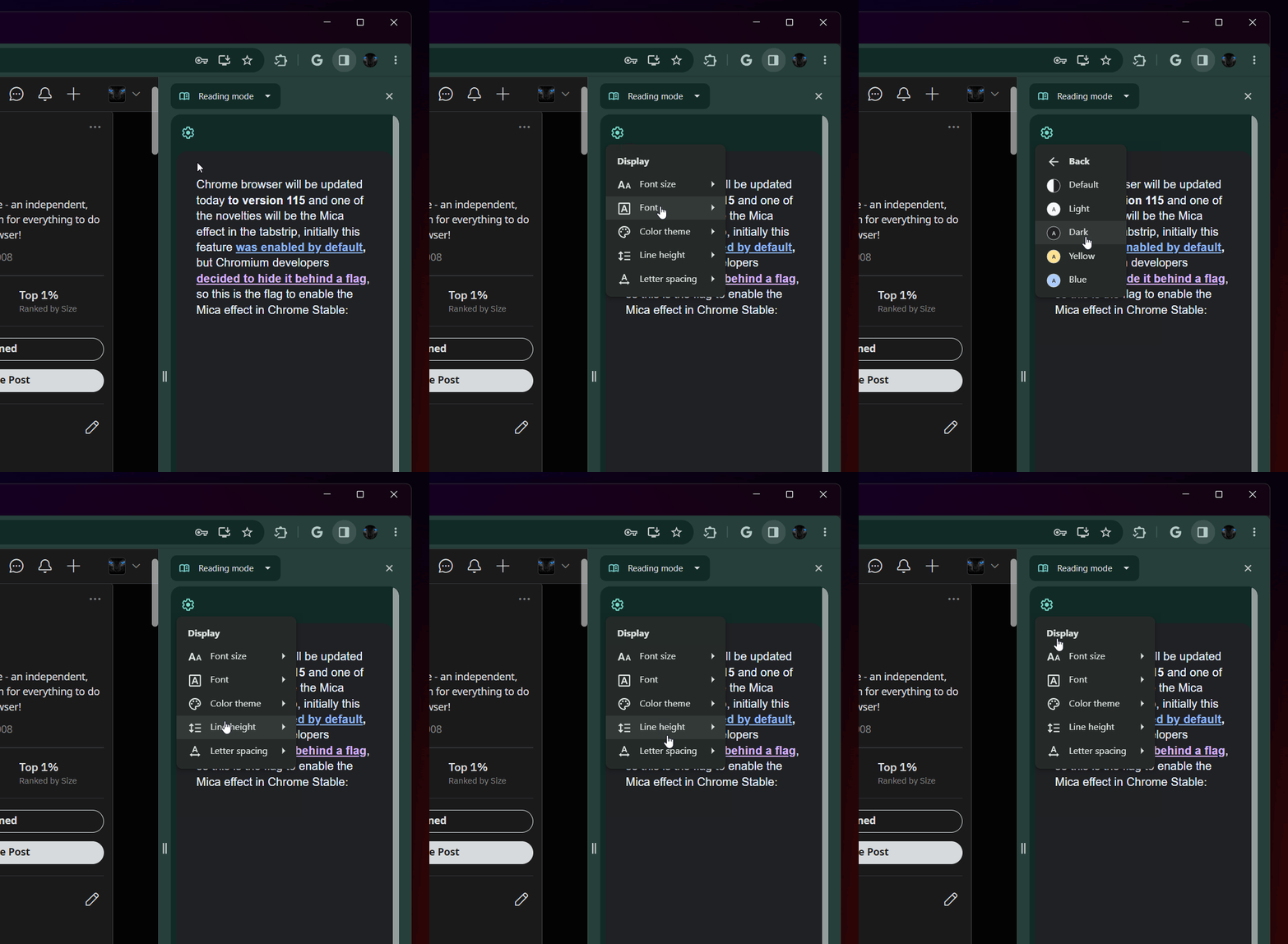
The panel tools offer text formatting, color options and more, but now, according to Leopeva64 on Twitt- erm… “X”, they’re all being shoved into a stupid cogwheel. As shown above, the font size, font family, color, line height, and letter spacing are all available in the settings icon that now shows up on the left-hand side of the panel and for some reason, someone at Google thought this would be a good idea.
Luckily, clicking any one of these options applies it, and does not close the dialogue box, so you don’t have to keep clicking the cogwheel to call it up for each change. At least someone had the sense to make it persistent until you click off of it, right?

I’m of the personal opinion that this is just horrendous, and I hope this change is rolled back, but I suppose I can see how making it more ‘distraction-free’ can come at the cost of tucking those editor options away. Still, what I’d like most is if Reading Mode weren’t shoved into the side panel at all, but rather that it overtook your web page and was toggleable, allowing you to convert the full web page instead of relying on craning your neck over to the right to read in a sliver of the screen!
SUBSCRIBE TO UPSTREAM
Get Chrome Unboxed delivered straight to your inbox
Upstream is our flagship, curated newsletter with the top stories, most click-worthy deals, giveaways, and trending articles from Chrome Unboxed sent directly to your inbox a few times a week. Join 31,000+ subscribers.

