
• Skip to main content
  • Skip to primary sidebar
  • Deals
  • Features
  • Guides
  • Chromebooks
  • Videos
  • Podcast
  • More +
    • Reviews
    • Unboxing
    • Upcoming Devices
    • Chromebook Plus
    • Chrome
    • ChromeOS
    • Chrome OS Flex
  • Search
  • Sign Up
  • Log In
Chrome Unboxed – The Latest Chrome OS News

Chrome Unboxed - The Latest Chrome OS News

A Space for All Things Chrome, Google, and More!

  • Deals
  • Features
  • Guides
  • Chromebooks
  • Videos
  • Podcast
  • More +
    • Reviews
    • Unboxing
    • Upcoming Devices
    • Chromebook Plus
    • Chrome
    • ChromeOS
    • Chrome OS Flex
  • Search
  • Sign Up
  • Log In

You will soon be able to pin floating windows in ChromeOS

April 26, 2022 By Johanna Romero View Comments

Support our independent tech coverage. Chrome Unboxed is written by real people, for real people—not search algorithms. Join Chrome Unboxed Plus for just $2 a month to get an ad-free experience, access to our private Discord, and more. Learn more about membership here.
START FREE TRIAL (MONTHLY)START FREE TRIAL (ANNUAL)

In Google’s efforts to bring ChromeOS to the masses, we have seen many improvements over time that have made the experience feel more polished and have brought features previously only seen on “fully-fledged” operating systems like Windows and macOS. One of these features, as discovered by Android Police, is the ability to pin a floating window so it can stay in the foreground.

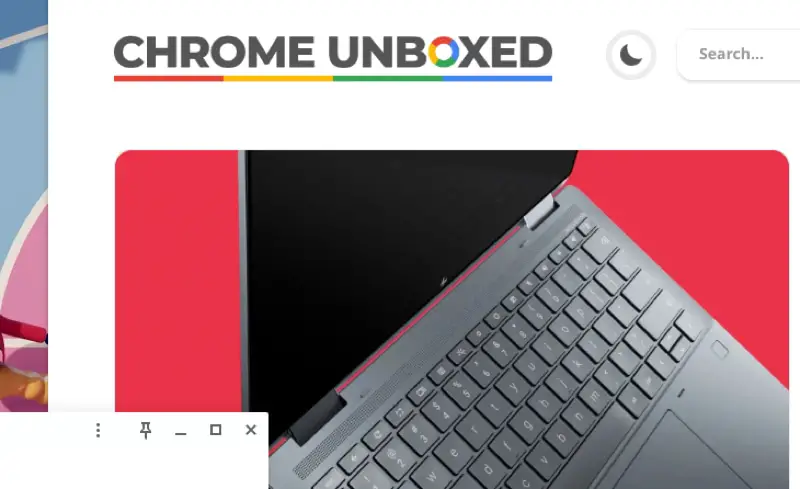
The feature is only available in the experimental Canary Channel and by enabling the #cros-labs-float-window flag. Once enabled you will be able to see a pin on the top right of your open windows. Clicking it will effectively “pin” that app wherever you place it on your screen and will keep that app in the foreground while you interact with other apps back and forth.
Xremove ads
Example of the Pin icon on an app’s title bar

This can be a very helpful feature if in your normal workflow there is an application that demands more of your time and needs to be referred back to often. AP provided the below additional information on how the feature is currently working:

While the functionality itself works as expected, it feels like the interface isn’t quite fully fleshed out yet, as there are currently no visual cues (like the pin icon graying out or taking a slanted appearance) to show that a window’s in a pinned or unpinned state. It seems likely that might be added in a future build.

This is one of those features that was not on my wishlist, but now that I know about it, I want it and I want it now. I can see myself pinning Spotify or even Google Keep so I can refer back to my notes as I work. Little details and improvements such as this one, is what drew me to ChromeOS in the first place, and I am very glad to see this is still the trend.

Featured Videos

Xremove ads

Filed Under: ChromeOS, New & Upcoming Features Tagged With: chromeos, floating windows, pinned floating window

Primary Sidebar

Xremove ads

Deals

The touchscreen Lenovo Chromebook Slim 3 is a steal at under $200

By Robby Payne
March 16, 2026

Google TV Streamer and Remote held in front of a wall-mounted TV

The premium Google TV Streamer 4K is back down to $80

By Joseph Humphrey
March 16, 2026

The best Chromebook deals today

By Robby Payne
March 16, 2026

Pixel Buds Pro 2 running

I still love the Pixel Buds Pro 2 and they are $60 off right now

By Joseph Humphrey
March 13, 2026

The Lenovo Chromebook Slim 3 is the one to get, starting at just $139 right now

By Robby Payne
March 6, 2026

More Deals

Xremove ads

Reviews

Acer Chromebook Plus Spin 514 Review: Kompanio Ultra power in a convertible

By Robby Payne
December 24, 2025

My review after 6 weeks with the Lenovo Chromebook Plus 14 [VIDEO]

By Robby Payne
August 11, 2025

One week with the best small Android tablet you can buy, and I’m sold

By Robby Payne
May 9, 2025

Best Chromebooks of 2024 [VIDEO]

By Robby Payne
November 28, 2024

Samsung Galaxy Chromebook Plus Review: Samsung is back! [VIDEO]

By Robby Payne
October 28, 2024

More Reviews

Xremove ads

Guides

This Chromebook trackpad shortcut is definitely not new, but is blowing my mind

By Robby Payne
March 11, 2024

How to reduce broadcast delay on YouTube TV to stop live spoilers

By Robby Payne
December 8, 2023

Windows PC keyboard and Chromebook

How to use a Windows keyboard with a Chromebook

By Joseph Humphrey
December 8, 2023

How reset and revert your Chromebook to the previous version of Chrome OS

By Robby Payne
November 29, 2023

My Chromebook Plus features disappeared: here’s how I fixed it

By Robby Payne
November 24, 2023

More Guides

TWITTER · FACEBOOK · INSTAGRAM · YOUTUBE · EMAIL · ABOUT

Copyright © 2026 · Chrome Unboxed · Chrome is a registered trademark of Google Inc.
We are participants in various affiliate advertising programs designed to provide a means for us to earn fees by linking to affiliated sites.

PRIVACY POLICY