


Support our independent tech coverage. Chrome Unboxed is written by real people, for real people—not search algorithms. Join Chrome Unboxed Plus for just $2 a month to get an ad-free experience, access to our private Discord, and more. Learn more about membership here.
START FREE TRIAL (MONTHLY)START FREE TRIAL (ANNUAL)
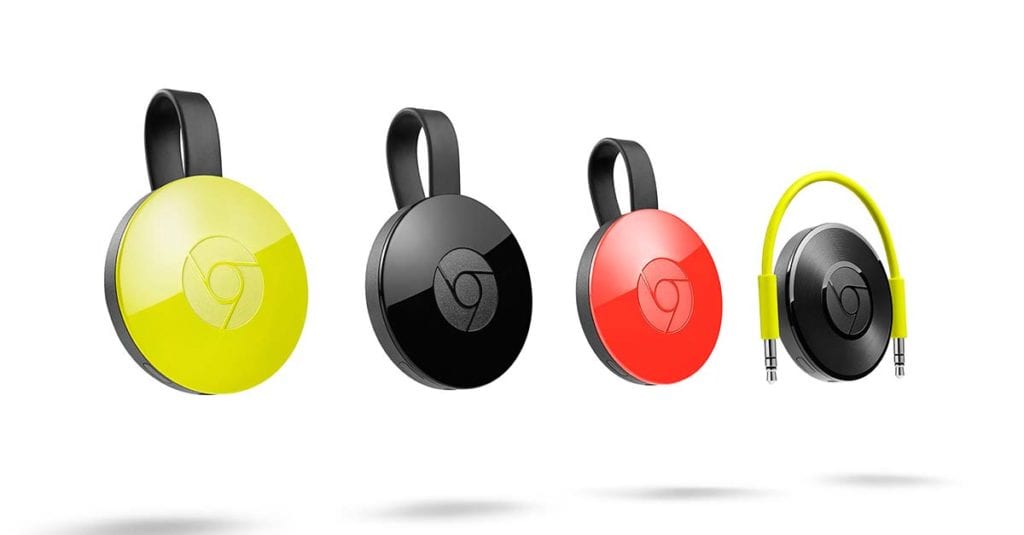 Late last year without any real notice, Google rolled out a new feature for Android that gives users a notification when something is being cast via Chromecast on the Wifi network they are on.
It seemed like it might be helpful, but it has been a real aggravation for many.
How It Works
In a nutshell, the notification appears on compatible Android devices any time there is a cast event happening on the Wifi network. In our office, for instance, there are two Chromecast speakers and a couple Chromecasts on televisions.
Any time anyone is casting anything to those devices, I see a notification letting me know that something is playing and giving me some basic play/pause controls as well.
It is handy when there are multiple casting sessions going and I simply need to mute or pause one of them quickly. I do like that part.
The Problem
The issues are more numerous.
First, there’s no message explaining what users are seeing. They simply see a notification and an ‘X’ on the right. If they didn’t start that casting session, they will likely hit the ‘X’ and move on. The problem is, this kills the session.
Second, the lack of explanation has people all freaking out trying to figure out where their device is casting stuff. No one wants to accidentally be sharing their screen, after all.
Last and surely not least, everyone on the network can mess with your casting session. Play, pause, or simply stop altogether, you and everyone else on the Wifi is in control. Granted, Chromecast is just set up that way. I can always take over a casting session, but this lends itself to people messing with one another more than starting a new casting session.
In our office, little pranks are the way of things, but between jokes, accidents, and uniformed users, casting gets interrupted a lot.
Steps In The Right Direction
While this isn’t getting removed or overhauled, a little fix that I’ve long thought would help is on the way.
From a 9to5google tipster, we have a screenshot of a new little message that will accompany the Chromecast notification. Take a look.
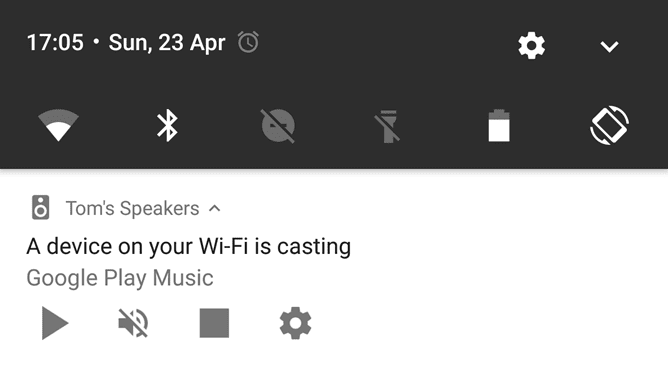
The message A device on your Wifi is casting will actually help many of the aforementioned issues. As I said, due to the nature of Chromecast, an interruption is pretty easy to come by. Under most circumstances, those sharing your local network will leave a casting session alone and won’t freak out if they simply see this new message.
I do wish it would make it clear that a swipe dismisses the notification without any interruption to the session, but it doesn’t look like that is happening yet.
The gear on the left is also a way to opt out of these notifications, but again, it just isn’t clearly communicated. UX and UI are best when we know, intuitively, what to do with an element. This is simply poor UI and UX, period. Helpful sometimes, but simply a bane for most users.
I think it will need more tweaks before it becomes something users actually want around.

