


Support our independent tech coverage. Chrome Unboxed is written by real people, for real people—not search algorithms. Join Chrome Unboxed Plus for just $2 a month to get an ad-free experience, access to our private Discord, and more. Learn more about membership here.
START FREE TRIAL (MONTHLY)START FREE TRIAL (ANNUAL)
We’ve had high resolution Chromebooks dating all the way back to the original 2013 Chromebook Pixel and as the years have progressed, far more have been added to that lineup in devices like the Pixelbook, Samsung Chromebook Plus/Pro, HP Chromebook x2, Pixel Slate, and many more. High-res displays are quite commonplace and many of the issues that used to come along with them have been solved. We used to run into app scaling problems, extended display issues, and general UI scaling wonkiness.
However, as we’ve had more of these high-res devices come around, most of those sorts of persisting issues have been resolved. You see, with high resolution screens, the UI and other software have to scale their bits and pieces to look good on elements displayed on anything from a 10-inch to a 15-inch screen. With devices like the Acer Chromebook Spin 713 in front of me right now, if there was no scaling on the interface, everything on this screen would be too tiny to interact with. Even devices that we don’t classify as high-res like the Flex 5 or Pixelbook Go still leverage this display scaling as 1080p on a 13.3-inch screen isn’t optimal for 99% of users.
Scaling the UI allows everything on the screen to take up more of those physical pixels in scale. Fonts sizes increase, icons get larger, and touch points become bigger without things getting fuzzy or blurry. Chrome OS does this quite well these days and there are very few times I even give it a second thought. Chromebooks can even handle scaled and non-scaled UI simultaneously across extended displays, too, so it has all become quite seamless.
Except one, nagging thing: the mouse cursor. While I understand that the cursor in Chrome OS is handled by something a bit deeper than the surface-level UI, something needs to be done about the way it basically ignores the rest of the interface when scaling in and out. Some devices have a couple mouse cursor sizes – one for scaled out and one for scaled-in – but some only have one size. Probably the worst case of this is with the Samsung Chromebook Plus V2 and its gargantuan cursor. No change in scaling can adjust it and it is patently ridiculous looking on screen.
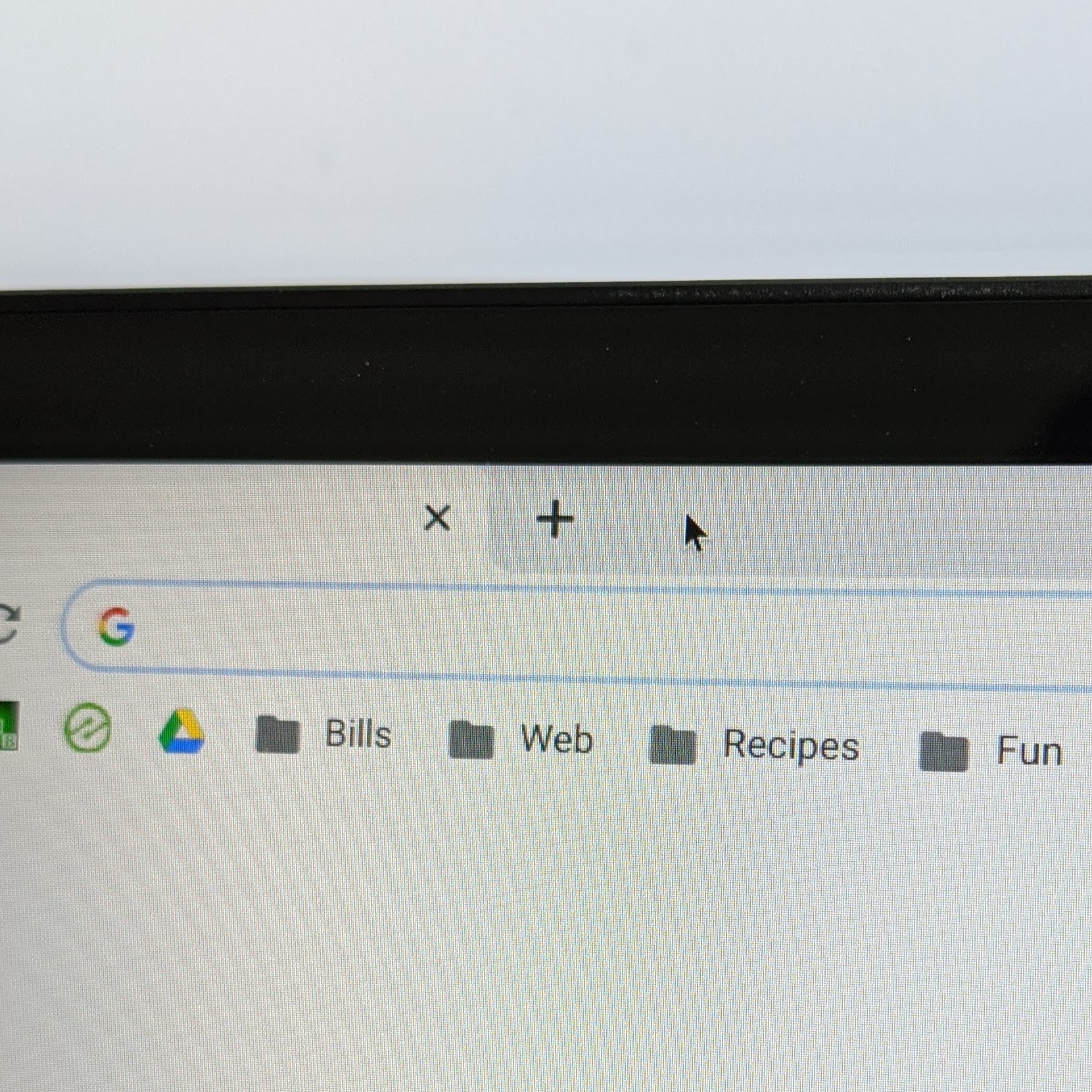

The Acer Chromebook Spin 713 has a rather large cursor out of the box, but scaling the display back one notch kicks the cursor size down to the un-scaled size which is pretty tiny. There’s no in-between options and you are left with one wildly-huge cursor or one comically small one. Oddly enough, regardless of cursor size on the internal display, it is the normal size for my extended display where there is no UI scaling happening. I’ve seen this on a handful of other high-res Chromebooks as well and, honestly, I can’t find a single reason why the mouse cursor won’t just scale along with the display. At the end of the day, the mouse cursor should be roughly the same size as the system standard fonts and text input fields and it should scale in percentage right alongside the rest of the UI.
Imagine if the entire UI scaled up and down, but the fonts on the screen never changed sizes. Or imagine if the minimize, maximize and close buttons found at the top of every window just stayed a single size regardless of your scaling preferences. That wouldn’t make any sense, would it? In the same way, this very odd mouse cursor behavior doesn’t make sense, either. And the OS has a way to handle cursor scaling as seen in the large mouse cursor accessibility setting. Head to your tray, click on the Accessibility option, and choose the large mouse cursor option. In your accessibility settings, you’ll now have the option to move a slider to adjust the mouse cursor size from humongous back to regular size. The scaling ability is there, but Chrome OS just doesn’t seem interested in leveraging it for the standard mouse cursor.
Not surprisingly, there are already a few bugs out there that exist for this issue so I’ll link them here and here. Head there, star these bugs (you need to be logged in with your Google account to do so) and hopefully we can get some attention on this long-standing issue. When display scaling and high-res displays made up a small percentage of the Chromebook ecosystem, I could understand this whole thing flying under the radar. At this point in 2020, there’s really no excuse. Most modern Chromebooks leverage some UI scaling, so it is time that the mouse cursor comes along for the ride.
Shop Best Chromebooks of 2020 So Far on Chrome Shop
SUBSCRIBE TO UPSTREAM
Get Chrome Unboxed delivered straight to your inbox
Upstream is our flagship, curated newsletter with the top stories, most click-worthy deals, giveaways, and trending articles from Chrome Unboxed sent directly to your inbox a few times a week. Join 31,000+ subscribers.

