


Support our independent tech coverage. Chrome Unboxed is written by real people, for real people—not search algorithms. Join Chrome Unboxed Plus for just $2 a month to get an ad-free experience, access to our private Discord, and more. Learn more about membership here.
START FREE TRIAL (MONTHLY)START FREE TRIAL (ANNUAL)
Chrome OS is an interesting operating system in many ways. One of those ways, in particular, is the fact that we always have to consider both the clamshell/desktop and tablet modes of Chrome OS when looking at features. Many times, features behave the same in both environments, but there are other times where things are wildly different, too. Take multitasking and overview modes as an example. The way you enter that view, interact, and how things are displayed wildly differs depending on your current setup.
Other times, features leak from one mode to the other. Take window snapping for another example: these once-different methods of snapping windows to different sides of your screen are now very similar regardless of the mode your Chromebook is in. Even the animations look the same whether you are dragging a window to one side with a mouse on the desktop or with your finger in tablet mode.
I’m a big fan of this sort of cohesion, where Chrome OS is becoming more alike in its modes versus more differentiated. Users need to intuitively know what to do on their devices regardless of whether or not a keyboard is in play, and the more Google works towards that goal, the better. And that brings up the change we’re tracking today with the wallpaper picking app built into Chrome OS.
A new/familiar look to selecting your style
The humble wallpaper app has been there since the beginning and has had some nice upgrades along the way. Michael has been tracking the more-recent changes that are inbound for the app that – of all the apps on your device right now – likely has biggest role in customizing the look and feel of your Chromebook. Combined with the upcoming Material You design updates to Chrome OS, the wallpaper picker will become central to the experience of watching your Chromebook customize more to your particular tastes and style.
While Material You isn’t quite here yet (though we have some ideas of what it could look like), a handy feature that already exists on the tablet mode side of Chrome OS looks to be making its move to the desktop side of things soon. Not merged yet, this commit from the Chromium Repositories shows that a full-screen preview during the wallpaper selection process is on the way:
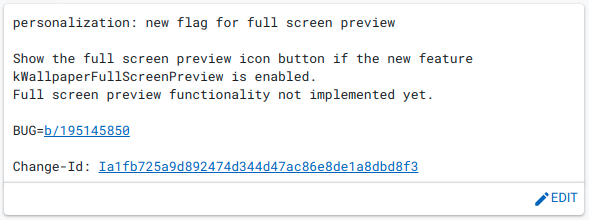

As you can clearly see from this commit and the adjoining flag description, this new feature will simply give the user a full-screen preview of the desired wallpaper before selecting it. While that sounds nice, the better part is the entire UI that Google currently uses in tablet mode for this exact thing is really great and, honestly, it’s a bit silly that this same UI isn’t on desktop already. Check the differences below.
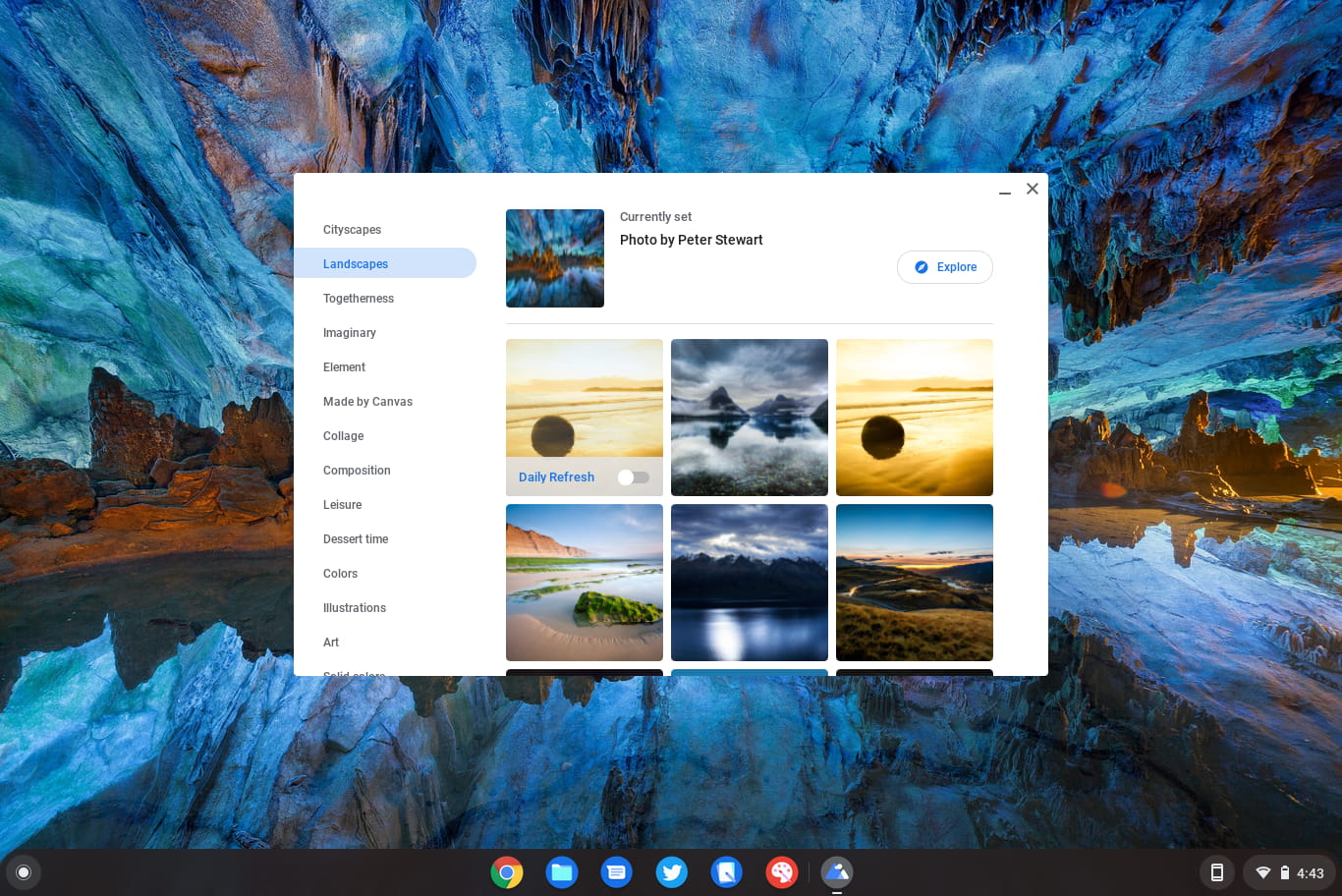
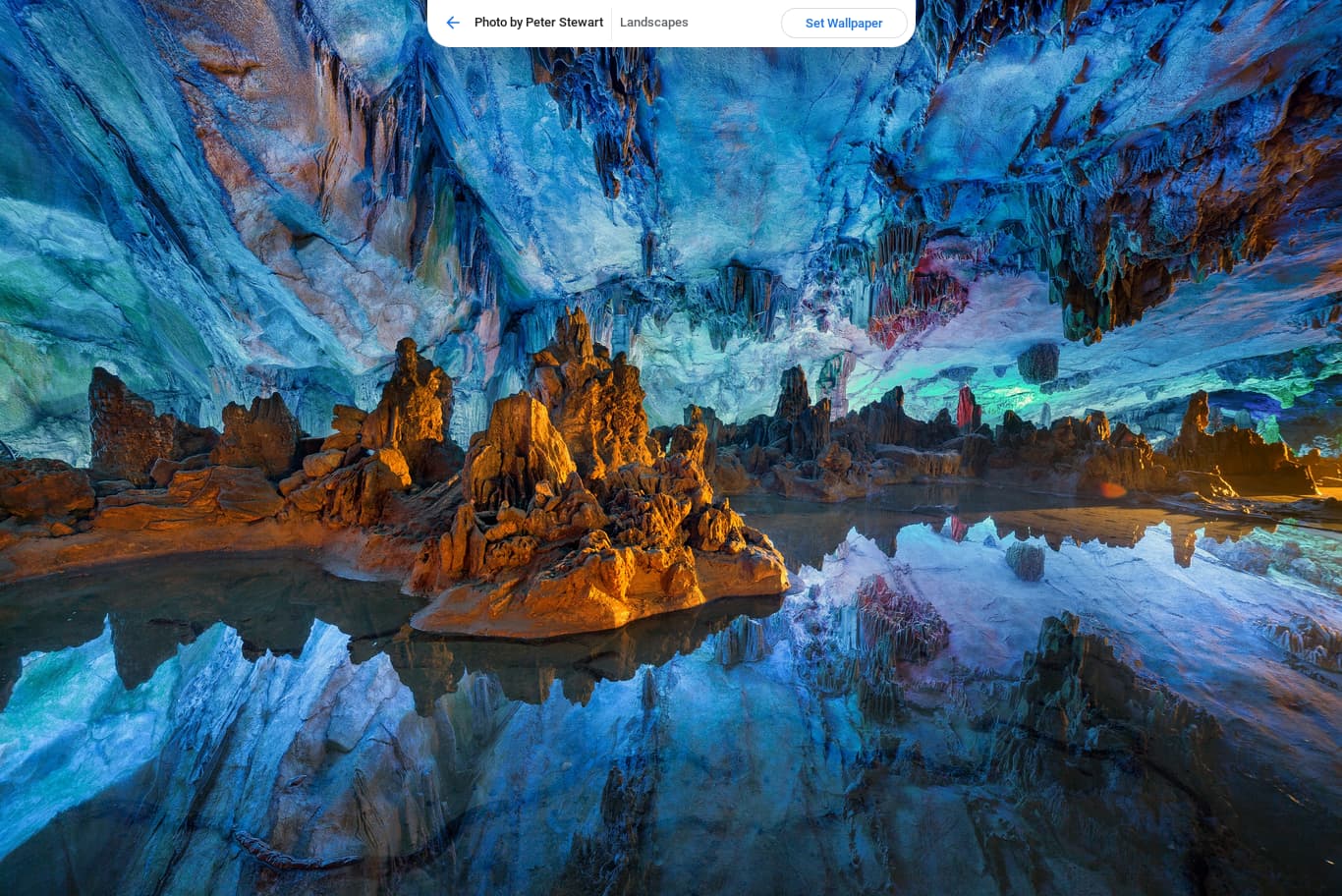
When in tablet mode, once you select your desired image, you get an uninterrupted look at your new wallpaper and the option to set it or try something else. It is simple, effective, and absolutely the way this should all work moving forward whether you are in tablet or desktop mode. Those experimental updates coming to both the tablet and desktop wallpaper picker we mentioned above will likely bring this full-screen picker to desktop when it all arrives in the next few versions of Chrome OS. Stay tuned.
SUBSCRIBE TO UPSTREAM
Get Chrome Unboxed delivered straight to your inbox
Upstream is our flagship, curated newsletter with the top stories, most click-worthy deals, giveaways, and trending articles from Chrome Unboxed sent directly to your inbox a few times a week. Join 31,000+ subscribers.

