

Support our independent tech coverage. Chrome Unboxed is written by real people, for real people—not search algorithms. Join Chrome Unboxed Plus for just $2 a month to get an ad-free experience, access to our private Discord, and more. Learn more about membership here.
START FREE TRIAL (MONTHLY)START FREE TRIAL (ANNUAL)
 I’ve been a Chrome OS users for years now. Surprise, surprise, right? You don’t start YouTube channels and websites around an OS if you only use that OS occasionally.
It goes without saying that I’m a HUGE fan of the platform.
Though we don’t use a Windows or Mac device around our house, we do have Android phones and an iPad 2 that has been in the family for years.
As we began having kids, the iPad became a decent extra screen for the kids, easily utilized as a Disney, YouTube or Netflix playback machine. We never really used it to do much else and as the years wore on, it became so slow it was nearly unusable. I personally hadn’t used the thing for a few years.
A New iPad
As it turns out, our old iPad bit the dust last week and stopped charging. The screen was also shattered in the top right corner, so I wasn’t too sad to finally say goodbye to it.
At this same time, Apple announced the first new non-Pro iPad in a few years and substantially lowered its price.
For $329, you can get a 32GB iPad brand new. Not too bad of a deal, really. And we have a certain soft spot for an iPad around the house now, so I was already bent on replacing it.
Additionally, as a site that covers Google things, I think it is good to have at least one iOS device around for trial and testing.
So I bought one.
And, you know what? The Google parts of the iOS experience are so much better than I remember!
Google In, Apple Out
One of the things I’ve never liked about using iOS products is the ecosystem buy-in. iOS has a version of everything that Google offers, and they didn’t play well with Google Services in the past.
So email, calendars, documents, etc. were all handled by an iOS app. This is understandable, but as a user who is heavily invested in Google services, using a device that doesn’t work well with those was never very attractive to me.
Heck, even Windows plays pretty nicely with Google stuff.
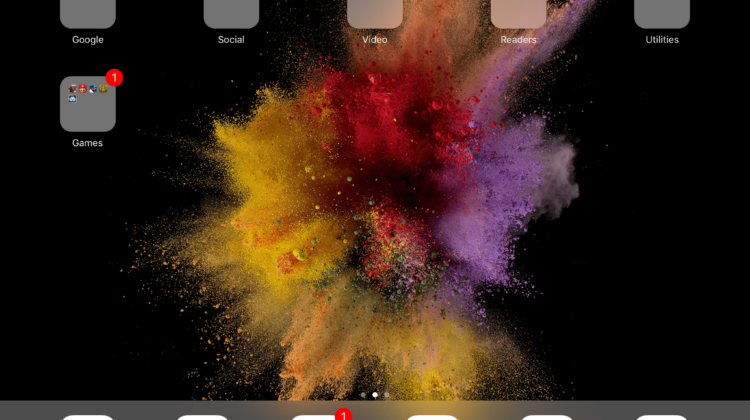
Anyway, the first thing I found refreshing was the ability to remove most Apple apps from the iPad. Email, Calendar, messaging, etc. were all removable. This freed up space for all the Google stuff I wanted to add.
After adding Gmail, Google Calendar, Chrome, Hangouts, Docs, Drive, Sheets, and Photos, I had my iPad ready to roll.
Granted, notifications, settings and lock screens are still meh in iOS, and file management is basically nascent. But, the apps are well-made and fit the larger screen so well, I can forgive some oddness in the OS.
Sure, I can’t get my job done on it due to the lack of an inspector in the browser, but for Chrome Unboxed, I can get articles written up and graphics made pretty easily thanks to a great app called Graphic. I wouldn’t make it my daily driver, but it is pretty capable at this point and with all my Google apps right at my fingertips, I don’t mind cranking out an article here or there with an attached Bluetooth keyboard.
I Still Prefer a Chromebook
All that said, I still favor a Chromebook for productivity. The iPad is great for reading articles, watching videos and playing games. It is, after all, a consumption device.
But with the polish that Google’s apps are getting on iOS and the ability to simply remove the Apple counterparts, and iPad can now be used by Googlers as a fantastic consumption machine with hints of productivity thrown in.
Those iPad Pro commercials currently airing on TV are definitely hyperbolic, though. You can get some things done, sure, but these devices aren’t replacing Chromebooks, Windows laptops or Macbooks any time soon.
All of this makes me very, very eager for Android apps to start catching up from a quality perspective and for hardware manufacturers to get these new tablet and detachable devices to market. The idea of having a device as portable and usable as the iPad for consumption while still maintaining the full productivity of Chrome OS is drool-worthy, indeed.
Until then, I’ll be sticking with my Chromebook for most things, but happily using the iPad in scenarios where I simply need to get a quick edit or article done.

