

Support our independent tech coverage. Chrome Unboxed is written by real people, for real people—not search algorithms. Join Chrome Unboxed Plus for just $2 a month to get an ad-free experience, access to our private Discord, and more. Learn more about membership here.
START FREE TRIAL (MONTHLY)START FREE TRIAL (ANNUAL)
The developers over at the Chromium repositories have been working overtime preparing Chrome OS for Android N, new stylus features and the onslaught of new form-factors headed our way.
With all the new UI changes, tweaks and enhancements, we’ve been burning the midnight oil ourselves keeping track of them all. Here are a few updates currently floating around in the Developer and Canary channels of Chrome OS that should be coming to a Chromebook near you in the not-so-distant future.
Peeking Launcher
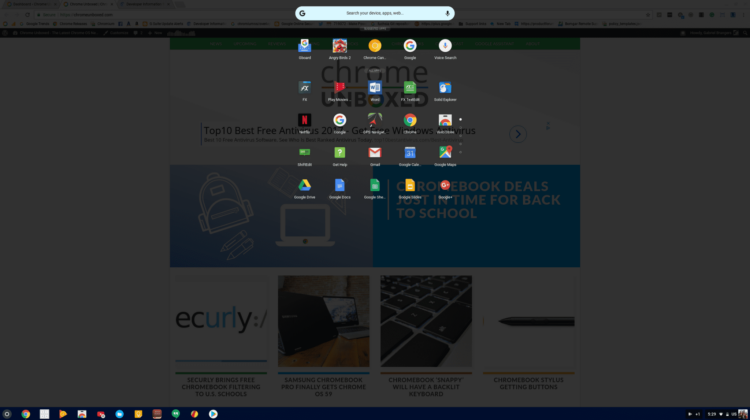
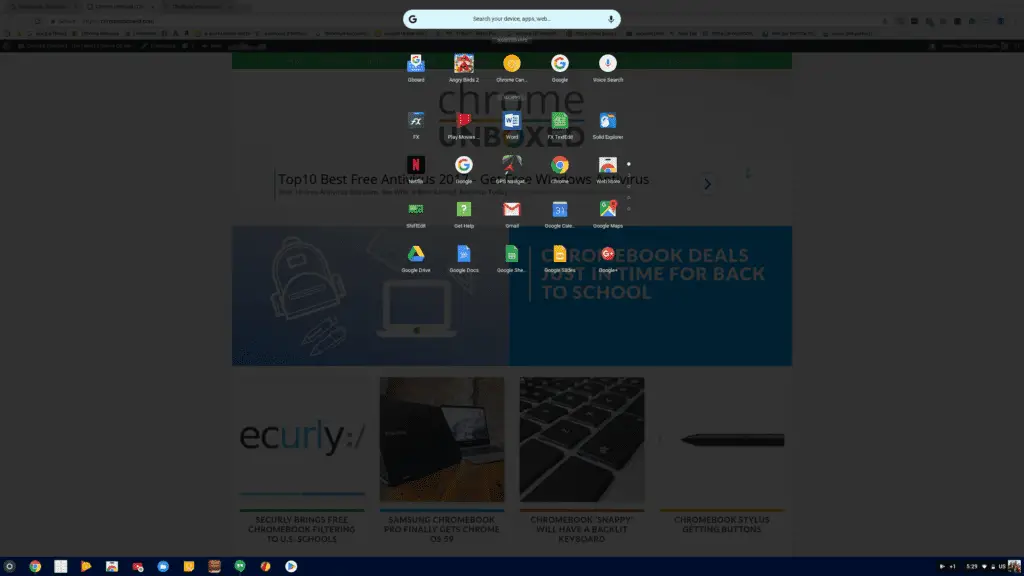
In early July, we reported on a new App Launcher in the Developer channel. The “Peeking Launcher” deploys an app overlay that has a very Android feel to it. You can see in the image above and almost Pixel-esque UI that will soon be the native launcher for Chrome OS.
Here’s a quick video of the Peeking Launcher in action.
In the commit attached to the new launcher, I found verbiage related to a swipe up action to deploy the feature. I wasn’t able to get it to work in the video but today, in the Developer channel, I found the function to work as expected when my Chromebook was in tablet mode.
It’s likely, since the search button performs a similar action, that the swipe up function may be restricted to tablet mode only. This is a logical choice since the search key or a mouse click on the launcher icon would be quicker in clamshell that swiping up on your display.
Either way, if you feel like traveling over to the developer channel you can try this feature out now. You may have to head to chrome://flags and enable the Peeking Launcher. From there, when in tablet mode, a simple swipe up from the bottom of the screen will reveal the shiny new launcher.
Back Button
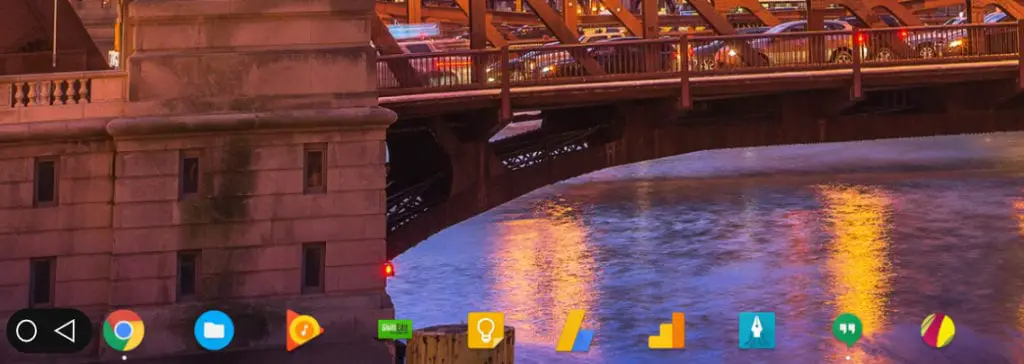
Around the same time as the Peeking Launcher’s emergence, Robby reported on a “back button” that would be added to the shelf on Chrome devices. With no real images to go by, he made some guesstimates and came up with this based on some simple code we dug up in the repository.
Since then I have been digging and digging hoping to find a flag or something that would let me invoke this feature. Unfortunately, I came up empty handed.
Until today.
While poking around the Canary channel, I flipped my Chromebook into tablet mode and was pleasantly surprised when I saw this.

Sure enough, right there in the bottom left corner is the back arrow. Not a far cry from Robby’s creation and yes, it functions exactly as you would expect. When in tablet mode, the back button takes you out of fullscreen apps and backs you out of menus inside of applications.
Very Android, indeed.
Multi-Window Mode
It’s only logical that, with the addition of Android N, Chrome OS will be able to handle multi-window apps just like our smartphones. A couple of months back I reported on work being done to implement this feature in Chrome OS. Sadly, the commit in question was inexplicably removed from the repository.
I’m ecstatic to report that work on this function is still very much in progress. Just today I came across a commit where developers are working on making apps natively full screen in tablet mode. In the commit, there is a clear reference to “split view” or multi-window as we know it.
I know there are many that are not excited about the Android OS invading the Chromebook ecosystem but if you don’t want to use it, you don’t have to. For those of us who look forward to what this brings to the table, having apps behave as they would on a tablet or smartphone is a major plus.
In addition to these new features, we are tracking a truck load of tweaks and updates to the Chrome OS UI (user interface) and well be sharing those with you in the coming days.
Exciting stuff that’s building up to some even more exciting announcements in the near future.
Stay tuned.

