


Support our independent tech coverage. Chrome Unboxed is written by real people, for real people—not search algorithms. Join Chrome Unboxed Plus for just $2 a month to get an ad-free experience, access to our private Discord, and more. Learn more about membership here.
START FREE TRIAL (MONTHLY)START FREE TRIAL (ANNUAL)
One of the many beautiful things about Chrome OS are the regular updates that come every six weeks or so. In between version changes the developers release incremental updates as needed to fix security issues, implement new features or regress options for bug fixes. If you have used a Chromebook for any amount of time you’ve likely witnessed the little update arrow in the system tray alerting you to restart your device.
Color Coded Notifications
A recent change to Chrome OS has added a feature to inform users as to how long an update has been downloaded and waiting on their device. You may have noticed the update arrow is now more colorful than before. It’s not just a material design update. The color of the update arrow actually indicates how long the new software has been waiting for you to restart.
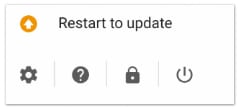 If your update is 48 hours fresh or less you will see a green arrow like the one above. As the days progress the colors will change. Two days old? Your arrow will turn yellow. After four days you’ll get a red one. No need to panic though, nothings wrong. If seven days pass your update arrow will then turn orange.
Ghost Updates
This one has had me vexed and I am so thankful to finally get to the bottom of it. More and more users have been reporting that, as of late, after an update they will receive yet-another prompt to restart to update. I myself have experienced this on multiple occasions. I began logging the events and found that I was, in fact, already on the freshest versions available for my devices. These incremental updates can generally be found at the Chrome release blog and the developers are awesome at keeping it up-to-date.
These “ghost updates” were clearly not a newer version of Chrome OS. So, what are they? My initial thought was that it may just be a bug. After a little brain-picking of some of my favorite people from the Chromebook Central Forum it looked like it may pertain to an actual update to the Chrome browser that wasn’t an actual OS update. Now it seems that is not the case either.
A recent code review shows developers addressing this bug that isn’t really a bug. As more users were reporting this phenomenon, Chromium developers have been led to add a feature to differentiate between Chrome OS updates and these phantom ones we’ve been seeing.
So, what are they?
Flash updates. That’s right. Flash may be on its way out the door but the fact is it’s not dead, yet. From the Chrome review vaults we find this little nugget:
Display “Restart to update Adobe Flash Player” for Flash updates. This CL displays the text “Restart to update Adobe Flash Player” in the system tray when a Flash player update is available.
Chromium code reviews

Digging a little deeper we found that the update is in response to the very issue of “ghost updates” we were just discussing. From the Chromium Bug Tracker:
When Flash player is updated through component update on Chrome OS, users have been confused by clicking the “Update to restart” menu item, and not seeing the system version upgrade. The UI Team has approved showing the text “Restart to update Adobe Flash Player” so that users understand what is actually being updated.
CR Bug tracker
The issue really isn’t an issue at all as it hasn’t created any performance problems in Chrome OS. It’s honestly just one of those things that can be frustrating for users who might begin to think there’s a ghost in the machine. Creating a distinct notification for Flash updates will assuredly set at ease the minds of many Chrome OS users, myself included.
On another note, even though Flash is on the way to retirement, it will be some time before we see it put to rest for good. This attention by developers is a reassuring sign that until that day comes, they will maintain continuity for Flash inside the Chrome OS environment.
Good stuff. Hopefully this sheds a little light on the update process for you. I certainly know I’ve been enlightened.
Source: Chromium Code Review, ChromeStory

