

Support our independent tech coverage. Chrome Unboxed is written by real people, for real people—not search algorithms. Join Chrome Unboxed Plus for just $2 a month to get an ad-free experience, access to our private Discord, and more. Learn more about membership here.
START FREE TRIAL (MONTHLY)START FREE TRIAL (ANNUAL)
As time has gone by, Chromebooks have been slowly but surely losing their ports in favor of simplifying things with USB Type C. In general, I’m a fan of this move in a lot of ways. As the one-plug-fits-all, USB Type C could eventually replace nearly every type of cable you use today. With the ability to handle audio, video, data, and power transfers, USB Type C is the one connection to rule them all.
However, we’re not exactly in that connection utopia just yet, and there are some cables and connections that will remain in play for users for years at this point. One of those lasting connectors is HDMI, and even though USB Type C is technically capable of replacing this standard, there’s no real road map where that happens any time soon. Just because a cable and connector CAN do something doesn’t mean that users and manufacturers are ever going to leverage that ability.
So, here we are with Chromebooks like the Pixel Slate, Pixelbook, and Pixelbook Go that have decided to eschew older port types for this singular I/O. Even devices that have kept a lingering USB Type A port here and there have ditched the HDMI connector. In the past few years, USB Type C has become the Chromebook standard for extending your display.
The problem comes by way of expecting all users to know this. Just this week I had a conversation with an educated, smart friend who’d just bought their first Chromebook. It was actually the Pixel Slate when it was on sale for hundreds of dollars off and their family has loved using the device. However, he was a bit at a loss as to how he could extend his display. Coming from mostly Apple gadgets and older PCs, his experience with USB Type C was basically zero. After taking a few moments to explain the awesomeness that is USB Type C, I knew we needed to make a quick explainer for those who don’t really know what USB Type C is capable of.
SUBSCRIBE TO UPSTREAM
Get Chrome Unboxed delivered straight to your inbox
Upstream is our flagship, curated newsletter with the top stories, most click-worthy deals, giveaways, and trending articles from Chrome Unboxed sent directly to your inbox a few times a week. Join 31,000+ subscribers.
Though there are all sorts of USB Type C cables and accessories, it isn’t quite clear what works with what. Some cables can transfer data, but some can’t. Some can charge your device while other cannot. Knowing what cable works with what port and what accessory is still a tad bit of a wild west situation, but we are finally arriving at the point where display docks work pretty uniformly.
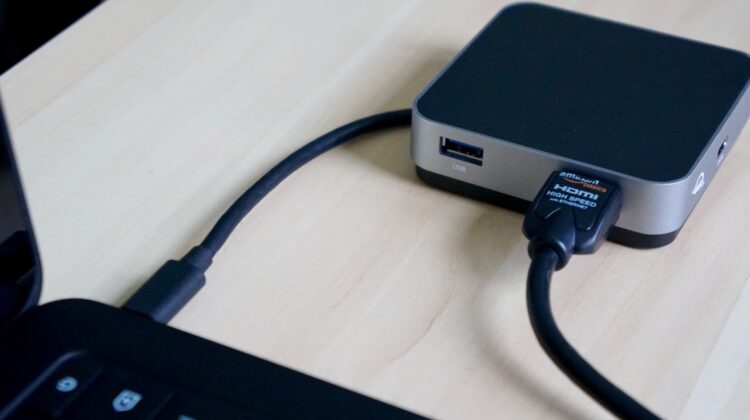
To make this quick, you can basically go to Amazon, Best Buy, Walmart, etc. and pick up a USB Type C dock or HDMI adapter and feel quite confident things will work. There’s nothing you really need to know or look for when it comes to display output via USB Type C: you just need the adapter. Sure, there are a handful of monitors that take a USB Type C input natively, but they are few and far between. In general, Chromebook users will want to output to a screen or television via HDMI, and adapters across the board work well for this.
Sound simple? It really is, but we wanted to put this out there for newer users to know that those little, diminutive ports on your Chromebook are perfectly capable of pushing your display to larger screens and that Chrome OS handles nearly every screen size and resolution handed to it. Just find your adapter (we’ve linked a couple we use below), grab your HDMI cable and display, and away you go.

