
• Skip to main content
  • Skip to primary sidebar
  • Deals
  • Features
  • Guides
  • Chromebooks
  • Videos
  • Podcast
  • More +
    • Reviews
    • Unboxing
    • Upcoming Devices
    • Chromebook Plus
    • Chrome
    • ChromeOS
    • Chrome OS Flex
  • Search
  • Sign Up
  • Log In
Chrome Unboxed – The Latest Chrome OS News

Chrome Unboxed - The Latest Chrome OS News

A Space for All Things Chrome, Google, and More!

  • Deals
  • Features
  • Guides
  • Chromebooks
  • Videos
  • Podcast
  • More +
    • Reviews
    • Unboxing
    • Upcoming Devices
    • Chromebook Plus
    • Chrome
    • ChromeOS
    • Chrome OS Flex
  • Search
  • Sign Up
  • Log In

Chromebook Tablet Mode Getting a Fix To An Irritating Omission

June 11, 2019 By Robby Payne View Comments

Support our independent tech coverage. Chrome Unboxed is written by real people, for real people—not search algorithms. Join Chrome Unboxed Plus for just $2 a month to get an ad-free experience, access to our private Discord, and more. Learn more about membership here.
START FREE TRIAL (MONTHLY)START FREE TRIAL (ANNUAL)

If you’ve used any number of Chromebooks that convert or detach to acheive tablet mode, you have undoubtedly tried at some point in time to adjust the volume on your device while listening to some sort of media. Likely you cued up a YouTube video and were shocked at the volume and quickly reached for the volume rocker to adjust the noise.

Surprise, surprise, the volume rocker on your Chrome OS device stays in the same orientation regardless of how you are holding it, so good luck guessing which way is up and which way is down. For me, espcecially with convertibles, this issue is insanely frustrating. Which way is the right way to hold your converted tablet, after all? For me it is hinge-side down. For developers, apparently, that is not right at all.

Xremove ads

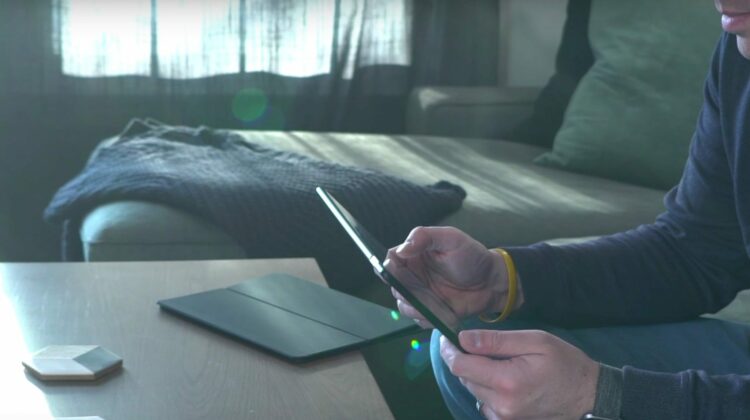
Right now, if I flip this Pixelbook around into tablet mode, the assumption from the developers is that I’m holding the device hinge-side up. Though I stare at the screen in most scenarios with the hinge side on the bottom, the opposite is the expected behavior. I’ve learned my lesson over the years and simply become semi-compliant and just forced myself to remember that when I’m in tablet mode, the volume rocker is upside down.

I remember posting in a bug report years ago that this was silly and that the volume buttons should simply follow the orientation of the device. The responses from the developers assigned to that bug were a bit curt and quite clear that this was the intention for Chromebooks and if it was confusing which was volume up and which was down, just hit the button and make the adjustment if you chose wrong.

Featured Videos

Xremove ads

I’m dead serious. This was the accepted answer.

Luckily, all this is changing and moving forward, volume rockers on the sides of devices like the Pixelbook, Pixel Slate and other convertible/detachable devices will simply follow the orientation of the device at any given time. According to this commit in the Chromium Repositories unearthed by About Chromebooks, it is quite clear this issue is finally being addressed properly. As a matter of fact, if you follow the link to the bug in the commit, you can see that the change has been marked as completed, so we’ll likely see this in Chrome OS 76 if everything holds well.

Shop Pixelbook on Amazon

It is a small change, but like the power button behavior in tablet mode on the Pixelbook that early-on acted just like it does in clamshell mode (this was marked as a bug that was there on purpose, and was slated not to be addressed), it is awesome to see the Chrome OS devs making decisions based on what is best for (and expected by) the general users.

Xremove ads

Filed Under: Chrome OS Tablet, ChromeOS, Convertible, News

About Robby Payne

As the founder of Chrome Unboxed, Robby has been reviewing Chromebooks for over a decade. His passion for ChromeOS and the devices it runs on drives his relentless pursuit to find the best Chromebooks, best services, and best tips for those looking to adopt ChromeOS and those who've already made the switch.

Primary Sidebar

Xremove ads

Deals

The best Chromebook deals today

By Robby Payne
April 20, 2026

Deal Alert: the excellent Lenovo Chromebook Plus 2-in-1 returns to $429

By Robby Payne
April 20, 2026

Lenovo Legion Tab Gen 3 drops to $399, ahead of the much pricier Gen 5 release

By Joseph Humphrey
April 18, 2026

How to get 50% off YouTube Premium for a full year with Google One

By Robby Payne
April 16, 2026

The Pixel 10a just dropped to $449, but here’s why you should buy the Pixel 10 instead

By Joseph Humphrey
April 13, 2026

More Deals

Xremove ads

Reviews

Acer Chromebook Plus Spin 514 Review: Kompanio Ultra power in a convertible

By Robby Payne
December 24, 2025

My review after 6 weeks with the Lenovo Chromebook Plus 14 [VIDEO]

By Robby Payne
August 11, 2025

One week with the best small Android tablet you can buy, and I’m sold

By Robby Payne
May 9, 2025

Best Chromebooks of 2024 [VIDEO]

By Robby Payne
November 28, 2024

Samsung Galaxy Chromebook Plus Review: Samsung is back! [VIDEO]

By Robby Payne
October 28, 2024

More Reviews

Xremove ads

Guides

This Chromebook trackpad shortcut is definitely not new, but is blowing my mind

By Robby Payne
March 11, 2024

How to reduce broadcast delay on YouTube TV to stop live spoilers

By Robby Payne
December 8, 2023

Windows PC keyboard and Chromebook

How to use a Windows keyboard with a Chromebook

By Joseph Humphrey
December 8, 2023

How reset and revert your Chromebook to the previous version of Chrome OS

By Robby Payne
November 29, 2023

My Chromebook Plus features disappeared: here’s how I fixed it

By Robby Payne
November 24, 2023

More Guides

TWITTER · FACEBOOK · INSTAGRAM · YOUTUBE · EMAIL · ABOUT

Copyright © 2026 · Chrome Unboxed · Chrome is a registered trademark of Google Inc.
We are participants in various affiliate advertising programs designed to provide a means for us to earn fees by linking to affiliated sites.

PRIVACY POLICY