


Support our independent tech coverage. Chrome Unboxed is written by real people, for real people—not search algorithms. Join Chrome Unboxed Plus for just $2 a month to get an ad-free experience, access to our private Discord, and more. Learn more about membership here.
START FREE TRIAL (MONTHLY)START FREE TRIAL (ANNUAL)
I’m going to go out on a limb and guess that many of you don’t use external monitors in a vertical layout. If you use an external display at all, odds are you keep it in the standard landscape orientation, and that’s perfectly fine. What I’d recon as well is the fact that many of you would actually increase productivity by trying a vertically-aligned monitor. For those leveraging the web, coding programs, document editors and more, a vertical layout can give you a ton more info on your screen at one time versus what you get on a landscape display.
Think for a second about many websites you visit on a daily basis. They are generally locked to a specific width (the content is, anyway) and don’t really take advantage of all the space on the left and right of the screen. To actually utilize my ultrawide monitor, I rarely expand anything to full-width on my screen. Instead, I keep more narrow, floating, individual windows open. Take a look below to see what I mean:
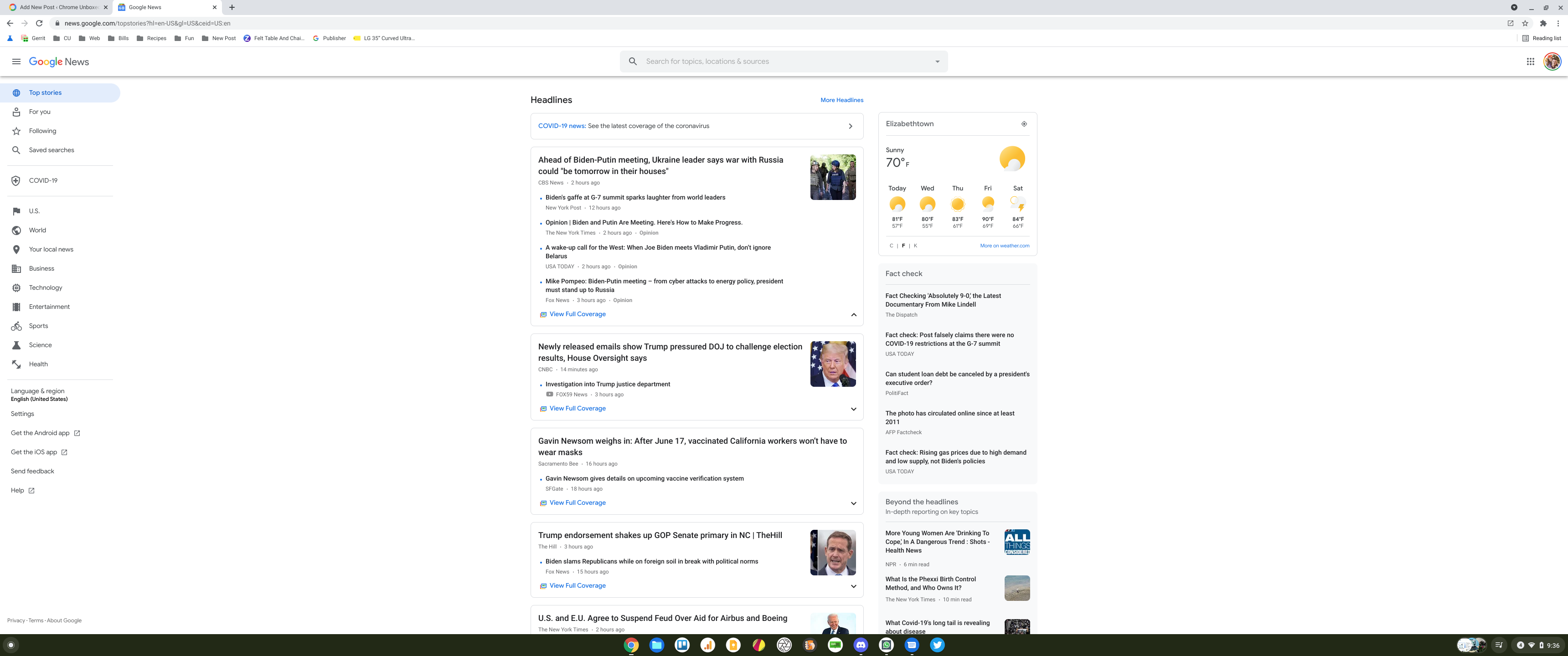
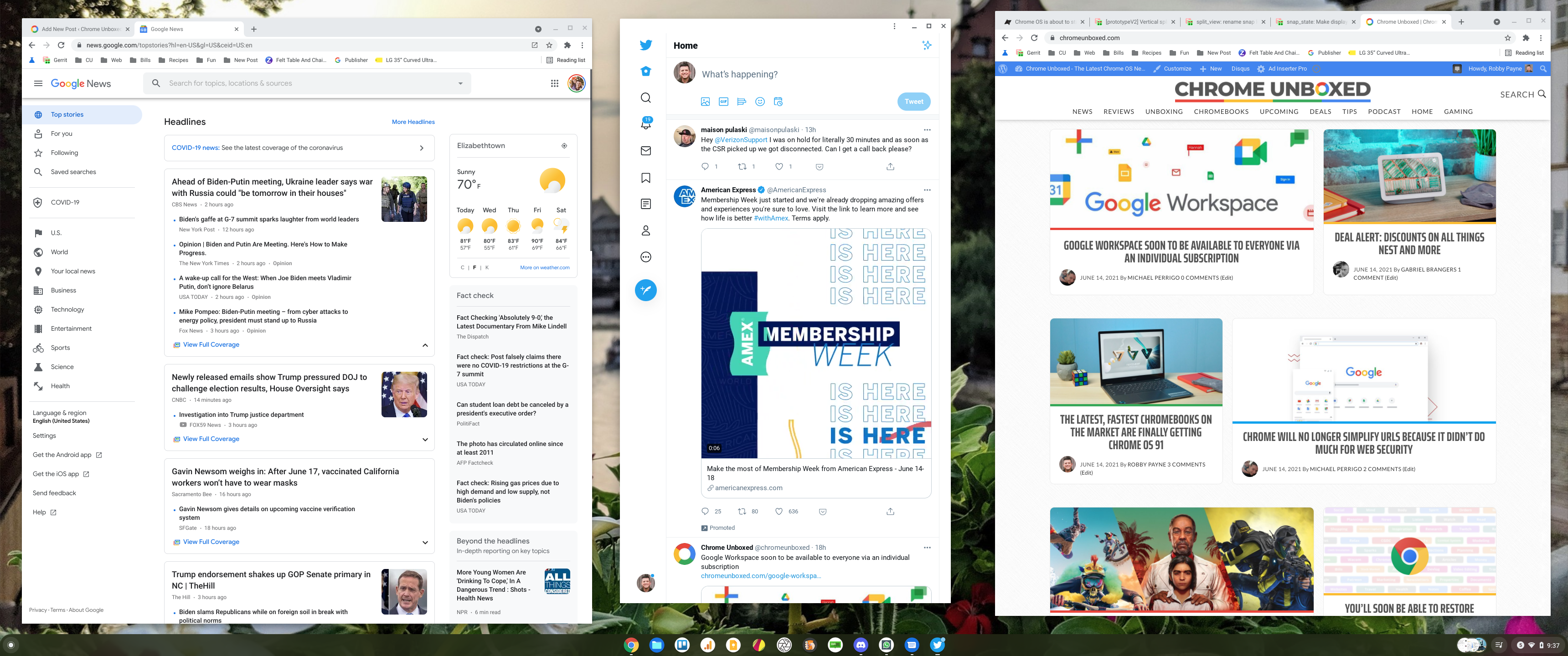
Once you begin realizing the benefit of more-vertical windows and content displays, the more you see the benefits that exist in a vertically-aligned monitor. Only certain models are made with stands to rotate in this way, but if you figure out a way to get your display on its side without falling over, you can simply use the display settings menu to rotate your external screen or, in a quicker way, hit CTRL + SHIFT + REFRESH to get your pixels laid out in the proper manner.
A change is coming to make vertical displays much better
Discovered by Android Police, there is a change in the works to make using vertical displays a much better overall experience. Assuming you resonate a bit with what I’ve said above or that you are already a user of vertical screen layouts, you will likely run into a multitasking issue that has been around on Chromebooks for a very long time. When in landscape orientation, snapping open windows is a handy way to organize your on-screen info. There are quick ways to do it, too, including a simple drag of the window to the desired side of the screen, long-clicking on the expand button between the minimize and close buttons on the top-right of your window, or even with a keyboard command ( ALT + [ or ] ).
Here’s the rub. Though Chrome OS does a sweet vertical snapping for windows in tablet mode, there is no such shortcut or function when in clamshell mode. Instead, you still get the horizontal snapping left and right that makes for comically cramped windows that make no sense whatsoever. I’ll apologize in advance for this ridiculously-long screenshot, but I want you to see what I’m talking about, here:

As you can see, this snapping is basically useless. There are very few realities where this sort of snapping would be even remotely useful, and it is clear that this sort of behavior hasn’t really been considered at all by Google up to this point. Sure, you can always resize and move your windows to where they need to be manually, but it feels so much less simplified and refined versus what we get in landscape orientations on desktop and with portrait orientations in tablet mode. But a fix is on the way.
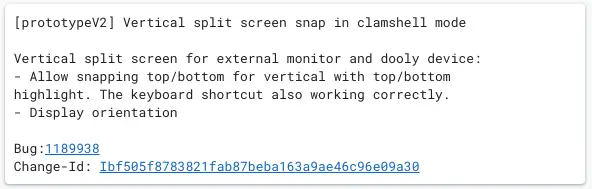

As you can clearly see in the commits above, the Chrome OS team is hard at work on a new feature that will basically give desktop mode on Chromebooks the same snapping/docking tricks that we see in tablet mode. These are active commits and very little has been merged so far, but the feature is surely coming. Once implemented, I’d imagine we’ll be able to use keyboard shortcuts or drag windows to the top or bottom border of the screen to snap them into place at full-width and half the display’s total height.
This feature is already in place and has been for quite some time in tablet mode, so it shouldn’t be a big stretch to get it working in desktop mode. Once Chrome OS is able to discern portrait from landscape orientations when in desktop mode (not as simple since you aren’t physically rotating the device and activating the gyroscope and accelerometer), the same basic rules can simply be applied and the feature should be ready to go.
Whether you use vertical displays all the time or are just now considering it after reading this, the move to support proper snapping and docking for vertical layouts will be a productivity boost when it rolls out. I know I use snapping of windows on a fairly consistent basis and with this working on vertical displays in the future, I may be rethinking my external monitor setup moving forward.
SUBSCRIBE TO UPSTREAM
Get Chrome Unboxed delivered straight to your inbox
Upstream is our flagship, curated newsletter with the top stories, most click-worthy deals, giveaways, and trending articles from Chrome Unboxed sent directly to your inbox a few times a week. Join 31,000+ subscribers.

