

Support our independent tech coverage. Chrome Unboxed is written by real people, for real people—not search algorithms. Join Chrome Unboxed Plus for just $2 a month to get an ad-free experience, access to our private Discord, and more. Learn more about membership here.
START FREE TRIAL (MONTHLY)START FREE TRIAL (ANNUAL)
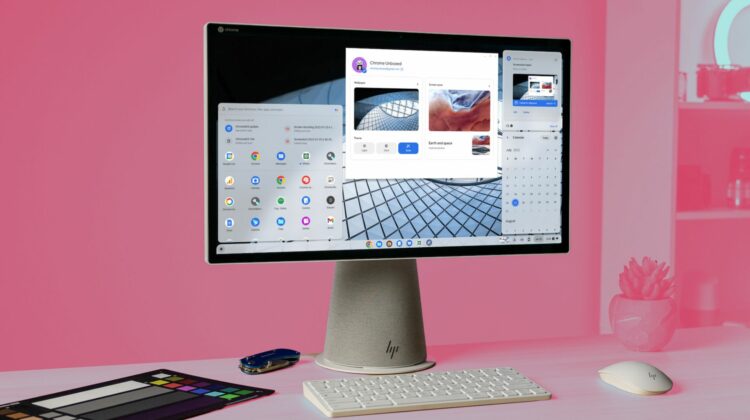
I’ve complained about it multiple times in the past, and to be honest, I was beginning to think that we’d simply never see this new feature on Chromebooks. However, recent code changes happening in the Chromium Repositories point to the fact that multiple calendar support is finally on the way for the Chromebook calendar widget that lives in the quick settings area of ChromeOS.
The issue with the current setup
I seriously doubt there’s anyone using a Chromebook that doesn’t know what the ChromeOS calendar widget is at this point. Even if you didn’t know it existed, I’d imagine there’s a good chance that most of you have clicked on the date in the quick settings area at least once and witnessed the calendar widget popping up from the shelf.
It’s a handy tool for checking future dates and seeing items that are on your personal calendar. But if you are like me, the calendar tied to your primary Google account you use on your Chromebook is far from the only calendar you need to reference on a daily basis. My situation is even more troublesome since my wife’s calendar (that is shared with me) is really the master calendar for our family’s hectic schedule.
On top of that I also have my work calendar I need to see frequently, and none of these are run directly through my personal Google account I use on my Chromebooks. That means when I open up that calendar widget, I see a whole lot of nothing. And I’d wager that’s the case for many of you as well. Your calendar might not be as empty as mine, but I guarantee your overall Google calendar has far more on it than just your personal stuff.
This feature change is massive
That’s why I’ve complained multiple times about Google needing to add in multi-calendar support to the calendar widget on Chromebooks. On any other instance of Google Calendar – on the web, in the app, on my phone, or in other calendar apps – I have the option to show or hide calendars that are shared with me. This makes it simple to see everything at once if I choose or narrow down to particular calendars with the click of a button.
And this is the exact setting that is on the way for the Chromebook calendar widget. Thanks to some pretty straightforward language around the work happening for this feature, it is clear that a feature flag is already available and the changes I’ve been hoping for are just around the corner at this point.


As you can clearly see in these code changes, multi-calendar support is coming for up to 10 calendars in the widget found in the quick settings area of ChromeOS. How these calendars will be switched on and off, where the settings for colors will be and what it will all look like are up in the air for now, but I’m ecstatic about this as a future feature I’ll use extensively.
Being able to add my wife’s calendar, my work calendar, and other sports-related calendars will be a huge win for my daily usage patterns. As it stands now, I click into the calendar widget and immediately end up opening Google Calendar on the web to negotiate timing for upcoming events. Soon, that won’t be the case and I’ll be able to see my entire array of calendars easily, quickly, and conveniently from my Chromebook shelf. I can’t wait!
SUBSCRIBE TO UPSTREAM
Get Chrome Unboxed delivered straight to your inbox
Upstream is our flagship, curated newsletter with the top stories, most click-worthy deals, giveaways, and trending articles from Chrome Unboxed sent directly to your inbox a few times a week. Join 31,000+ subscribers.

