


Support our independent tech coverage. Chrome Unboxed is written by real people, for real people—not search algorithms. Join Chrome Unboxed Plus for just $2 a month to get an ad-free experience, access to our private Discord, and more. Learn more about membership here.
START FREE TRIAL (MONTHLY)START FREE TRIAL (ANNUAL)

Few things in my line of work give me anxiety. If I had to make a list, graphic design would be right there in my top 3 for sure. I can sit and stare at code all day or dismantle a PC and rebuild it from the ground up blindfolded. But, when it comes to creating designs for websites or publications my skill level probably falls somewhere in the range of a pre-schooler. So, I leave the fancy stuff to the pros.
Enter Vectr
Since its launch in September of last year, Vectr is the culmination of 2 years of development and beta testing that has resulted in a product that helps minimize the learning curve for graphic design. We’ll talk about some of the features in a moment but first I want to talk about what sets Vectr apart from many design applications and that is ease of use.
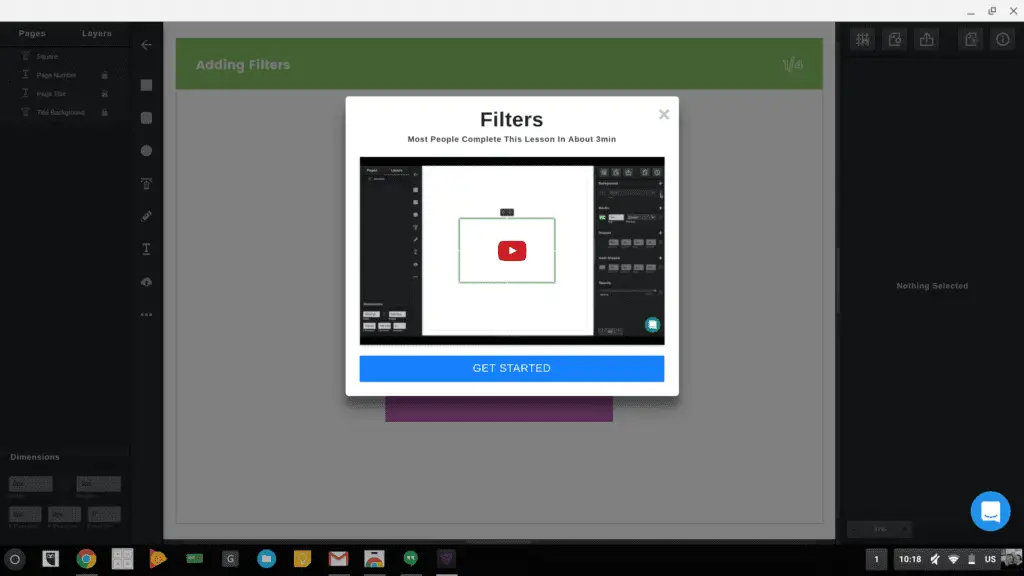
With a lot of applications, design and image editing alike, I feel I spend a good majority of my time just figuring out how to navigate the features. Vectr takes away much of that stress with a built-in tutorial that walks you through a real-time editing scenario that gives you a real feel for the controls and options.
There’s also a great support system in place for this program. Whether you’re in the web-based version, the Chrome OS native app or via email, the Vectr team is quick to respond to questions and help you get moving with your project. Having a built-in chat interface in the program is a major plus in my book and knowing that help is just a click away gave me a little boost in confidence should I hit a snag.
Along with real-time support, the Vectr website offers a number of quick how-to tutorial videos that are accessible directly from the apps dashboard.
Features
Vectr may not come across as the most robust editor you’ve used but don’t be fooled, it’s rich with features and capable of creating top-notch designs for websites, publications and more.
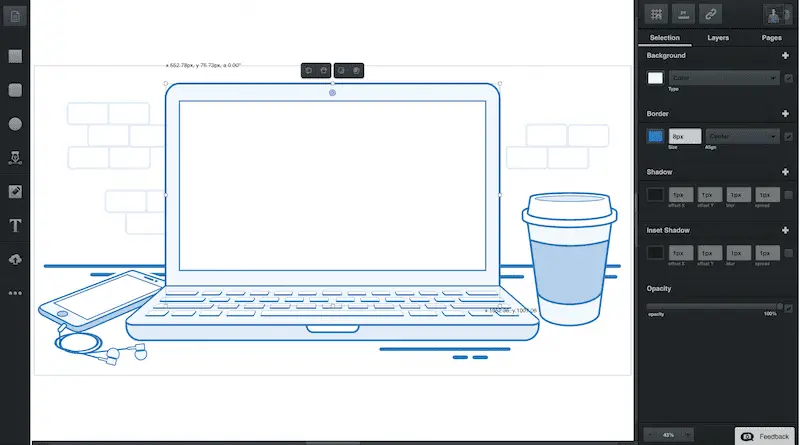
- Effects- quickly add shadow, opacity and borders to text and images
- Gradient tool
- Image import
- Social sharing/collaboration– simply copy the url of your project and share for real time collaboration and feedback
- Grouping Of Layers - now it is possible to work with the layers in groups, modifying and manipulating them
- Rounded Corners / Corner Radius - you can now change the radius of any straight point
- .EPS files import (.AI coming soon) -you can import Adobe Illustrator formats files to Vectr
- Cross-Platform- Chrome OS, Windows, MacOS, Linux or web-based
- Bi-weekly updates– new features added regularly and a beta program for user feedback and requests
Upcoming features
- Built-in Marketplace & Community — create, share, or sell designs assets with others on the platform.
- Google-docs Style Collaboration — Vectr’s a real-time, collaborative graphics editor. It’s like Google-docs, except that it also supports some offline editing if you’re ever without a connection.
- Built-In Version Control — no more threads of email attachments with “design_version_1”, “design_version_2”. Just send someone a link to your Vectr document, and you can view every version of that design in one place.
- WordPress Plugin– embedded editor to work directly in your WP
Cost
Here’s where Vectr sets it self apart. This application is FREE FOREVER. There are future plans for a pro version and monetization via the marketplace but the program as it stands is completely cost-free. The Vectr team has devoted themselves to clockwork-like updates every two weeks and a ton of new features are being developed and tested.
Vectr’s “Roadmap” shares the evolution of the application and allows user to offer up requests for new features. Here you can see what’s new as well as what’s in the works for the software.
Vectr is available as a free download from the Chrome Web Store.
If you have use of a good graphics editor, whether novice or seasoned pro, I recommend you try Vectr. I look forward to seeing what great new features these guys come up with and tip my hat to them for creating a great application that’s easy to use and free.

