• Skip to main content
  • Skip to primary sidebar
  • Deals
  • Features
  • Guides
  • Chromebooks
  • Videos
  • Podcast
  • More +
    • Reviews
    • Unboxing
    • Upcoming Devices
    • Chromebook Plus
    • Chrome
    • ChromeOS
    • Chrome OS Flex
  • Search
  • Sign Up
  • Log In
Chrome Unboxed – The Latest Chrome OS News

Chrome Unboxed - The Latest Chrome OS News

A Space for All Things Chrome, Google, and More!

  • Deals
  • Features
  • Guides
  • Chromebooks
  • Videos
  • Podcast
  • More +
    • Reviews
    • Unboxing
    • Upcoming Devices
    • Chromebook Plus
    • Chrome
    • ChromeOS
    • Chrome OS Flex
  • Search
  • Sign Up
  • Log In

Chrome OS Phone Hub gets onboarding UI for initial setup

September 23, 2020 By Gabriel Brangers View Comments

Support our independent tech coverage. Chrome Unboxed is written by real people, for real people—not search algorithms. Join Chrome Unboxed Plus for just $2 a month to get an ad-free experience, access to our private Discord, and more. Learn more about membership here.
START FREE TRIAL (MONTHLY)START FREE TRIAL (ANNUAL)

Chrome OS developers are steadily working on a slew of new features that will be heading to Chromebooks over the next few months. One of the flashier new additions that we’ve been tracking is the “Phone Hub” feature that will further deepen the integrating between your Chromebook and your mobile device. Just recently, the Phone Hub flag came to life and actually added the placeholder icon to the Chrome OS shelf when enabled in the Canary channel. The inactive menus for the Phone Hub include the ability to find your phone, toggle a hotspot and set your mobile to “do not disturb” for distraction-free productivity time.

The most interesting and intriguing part of the new Phone Hub is the task continuation. Upon initial inspection, it looks as though this would be nothing more than the continued reading feature that already exists in the Chrome OS launcher. Further digging shows that this will actually allow users to pick where they left off in various Android applications not just the Chrome browser. This could be a very useful feature if you were using something like, I don’t know, Adobe Premiere Rush. Perhaps you snapped an awesome video on the way to work and you started editing it in Rush while you were grabbing your morning coffee. Maybe you could open the Phone Hub menu and pick right up in Rush on your Chromebook and never miss a beat. Maybe. Who knows?

Xremove ads
Phone Hub menu

The Phone Hub icon has disappeared in the Canary channel but recent commits point to developers removing the inactive placeholders and actually activating the service. I would guess that we’ll be able to see the Phone Hub in action in the next few weeks. In the meantime, we’ve unearthed some new images that layout the user flow for the Phone Hub onboarding setup. As you can see in the images below, Google is adding some material design images to walk users through the setup process. These include the initial setup UI which could be part of the OOBE process or perhaps triggered when the Phone Hub is enabled.
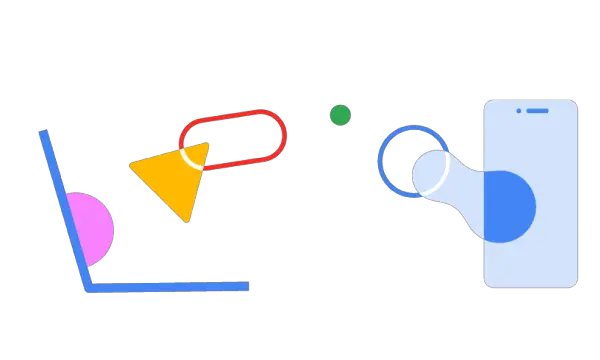
  • Phone connecting
  • No connection
  • Initial setup UI

The additional images feature the connection process as well a “no connection” warning but we may see more images added to the process as Phone Hub evolves. However Google plans on presenting this, Phone Hub should turn into a productivity tool that could take Chrome OS to a new level. The ability to sit down at my desk and keep my phone in my pocket while staying connected to what’s important gets me crazy excited. The lines between devices continue to blur and we love it.

Featured Videos

Xremove ads

SUBSCRIBE TO UPSTREAM

Get Chrome Unboxed delivered straight to your inbox

Upstream is our flagship, curated newsletter with the top stories, most click-worthy deals, giveaways, and trending articles from Chrome Unboxed sent directly to your inbox a few times a week. Join 31,000+ subscribers.

SUBSCRIBE HERE!

Source: Chromium Repository

Filed Under: Chromebooks, ChromeOS, New & Upcoming Features, Uncategorized

About Gabriel Brangers

Lover of all things coffee. Foodie for life. Passionate drummer, hobby guitar player, Web designer and proud Army Veteran. I have come to drink coffee and tell the world of all things Chrome. "Whatever you do, Carpe the heck out of that Diem" - Roman poet, Horace. Slightly paraphrased.

Primary Sidebar

Xremove ads

Deals

Massive Deal Alert: The Acer Chromebook Plus Spin 714 just hit an all-time low $499

By Robby Payne
April 1, 2026

The best Chromebook deals today

By Robby Payne
March 30, 2026

The Acer Chromebook Plus Spin 714 hits a new all-time low at $270 off

By Robby Payne
March 25, 2026

You can score $40 off Google’s battery-powered Nest Doorbell right now

By Joseph Humphrey
March 20, 2026

The touchscreen Lenovo Chromebook Slim 3 is a steal at under $200

By Robby Payne
March 16, 2026

More Deals

Xremove ads

Reviews

Acer Chromebook Plus Spin 514 Review: Kompanio Ultra power in a convertible

By Robby Payne
December 24, 2025

My review after 6 weeks with the Lenovo Chromebook Plus 14 [VIDEO]

By Robby Payne
August 11, 2025

One week with the best small Android tablet you can buy, and I’m sold

By Robby Payne
May 9, 2025

Best Chromebooks of 2024 [VIDEO]

By Robby Payne
November 28, 2024

Samsung Galaxy Chromebook Plus Review: Samsung is back! [VIDEO]

By Robby Payne
October 28, 2024

More Reviews

Xremove ads

Guides

This Chromebook trackpad shortcut is definitely not new, but is blowing my mind

By Robby Payne
March 11, 2024

How to reduce broadcast delay on YouTube TV to stop live spoilers

By Robby Payne
December 8, 2023

Windows PC keyboard and Chromebook

How to use a Windows keyboard with a Chromebook

By Joseph Humphrey
December 8, 2023

How reset and revert your Chromebook to the previous version of Chrome OS

By Robby Payne
November 29, 2023

My Chromebook Plus features disappeared: here’s how I fixed it

By Robby Payne
November 24, 2023

More Guides

TWITTER · FACEBOOK · INSTAGRAM · YOUTUBE · EMAIL · ABOUT

Copyright © 2026 · Chrome Unboxed · Chrome is a registered trademark of Google Inc.
We are participants in various affiliate advertising programs designed to provide a means for us to earn fees by linking to affiliated sites.

PRIVACY POLICY