

Chrome OS 97 is now available and rolling out to a Chromebook near you. Without any massive updates or usability shifts this time around, the arrival of this version of Chrome OS should be smooth and without much issue. There are a few interesting new features tucked away in this update, though, and for the right users, those changes will be pretty beneficial.
New Media App improvements
First up, the Media App for Chrome OS has learned a few new tricks this time around. The new-ish app has been a staple of the Chrome OS experience for a bit of time, but there are limitations to it that can frustrate users here and there. One of those frustrations should be gone with this update as you can now open multiple image files at once in the Media App and cycle through to edit those images in a single batch. Simply hold the control key, click the images you want to edit, and select open in the top of the Files app. This will open the Media app with only those selected files in focus, allowing you to cycle through and edit just those files.
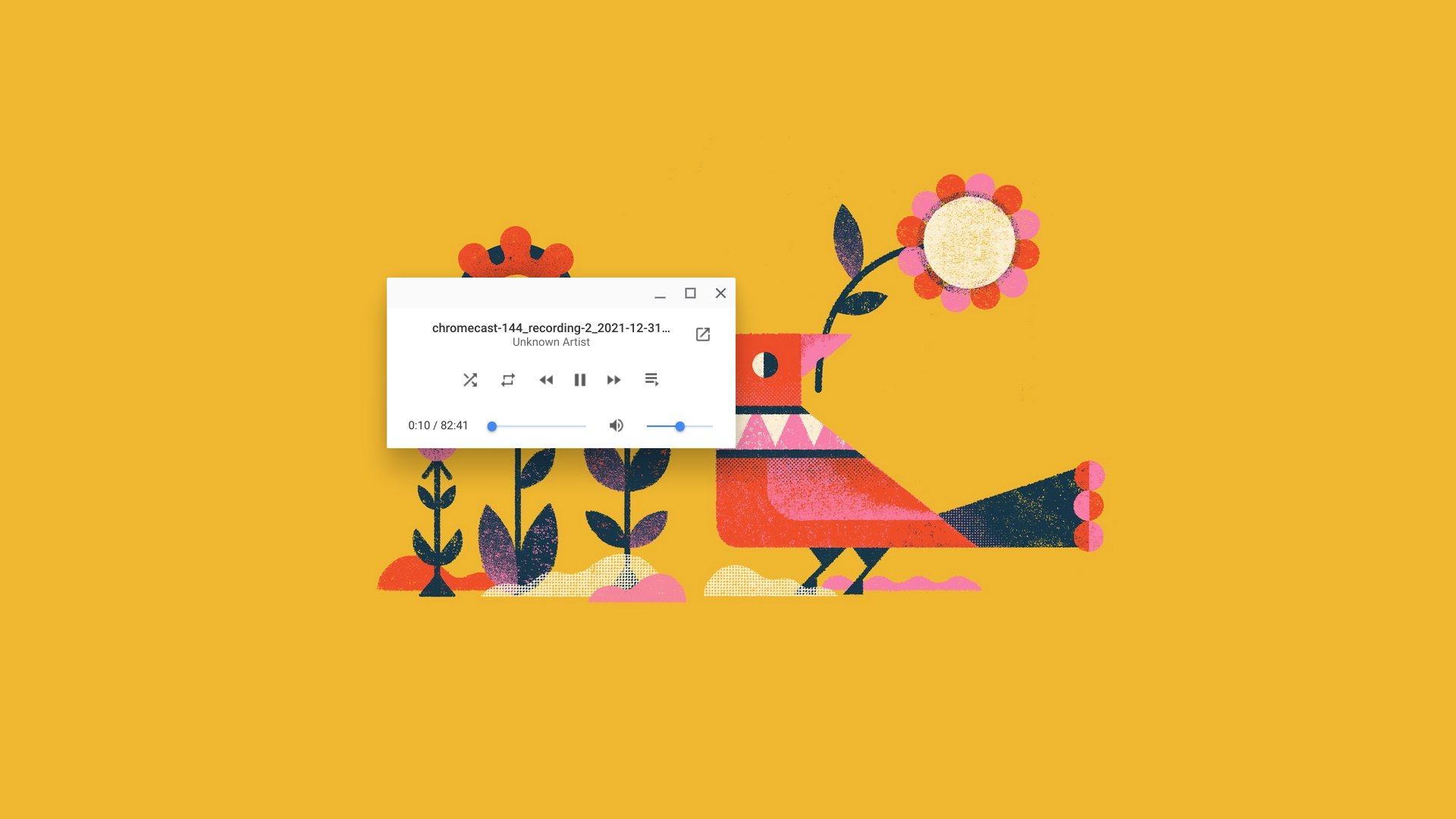
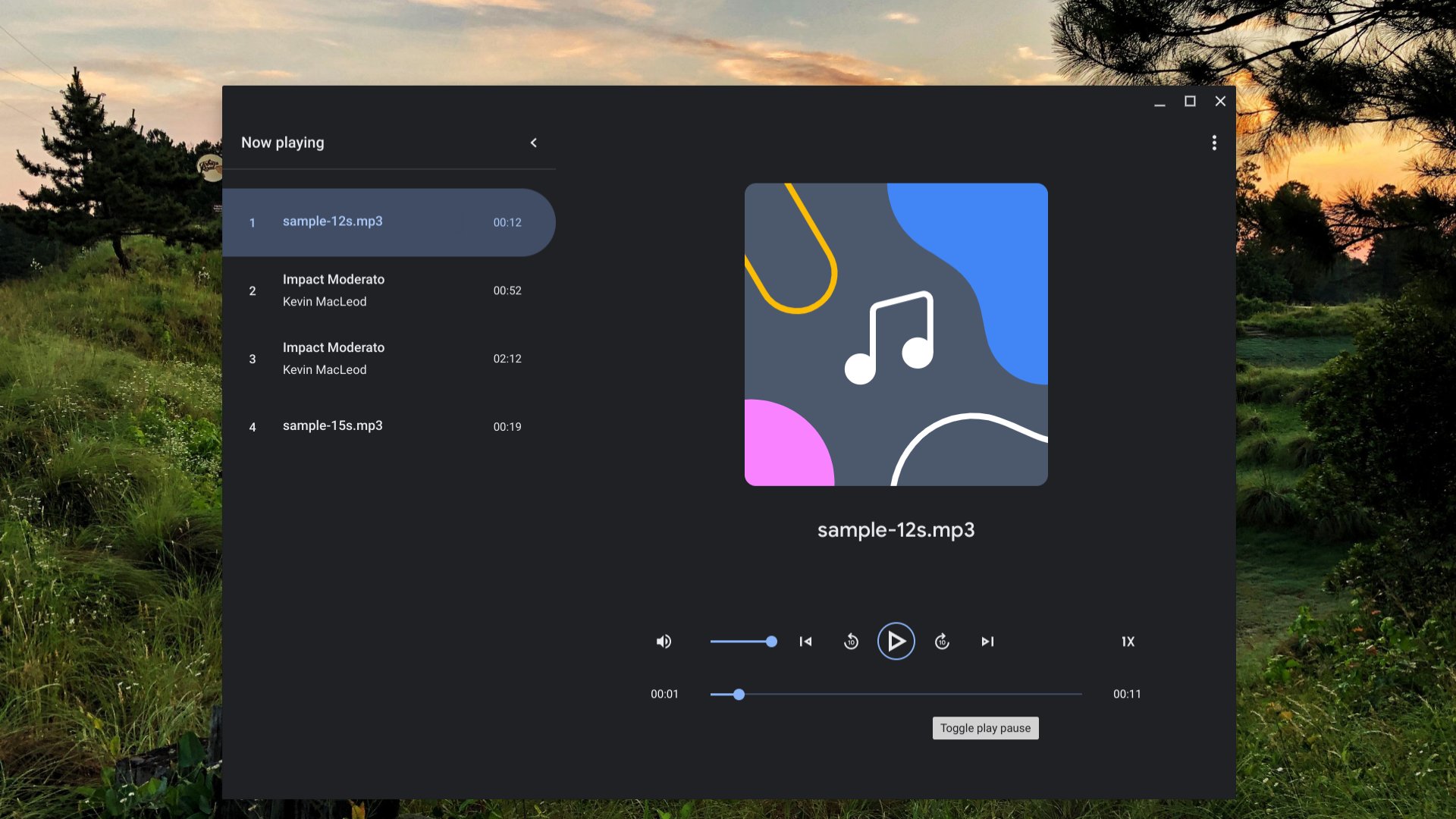
Additionally, the Media App has a new audio player that eschews the old, tiny pop-up player for a playback interface that looks far more in line with other media interactions on your Chromebook. It’s nice, it looks good, and does what you need if you still use local audio files in this day and age of infinite music streaming services.
On-device grammar checks
This new feature is only available if you enable the flag (chrome://flags/#enable-cros-on-device-grammar-check), but once you do, the grammar and spelling corrections you see in apps like Gmail and Docs is now available in general text fields on the web. It has worked some of the time for me, but it still feels a bit hit-or-miss at the moment. While I don’t personally love overly-heavy grammar tools like Grammarly, I am growing fond of Google’s approach to language and grammar corrections in Gmail and Docs. Having it in other spots around the web (like in this Wordpress editor, for instance) will be handy for sure.
Google Assistant camera tricks
With Chrome OS 97, you can now summon the Google Assistant to not only open the camera on your Chromebook, but to snap a photo or start a video as well. While I’m unsure how often you’d want to use this, you can simply say, “OK, Google. Take a picture.” With that, the Assistant will open the camera app and immediately snap a photo. The same goes for videos and though I don’t have a ton of use case examples right now, I’m happy to see the Assistant continue to grow in its abilities on Chromebooks.
New magnifier improvements
The magnifier accessibility options are now improved as well, allowing a few different options when in full-screen magnification mode. Once you trigger the magnifier (CTRL + SEARCH + M), you can go to your Chrome OS settings, search for magnifier, and choose to have the mouse cursor always centered, moving with the screen continuously, or doing what it has always done: shifting the focus area when your mouse hits the bounds of the screen. It’s a much more natural way to handle this accessibility feature, and I’m glad to see Google add it here in Chrome OS 97.
4-week updates
Finally, Chrome OS 97 marks the real start of a new era for Chromebook users. From this point forward, OS updates are scheduled in tighter, 4-week windows. Just like the Chrome browser on desktop, we’ll begin seeing more regular updates to Chrome OS with a few less big feature changes each time around. I’m not completely sure what to expect, but my hope is less bugs with each update, a more steady, slow stream of regular feature updates, and a new level of stability moving forward.
Chrome OS 97 is widely available now, and so far, so good. This update seems simple, clean and stable. With a more-regular update cycle, that’s the update process we hope to see more of throughout 2022. If you aren’t seeing the update yet, simply head to Settings > About Chrome OS > Check for updates and you should be on the latest version in just a few minutes.
Join Chrome Unboxed Plus
Introducing Chrome Unboxed Plus – our revamped membership community. Join today at just $2 / month to get access to our private Discord, exclusive giveaways, AMAs, an ad-free website, ad-free podcast experience and more.
Plus Monthly
$2/mo. after 7-day free trial
Pay monthly to support our independent coverage and get access to exclusive benefits.
Plus Annual
$20/yr. after 7-day free trial
Pay yearly to support our independent coverage and get access to exclusive benefits.
Our newsletters are also a great way to get connected. Subscribe here!
Click here to learn more and for membership FAQ

