

Support our independent tech coverage. Chrome Unboxed is written by real people, for real people—not search algorithms. Join Chrome Unboxed Plus for just $2 a month to get an ad-free experience, access to our private Discord, and more. Learn more about membership here.
START FREE TRIAL (MONTHLY)START FREE TRIAL (ANNUAL)
More times than I care to recount, we get complaints about Chrome OS and particular Chromebooks in general. I get it: we talk about Chrome OS and Chromebooks a lot and people view us as experts on the subject. While we are happy to help when we can, the truth is we aren’t responsible for bugs in the operating system or hardware malfunctions when they inevitably happen. We share the same types of frustrations many users do, but we don’t have any magic tools for fixing them.
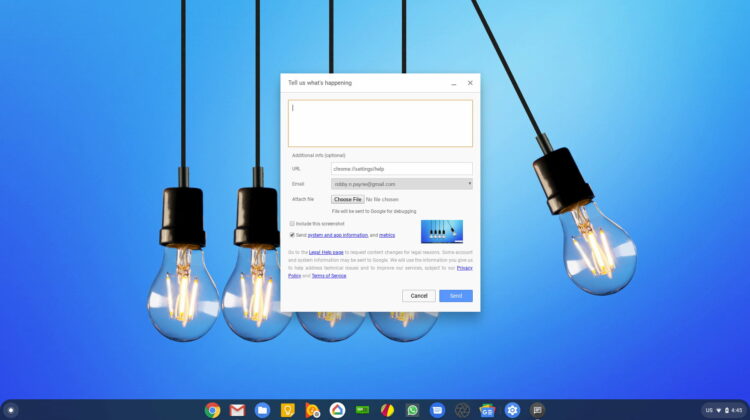
What we do have is the ability to submit feedback just like every other Chromebook user on the planet. What we may do a bit differently than others is actually take advantage of that ability more often than most. The ability to quickly submit feedback is a democratic way the Chromium devs can know what problems are plaguing users the most. Enough feedback on a particular issue will get the needed attention to get a bug report filed and get an issue taken care of.
SUBSCRIBE TO UPSTREAM
Get Chrome Unboxed delivered straight to your inbox
Upstream is our flagship, curated newsletter with the top stories, most click-worthy deals, giveaways, and trending articles from Chrome Unboxed sent directly to your inbox a few times a week. Join 31,000+ subscribers.
While this has always been quite easy to do, users continually forget the shortcut from their keyboard and in the instant something goes wrong, they can’t quickly remember the process to submit feedback and thus just skip it altogether. As a reminder, before this update you could submit feedback by pressing ALT + SHIFT + I or via your settings under About Chrome OS > Report an issue. In Chrome OS 77, however, Google has made it even easier to find and remember the process for submitting feedback, and it is tied to your power button.
From this point forward, you simply need to hold your power button down for just over a second and you’ll now get the Feedback button in addition to your standard Power off, Lock screen, and Sign out prompts. Hit that Feedback button and you’ll see the feedback form quickly pop up, ready for your input. Google honestly couldn’t make this any simpler at this point, so there’s really no reason anyone reading this shouldn’t be submitting feedback on a regular basis now. Almost universally when I ask a reader if the problem they are contacting us for has been submitted as feedback, I’m met with a negative response.
I hope this latest change and a heightened awareness of it will change all of our habits from this point forward. Feel free to contact us with your questions or concerns, but know that the most important thing you can do when you face an issue with your Chromebook is to take a second and let someone who can actually do something about the problem know about that problem. You’ll be doing good for the Chrome OS community as a whole.

