


Support our independent tech coverage. Chrome Unboxed is written by real people, for real people—not search algorithms. Join Chrome Unboxed Plus for just $2 a month to get an ad-free experience, access to our private Discord, and more. Learn more about membership here.
START FREE TRIAL (MONTHLY)START FREE TRIAL (ANNUAL)
Your Chromebook is getting an update again! Yep, it’s already that time thanks to Google’s more frequent rollouts. With OS 108, the company added sharper emoji, a battery saver mode, and more. Over the next few days, you may notice that you’re ready to update your own device, so let’s talk about what’s new.
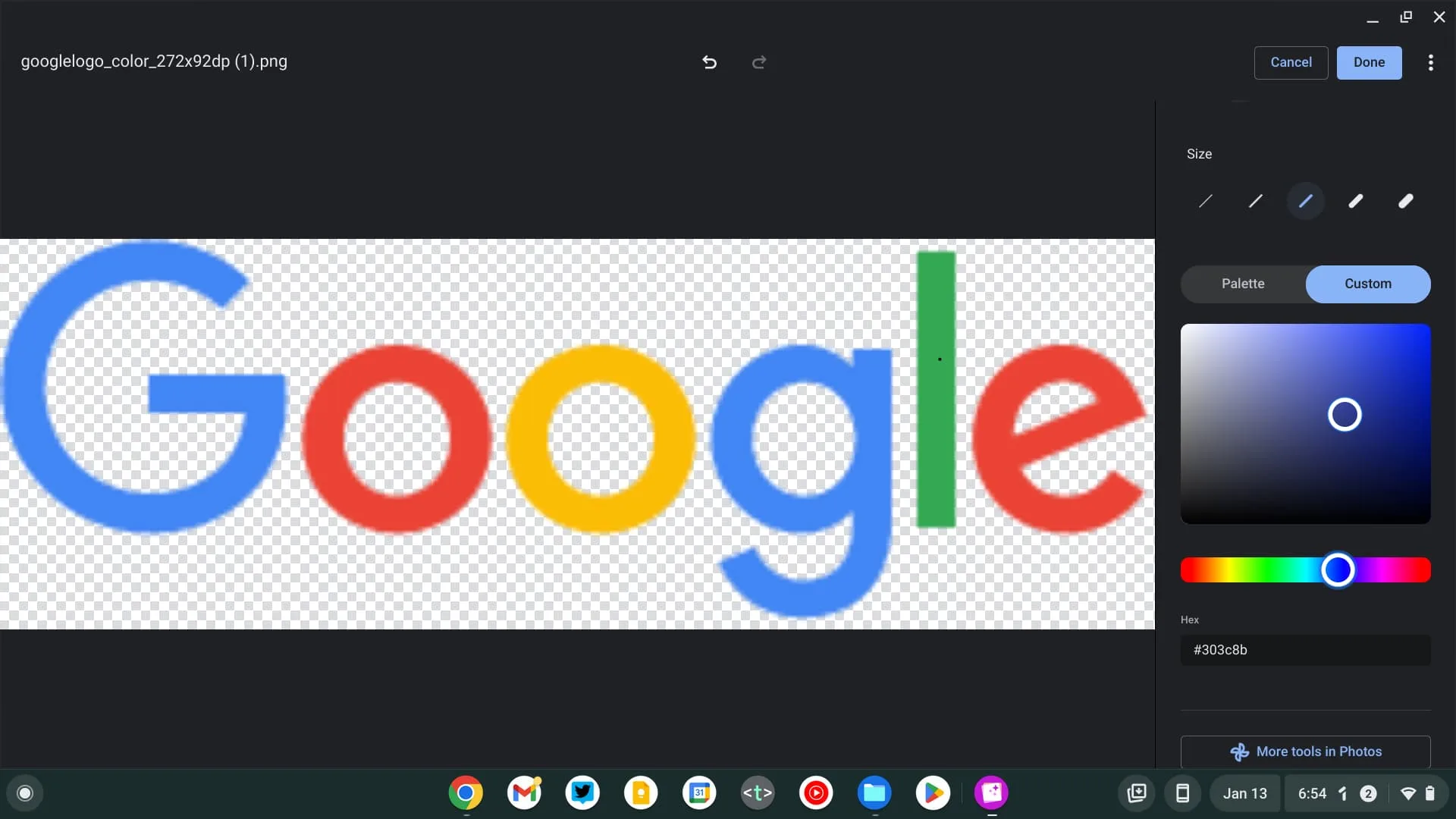
Version 109 of Google’s laptop and desktop OS is by no means a hefty one, and features only a few notable changes. However, the changes we’re seeing are certainly worth it! For starters, the Gallery app is receiving a custom color picker for annotations. Before, you would be limited in the choices you had, with only 20 pre-determined colors.
Additionally, launching the Google Play Store after a cold reboot of your Chromebook generally causes the app icon to remain greyed out while ARC and Play Services launches in the background. Now, the app will open up with a fully colored icon, allowing you to wait on a loading screen instead.
To be honest, this is just a much better user experience. Sure, no one likes waiting, but if I had my choice, I’d rather have the visual feedback that something is launching instead of being indirectly told it’s getting ready to launch.
Lastly, the previously discussed Memory and Energy Saver modes for the Chrome browser on your laptop are becoming available directly without the need to enable their developer flags. This means that you can toggle quickly between a battery or RAM preserving approach to browsing with just one click using the new icons at the top-right of the Chrome window. These make your experience up to 30% faster and more efficient.
There are a few other small tweaks, but you can check them out for yourself over on Google’s official releases page. Let me know in the comments if you utilize the built-in annotation tools and are happy to be able to select all manner of custom colors.
SUBSCRIBE TO UPSTREAM
Get Chrome Unboxed delivered straight to your inbox
Upstream is our flagship, curated newsletter with the top stories, most click-worthy deals, giveaways, and trending articles from Chrome Unboxed sent directly to your inbox a few times a week. Join 31,000+ subscribers.

