

Support our independent tech coverage. Chrome Unboxed is written by real people, for real people—not search algorithms. Join Chrome Unboxed Plus for just $2 a month to get an ad-free experience, access to our private Discord, and more. Learn more about membership here.
START FREE TRIAL (MONTHLY)START FREE TRIAL (ANNUAL)
Have you ever wanted to open multiple Chrome windows – not just tabs – on your Android device at once? Back in the day, people would download “app cloning” apps that would attempt to duplicate the install and keep them separate so that they could do this very thing. However, they’ve largely gone the way of the western, and most regular folks like myself have been stuck with just one instance of Chrome on the go unless we decide to grab Chrome Canary, Beta, or Dev from the Google Play Store.
Last year, Google released a feature in Beta called “Instance Switcher” (kudos: Fossbytes), and it let you tap the three dots menu at the top-right of the screen and select “Manage windows”. Upon doing so, the user would be presented with the same “windows” they would have for separate Chrome browser instances on a desktop or laptop.
These could have separate Google accounts signed in, have separate bookmarks, history, and more, and neither would interfere with the other. Today, I was trying to clean up the nearly 400 tabs I have open in Chrome when I ran into this feature on the Stable version of the browser you all have installed right now.
That’s right, “Instance Switcher” is now available for everyone! I haven’t seen an official announcement for this, and it could just be a server-side rollout, but it’s there as you can see below. Hell, this could have been present for a few days or weeks by now, but I just only noticed it on version 108.0.5359.128). One thing I’m certain of is that it was not there last week to my knowledge. As I said, I have nearly 400 tabs open on the go, so I would have seen it. Let me know in the comments if you have had this prior to the date specified!
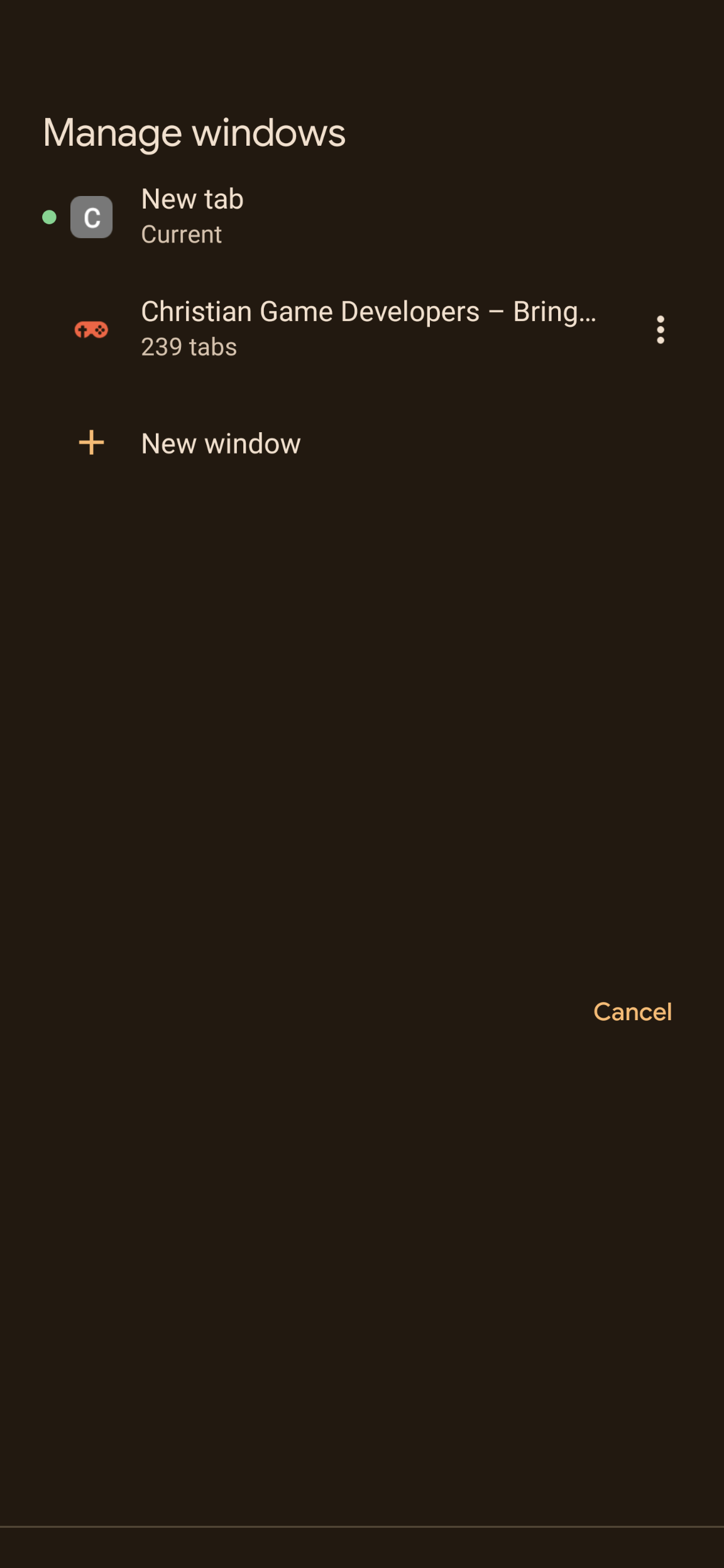
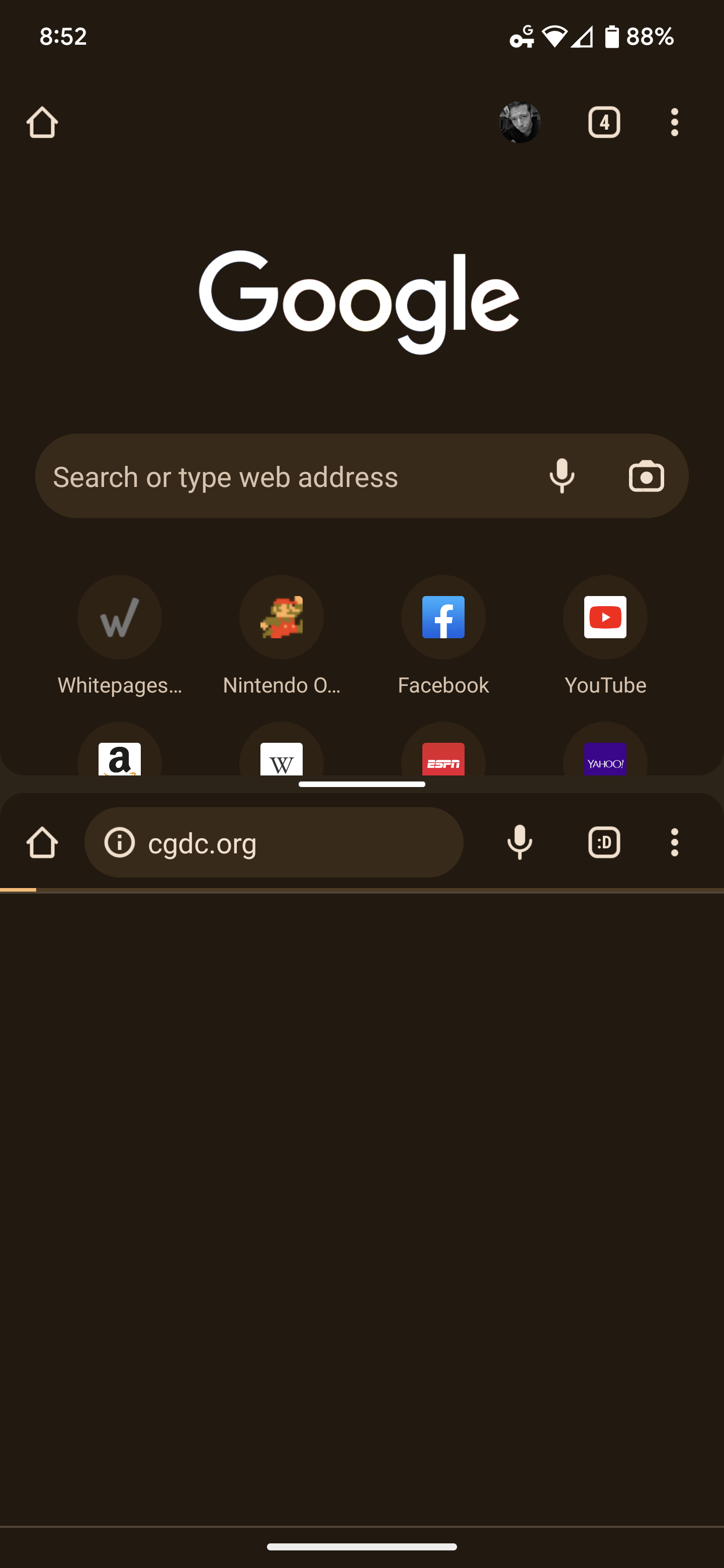
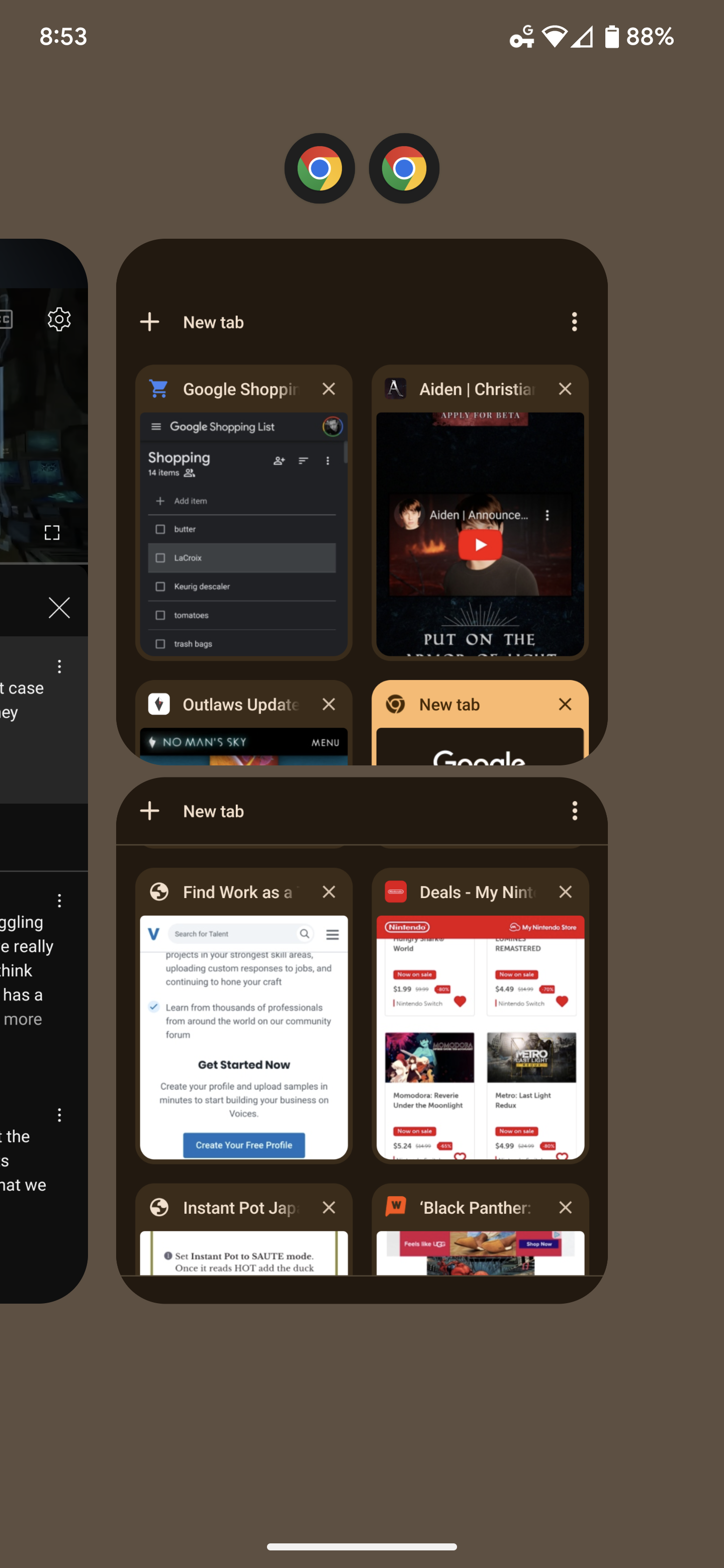
Check this out – tapping “Manage Windows” pops open a full-screen window that lists your active “instances”, or “windows” and tapping on one of those will do something really strange. You’ve heard of app overview mode on Android where the apps that are open will appear as cards, right? Well, have you ever seen two cards on one task like the third image seen above? Me either! Right when I saw that, I was taken aback, as I’d never heard of the instance switcher when it was added to Beta last year.
Once your phone display is split in half horizontally, you can interact with both instances of Chrome separately, or full-screen one over the other. There’s also the classic split screen dragging indicator in the center which allows you to change the size of each window, but unlike the one driven by Android, this tool is baked directly into Chrome.
I personally find this very cool, but will likely never use it unless I’m on an Android tablet. Oftentimes, I find myself splitting my screen between YouTube and Google News or something else, but have never had a desire or a need to split Chrome in half and peruse two websites simultaneously. Let me know if you’ll use this and if you have it yet.
SUBSCRIBE TO UPSTREAM
Get Chrome Unboxed delivered straight to your inbox
Upstream is our flagship, curated newsletter with the top stories, most click-worthy deals, giveaways, and trending articles from Chrome Unboxed sent directly to your inbox a few times a week. Join 31,000+ subscribers.

