

Support our independent tech coverage. Chrome Unboxed is written by real people, for real people—not search algorithms. Join Chrome Unboxed Plus for just $2 a month to get an ad-free experience, access to our private Discord, and more. Learn more about membership here.
START FREE TRIAL (MONTHLY)START FREE TRIAL (ANNUAL)
Filling out online forms on a smartphone is easily one of the most tedious parts of the mobile web experience. Whether you are trying to check in for a flight on a cramped digital layout or rushing to secure a parking reservation, manually typing out passport numbers, vehicle identification numbers (VINs), or credit card details is a recipe for typos.
Google has spent the last year drastically upgrading desktop autofill to handle these complex data types, and now, that exact powerhouse utility is landing directly in the palm of your hand.
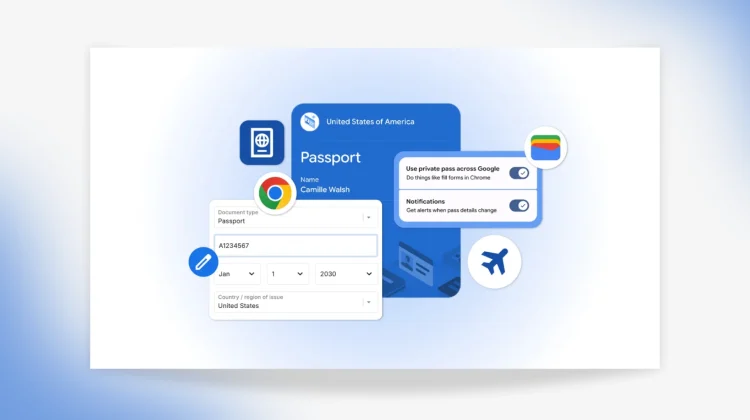
According to a brand-new announcement on The Keyword, Google is officially bringing its advanced autofill capabilities to iOS and Android users while deeply anchoring the browser’s form-filling engine directly into Google Wallet.
Bringing complex data types to mobile strings
Chrome has been able to remember basic things like addresses, names, and saved credit cards for years. But a recent desktop update quietly laid the plumbing for much more intricate data structures, allowing Chrome to securely remember and populate things like flight itineraries and specific vehicle information, including your license plate and VIN.
Starting today, that exact deep-data autofill support is officially live across both major mobile operating systems. If you are buying a replacement part for your car or logging into a state transit portal on your phone, Chrome can now pop those multi-character strings into the form automatically.
Google Wallet becomes the master directory
The real magic of this update, however, is how seamlessly Chrome is now talking to Google Wallet on both mobile and desktop. Moving forward, Chrome can automatically parse data stored securely inside your digital wallet to instantly fill out highly sensitive web forms. This includes:
- International Travel: Passport numbers and expiration dates.
- Domestic Logistics: Full driver’s license details.
- Frequent Flyer Assets: Your official Known Traveler Number (KTN) for TSA PreCheck or Global Entry.
The data loop works both ways, too. If you are filling out an official form for the first time inside Chrome, the browser will gracefully ask for your permission to save those details straight back into your Google Wallet directory so it’s safely tucked away for future use.
Security and user controls
Because passing passports and driver’s licenses into web forms introduces obvious security questions, Google has built strict user-level guardrails into the core layout.
Chrome will never automatically dump or save your sensitive information without explicit user consent, and all high-tier documentation remains heavily encrypted. Users can manually curate, delete, or update their repository at any time by jumping straight into their Google Wallet settings or accessing the “Autofill and passwords” hub inside their core Chrome preferences. Private digital passes, like state IDs, also maintain their own independent biometric access controls to prevent accidental exposure.
The advanced autofill rollout is hitting iOS and Android devices via a server-side update starting today. Make sure your mobile browser is fully updated to the latest version, and get ready to spend a lot less time squinting at form fields the next time you need to log your travel documentation.
SUBSCRIBE TO UPSTREAM
Get Chrome Unboxed delivered straight to your inbox
Upstream is our flagship, curated newsletter with the top stories, most click-worthy deals, giveaways, and trending articles from Chrome Unboxed sent directly to your inbox a few times a week. Join 31,000+ subscribers.

