


Support our independent tech coverage. Chrome Unboxed is written by real people, for real people—not search algorithms. Join Chrome Unboxed Plus for just $2 a month to get an ad-free experience, access to our private Discord, and more. Learn more about membership here.
START FREE TRIAL (MONTHLY)START FREE TRIAL (ANNUAL)
I’m a big Google Play Books advocate. Whenever I don’t have a physical book at the ready, and sometimes even when I do, I opt for an audiobook or an ebook. With Google Play, you own 100% of the Play Books content you buy and can export it via Google Takeout whenever you’d like in the most common formats to use elsewhere. With Amazon’s offerings, you can’t do this, and you can’t export your audiobooks at all! Honestly, the only thing missing for me from the service all of these years was the ability to create custom bookshelves and organize my content into them for easier consumption.
Sometime last year, Google began testing this feature on the web in beta. By toggling it on in the cogwheel icon at the top-right of the Play Books web interface, you could actually enable these shelves and get cracking on your sorting. Unfortunately, for anyone using the Android app on their phone or Chromebook (since it had a much better and more beautiful interface), well, they were out of luck. Google simply seemed to refuse to take this feature out of beta for what feels like forever. I reached out recently via the Play Books ‘Message Us’ beta to ask when this would occur for Android users, and I was told that they had no information for me at that time. Well, folks, the time has come! You can now create and manage your very own bookshelves on Play Books for Android, and I couldn’t be happier.
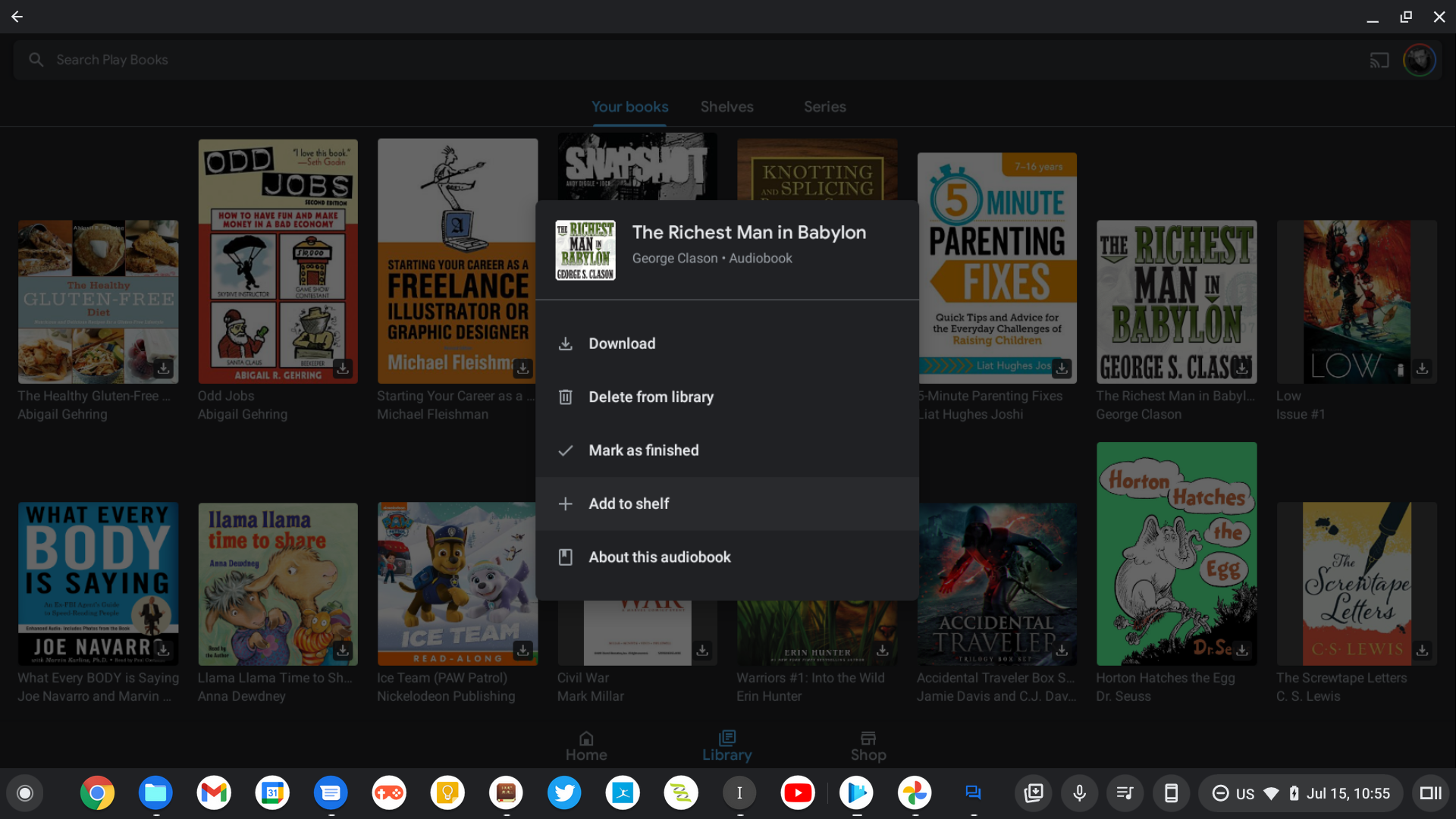

Perhaps it’s the bookworm in me, and I know this is truly nothing that significant for many, but without this capability on the go, I felt as though the reading experience was incomplete. Anyway, this is already working for me on my Chromebook via the Play Books Android app, and it ought to be for you as well since Google announced it yesterday via a blog post. By pressing and holding any ebook or audiobook, you can now choose ‘+ Add to shelf’ from the pop-up menu. From there, you can create a new shelf, or add it to an existing one. Afterward, you can peruse your collections by selecting the ‘Shelves’ tab near the top of the app’s ‘Library’ page.
If you’d like, you can also organize these on the web, as previously mentioned. In fact, doing so via the web will allow you to organize your content in bulk. Once finished, you can see the changes on your phone or Chromebook by closing and re-opening the app! Some shelf ideas for you include the category of book you’re reading (Entrepreneurship, Parenting, Kids books, Fiction, Biographies, etc.) or something more specific and temporary like ‘Summer 2021’ so you can quickly and easily knock out your TBR (To Be Read) for the season if you have a book count goal to crunch through.
Google also announced store filtering and deal alerts with this update to the app. I say this every so often, but not often enough – it’s awesome when the company gives some attention to Play Books and other apps like it that have long suffered for fresh fixes and features while core apps get all of the focus. I think that reading has loads of value in our modern age where TikTok is king (or so I’m told), and short attention spans abound. Take some time this year to read a book, slow things way down, and absorb a good story. You won’t regret it, and now, you can do so with much more organization, clarity, and focus.
SUBSCRIBE TO UPSTREAM
Get Chrome Unboxed delivered straight to your inbox
Upstream is our flagship, curated newsletter with the top stories, most click-worthy deals, giveaways, and trending articles from Chrome Unboxed sent directly to your inbox a few times a week. Join 31,000+ subscribers.


