

Support our independent tech coverage. Chrome Unboxed is written by real people, for real people—not search algorithms. Join Chrome Unboxed Plus for just $2 a month to get an ad-free experience, access to our private Discord, and more. Learn more about membership here.
START FREE TRIAL (MONTHLY)START FREE TRIAL (ANNUAL)
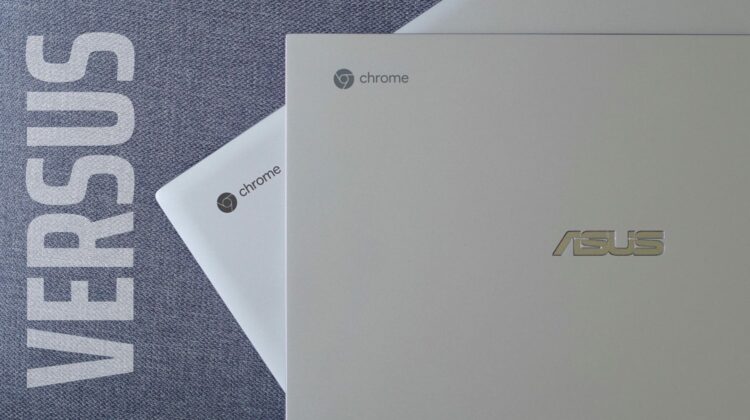
We’ve already unboxed, previewed and reviewed both of the devices we are comparing today, so please check those videos/articles out if you haven’t already. In all likelihood, you’ve read or watched plenty about both of these ASUS Chromebooks and you’re simply here looking for some help on deciding which on is the one for you. In previous versus videos, we spent a bit too much time re-hashing all the specs onboard each device and not enough time simply stating why one is better than the other.
For this one, we’re doing our best to try a new path that will hopefully lead to more comparison discussion and less re-reviews. At the end of the day, what we really want is to help you decide between two devices you’ve likely had your eye on for a bit and help you make a more-informed purchasing decision. With that in mind, here are the reviews of both the ASUS Flip C434 and the Flip C436. Go check them out if you haven’t and, after that, let’s see which is the better Chromebook.
Build Quality
The new C436 is clearly a refinement of the C434 and picks up in many ways where that device left off. The C436 is lighter by nearly half a pound, thinner, and simply more attractive. The C436 also has a one-finger lift on the hinge mechanism and that is a feat for any device, much less one with a full 360-degree hinge.
The problems start with the C436 build materials. Made from some sort of alloy, the chassis feels like it is made of plastic instead of metal. The C434 is way more substantial and solid feeling under your palms and simply feels more high-quality across the board because of this. Though the C436 does some nice things like reducing thickness and weight while keeping a one-finger lift on the lid, I’m still inclined to like the overall build of the C434 more every time I pick these devices up.
WINNER: Flip C434
Screen
With similar sizes, resolutions, and bezels, it is tempting to think these devices share the exact same screen panel. Unfortunately, for the C436, that isn’t the case. While they are both 1080p IPS touchscreens, the C434’s screen is much brighter than the newer C436. Where I could measure just over 300 nits on the C434, I could never get more than 220 nits from the C436. Frankly, that is too dim for a $799 Chromebook, and not up to the caliber of display we’ve come to expect in the more expensive tier of Chromebooks.
WINNER: Flip C434
Keyboard, Trackpad & Pen
Looking at the way we all interact with our devices, the keyboard and trackpad factor into the overall usability of a Chromebook quite heavily. These two particular devices trade blows on this category, as one has the better keyboard and the other has the better trackpad. There’s no question the C434’s keyboard is a better typing experience and the backlights under the keys don’t hinder visibility in bright conditions if they are turned off. The same isn’t true of the C436 and in many lighting environments, it is very difficult to see the keyboard symbols with or without backlighting.
On the flip side, the C436 corrects one of my gripes with the C434 with a much-improved trackpad. The C436’s wide, clicky, glass trackpad is a joy to use and there’s really no comparison between the two. It is substantially improved. Additionally, the C436 adds USI pen support and though USI pens are hard to find right now, this will eventually be an additional win for the C436 from an input standpoint. With an AUE of June 2028, you’ll likely have this Chromebook around long enough for USI pens to become a normal thing to find at many retailers.
WINNER: Flip C436
Internals, Ports, Speakers
Two parts of this section are nearly pushes. The speakers on the C436 are better than the C434, but not by much. The sound isn’t that much better but the layout is and I liked the fact that I could put the C436 in any orientation and still have clear audio. The port selection is nearly identical on both as well with the C434 having the additional USB Type A port that I like having around but don’t find completely necessary at this point.
Once we get inside, however, the internal battle clearly goes to the C436. With the 10th-gen Core i3, 8GB RAM and 256GB NVMe storage, this really isn’t a fair fight at all when we compare to the 8th-gen Core m3, 4GB RAM and 64GB eMMC in the C434. While the C434 isn’t slow, the C436 chewed up any and everything I could throw at it, and it would be even faster in the top-end spec. Both devices have a similar battery life and can get you through a full day of work, too.
WINNER: Flip C436
User Experience
Finally, we come to overall user experience. This is where price must come into play, and between these two Chromebooks, it does in a major way. The C436 starts at $799 while the C434 could easily be found for under $600 before COVID-19. With the pandemic situation we currently find ourselves in, Chromebooks are largely out of stock and in many places, you may struggle to find the C434 for much less than that. However, once things get back to some semblance of normalcy, the C434 will drop again in price. Regardless, we’re looking at hundreds of dollars in savings as we talk about the difference in these devices.
For me, $799 means I’m going to be quite a bit more picky than I would normally be with a Chromebook. I don’t mind higher price tags, but I do expect better build quality, better components, and better performance. The Flip C436 delivers on some of this, but not nearly enough. Under normal circumstances, the C434 could be found routinely for less than $500 and the small issues I have with it are much more tolerable as a result. Using them side by side, I can confidently say that I like the overall ownership experience on the C434 better than the C436.
WINNER: Flip C434
Wrap Up
So, doing the math, the winner here is the ASUS Flip C434. Is it a runaway victory? Not by a long shot; but it is a clear win. Between the better overall build, better screen, better keyboard, good performance, and much more acceptable price tag, I think most users will be happier with the purchase of the C434 in the end. Eventually, if the price dips considerably for the C436, my mind may change a bit. For now, however, I hope this comparison helps you choose which of these Chromebooks is a better use of your money.
Shop ASUS Chromebook C434 at Chrome Shop
Shop ASUS Chromebook C436 at Chrome Shop
SUBSCRIBE TO UPSTREAM
Get Chrome Unboxed delivered straight to your inbox
Upstream is our flagship, curated newsletter with the top stories, most click-worthy deals, giveaways, and trending articles from Chrome Unboxed sent directly to your inbox a few times a week. Join 31,000+ subscribers.

