

Support our independent tech coverage. Chrome Unboxed is written by real people, for real people—not search algorithms. Join Chrome Unboxed Plus for just $2 a month to get an ad-free experience, access to our private Discord, and more. Learn more about membership here.
START FREE TRIAL (MONTHLY)START FREE TRIAL (ANNUAL)
Google continues its push to integrate helpful AI features across its productivity suite with the latest round of updates for Google Workspace this April. These aren’t just flashy additions; the focus is on practical tools built to streamline workflows, enhance collaboration, and provide genuine assistance. Let’s look at all the key improvements landing this month in Google’s latest Workspace Drop.
Gemini app gains new creative and consumption tools
The Gemini app is receiving significant attention, introducing new ways to create, refine, and even listen to content on the go. A standout addition is Canvas, an interactive space within the app. Users can start drafting documents or even code within Canvas and then leverage Gemini’s AI to refine the content. This includes asking for feedback, tweaking specific sections, adjusting tone, or formatting. For developers, Gemini can assist in generating, optimizing, and previewing code, regardless of experience level. Once complete, work created in Canvas can be easily exported to Google Docs for sharing and further collaboration. To access it, users simply select “Canvas” below the prompt bar.

Borrowing a popular feature from NotebookLM, the Gemini app now incorporates Audio Overviews. This allows users to generate podcast-style audio summaries of uploaded documents, slides, or even Deep Research reports created within Gemini. It’s a convenient way to absorb information while multitasking or away from the screen. Furthermore, access to the experimental Gemini 2.5 Pro model and the ability to upload files directly from mobile devices are also rolling out, significantly boosting the app’s power and accessibility for users needing advanced AI assistance anywhere.
Gmail gets smarter replies and event integration
Email management in Gmail sees improvements aimed at saving time. Contextual Smart Replies, powered by Gemini, now offer more detailed and relevant reply suggestions based on the ongoing email thread’s context. Users can hover over a suggested reply to preview it before selecting, editing, or sending it instantly (this feature is available for Workspace Business and Enterprise customers).
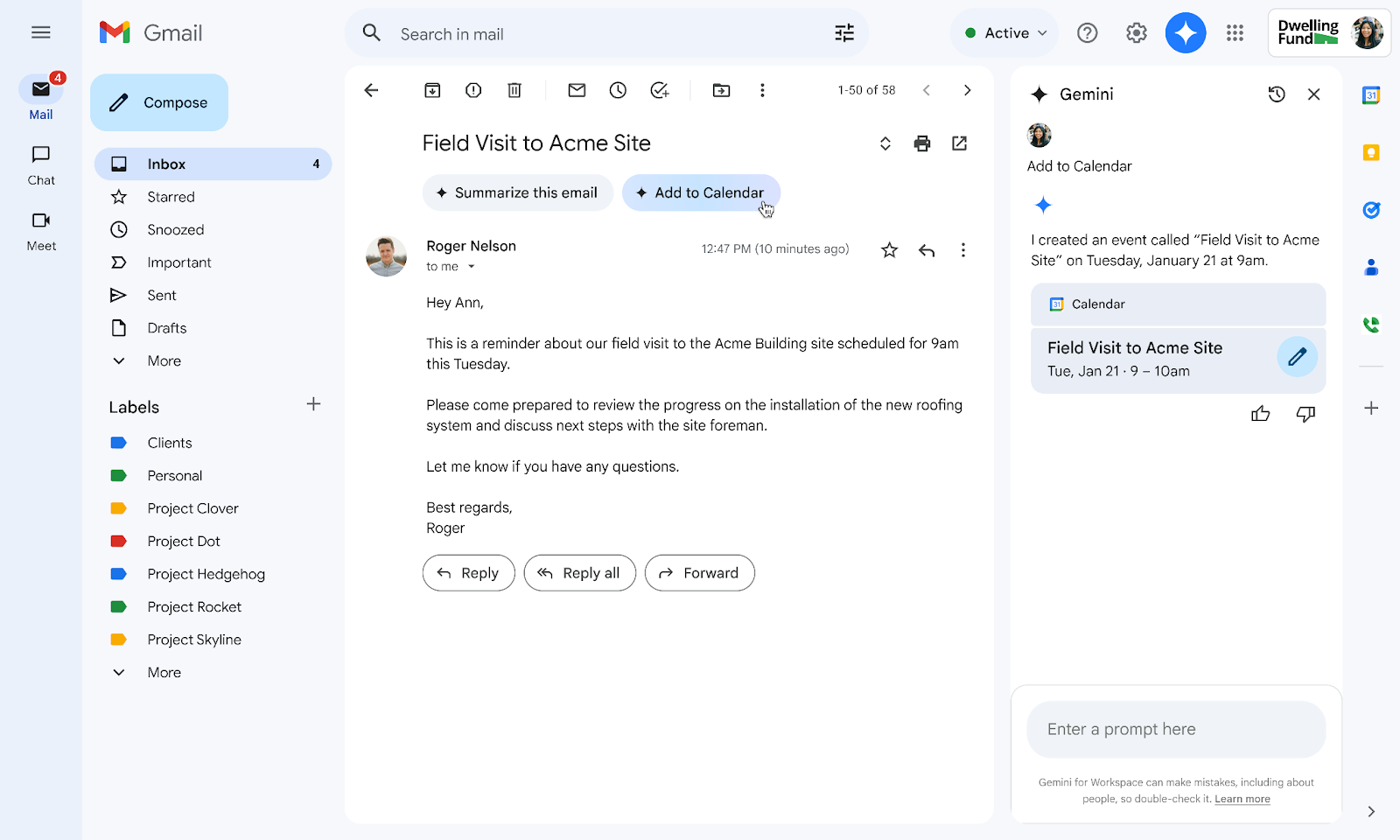
Additionally, Gemini can now detect emails containing event details and will surface an “Add to Calendar” button. A simple tap on this button extracts the relevant information and creates a corresponding event in Google Calendar, simplifying scheduling.
Google Slides streamlines presentation design
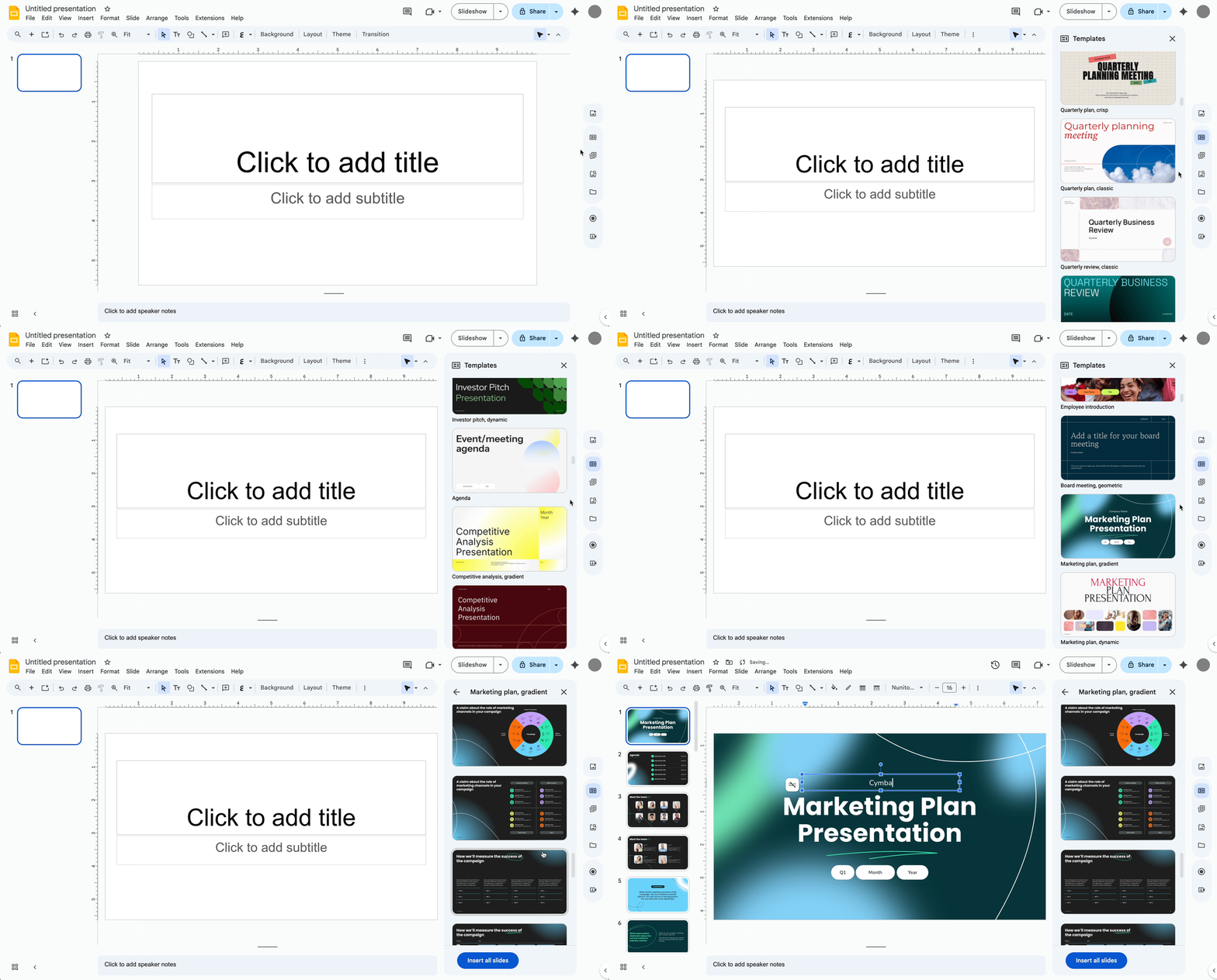
Creating visually appealing presentations in Google Slides becomes more efficient with the introduction of a new consolidated design sidebar. This sidebar brings together essential tools, minimizing the need to navigate away from the presentation canvas. It provides quick access to new templates, pre-formatted content blocks (like agendas or quotes), an expanded library of stock photos and GIFs, and even AI-powered image generation. The goal is to provide necessary tools and inspiration directly within the workflow, saving time and boosting creativity.
Google Chat enhanced organization and integration
Team collaboration in Google Chat benefits from new organizational tools. The new board tab acts as a central repository within a Chat space, allowing teams to pin important messages, files, and links for easy access. This prevents crucial information from getting lost in lengthy conversation histories. Intelligent file suggestions also help curate relevant assets for specific teams or projects.
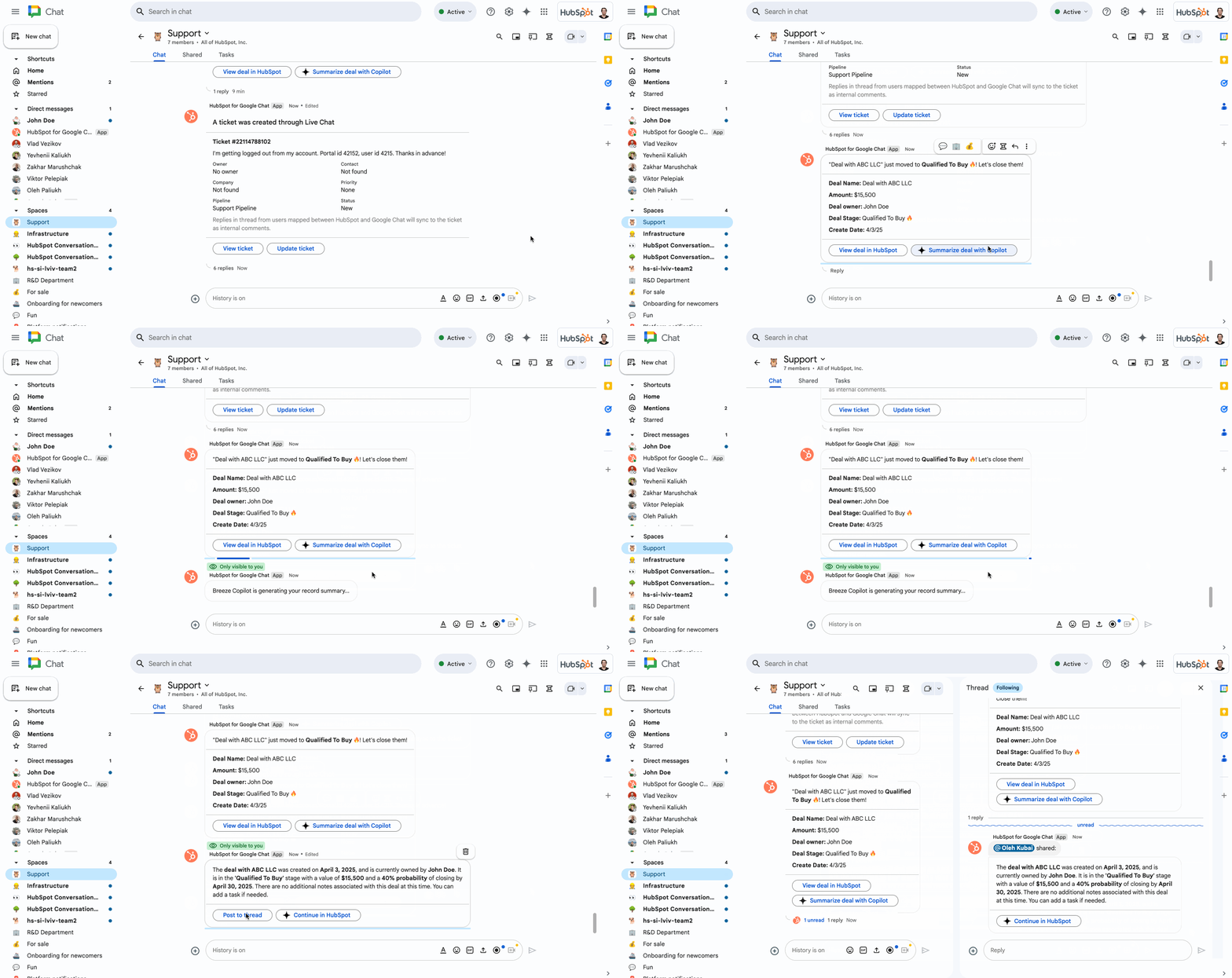
Furthermore, the new HubSpot app for Google Chat bridges the gap between communication and customer relationship management. Updates regarding leads, deals, and tickets from HubSpot can now flow directly into relevant Chat spaces. This integration allows sales, support, and marketing teams to receive real-time notifications and respond faster, keeping CRM data current and improving cross-team collaboration.
SUBSCRIBE TO UPSTREAM
Get Chrome Unboxed delivered straight to your inbox
Upstream is our flagship, curated newsletter with the top stories, most click-worthy deals, giveaways, and trending articles from Chrome Unboxed sent directly to your inbox a few times a week. Join 31,000+ subscribers.

