


Support our independent tech coverage. Chrome Unboxed is written by real people, for real people—not search algorithms. Join Chrome Unboxed Plus for just $2 a month to get an ad-free experience, access to our private Discord, and more. Learn more about membership here.
START FREE TRIAL (MONTHLY)START FREE TRIAL (ANNUAL)
One of the chief complaints we hear about Android apps on Chromebooks is the inability to share things across the Chrome OS platform the way you’d expect. It generally goes something like this: I have XYZ Android app installed and I’d like to use the built-in share button to share some content via XYZ web app and the Android app simply doesn’t see anything but other Android apps as share targets.
One perfect example would be the YouTube Android app. First, I have to mention that on a Chromebook, I’d recommend the web app in just about every situation, but there are users who still like to download the Android version from the Play Store. If that user sees something they like and clicks the share button, on a Chromebook there isn’t much there to choose from. Sure, if you want to share to another Android app, you should be able to just fine. Web apps, however (the majority of the apps you use on your Chromebook) are simply not an option right now.
Shadow APKs are coming
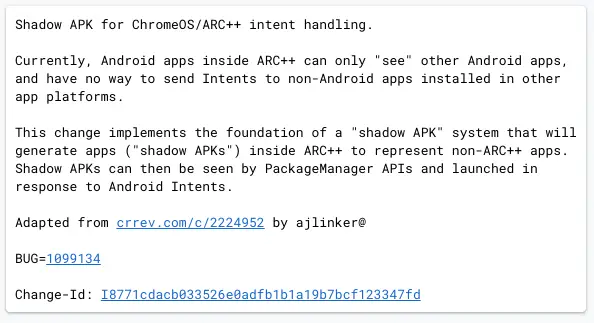
According to a recent commit in the Chromium Repositories, new work is being done to bridge the gap from the Android container (ARC++) to the rest of the OS with sharing intents.
As it currently stands, Android apps can’t really ‘see’ anything outside of their container. This means Android apps on Chromebooks only talk to other Android apps when it comes to intent handling. This not only includes things like native sharing but also file opening as well. Google Photos is a prime example of this. Open the app on your Chromebook, hit share, and you’ll only see your other Android apps as targets. What I’d love to see is the option to share a photo from Google Photos over to Squoosh for a bit of resizing and optimization. However, since Squoosh is a PWA, the Android version of Photos simply doesn’t see it as a target.
So, what’s the fix? Shadow APKs, of course. Other than simply sounding badass, shadow APKs look to be a creative solution to this current limitation. From the commit language, it seems the Chrome OS team is working on a way to make proxy applications inside the Android (ARC++) container that will stand in as representatives for non-Android applications. Once there, they can then be “seen” by the Android container, become a target for content sharing, and pass the info along to the actual web app outside the ARC++ container.
It’s unclear if this work is being done just for Android to Web Apps or if containers like Crostini Linux and Windows via Parallels will also be on the receiving end of Android share intents down the road. We’d love to think that a future version of Chrome OS will use these types of tricks to make all the various app ecosystems play nice with one another, but we’d be happy to simply see Android apps sharing properly with the core parts of Chrome OS to start with. An earlier version of this effort began in November of 2020 with the more recent changes happening just last week. We’ll be keeping a close eye on this development and will update as we see things begin to progress.
SUBSCRIBE TO UPSTREAM
Get Chrome Unboxed delivered straight to your inbox
Upstream is our flagship, curated newsletter with the top stories, most click-worthy deals, giveaways, and trending articles from Chrome Unboxed sent directly to your inbox a few times a week. Join 31,000+ subscribers.

