


In celebration of the recent International Day of Persons with Disabilities, Google has announced a suite of seven new accessibility features rolling out to Android. While these tools are designed to help people with disabilities interact with the world, features like a more consistent dark mode and smarter captions will likely be welcomed by just about everyone. Here is a look at the biggest changes arriving on your device.
A true, system-wide Dark Mode is finally here
We have all felt the pain of using our phone in bed, enjoying a nice dark theme, only to open an app that doesn’t support it and getting blasted by a blinding white screen. With the release of Android 16 today, Google is solving this with a new “expanded option” for dark theme.
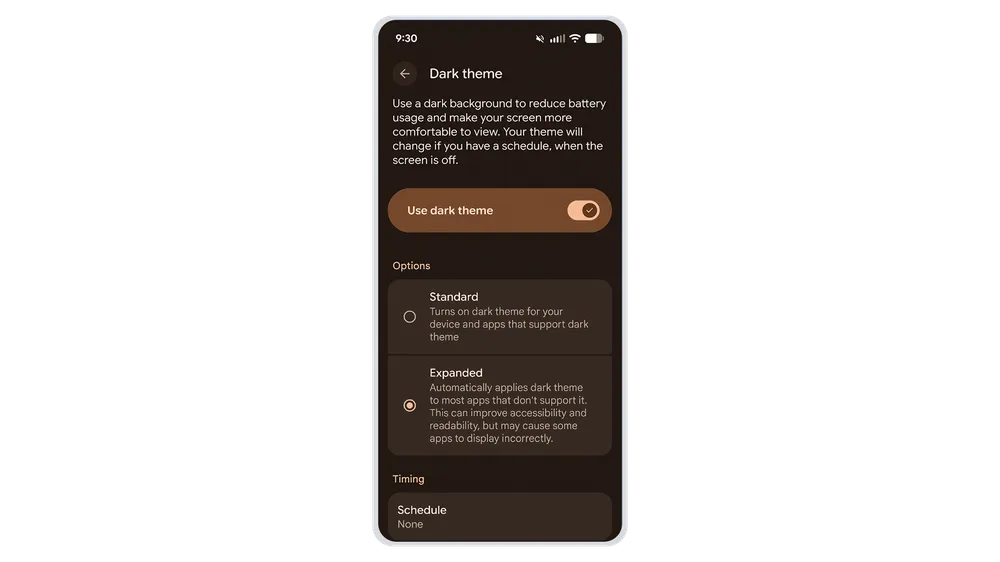
This feature allows your phone to automatically darken most apps, even those that don’t have their own native dark theme. This creates a much more consistent, comfortable viewing experience for everyone, especially those with light sensitivity.
AI that reads emotions and describes photos
Google is also leveraging Gemini to make content more understandable:
- Expressive Captions get emotional: Captions on Android can now detect and display the emotional tone of speech. You might see tags like [joy] or [sadness] to help you grasp the speaker’s intent. Google is also bringing these immersive captions—which show speech intensity and sounds like sighs—to YouTube for English videos uploaded after October.
- Guided Frame gets descriptive: The Guided Frame feature, which helps blind or low-vision users take photos, is now powered by Gemini. Instead of just saying “face detected,” it provides rich descriptions like, “One girl with a yellow T-shirt sits on the sofa and looks at the dog”.
Hands-free control and easier connecting
The update includes several other practical improvements:
- Gemini starts Voice Access: You can now launch Voice Access completely hands-free by simply saying, “Hey Google, start Voice Access”.
- Better Mouse Support: For those using an external mouse, AutoClick now offers an improved “dwell cursor” experience, letting you hover to click and customize actions like scroll, drag, or long-press.
- Fast Pair for Hearing Aids: You can now connect compatible Bluetooth LE Audio hearing aids (starting with Demant devices) with a single tap using Fast Pair.
- TalkBack Dictation: Coming soon, you’ll be able to start voice dictation in Gboard with a simple two-finger double-tap.
These updates are rolling out now, making Android not just smarter, but more inclusive for everyone.
Join Chrome Unboxed Plus
Introducing Chrome Unboxed Plus – our revamped membership community. Join today at just $2 / month to get access to our private Discord, exclusive giveaways, AMAs, an ad-free website, ad-free podcast experience and more.
Plus Monthly
$2/mo. after 7-day free trial
Pay monthly to support our independent coverage and get access to exclusive benefits.
Plus Annual
$20/yr. after 7-day free trial
Pay yearly to support our independent coverage and get access to exclusive benefits.
Our newsletters are also a great way to get connected. Subscribe here!
Click here to learn more and for membership FAQ

