


Support our independent tech coverage. Chrome Unboxed is written by real people, for real people—not search algorithms. Join Chrome Unboxed Plus for just $2 a month to get an ad-free experience, access to our private Discord, and more. Learn more about membership here.
START FREE TRIAL (MONTHLY)START FREE TRIAL (ANNUAL)
Acer just introduced new Chromebooks aimed at the education market at BETT 2025, and though this is mostly standard fare for the education-focused conference, there’s one little addition to Acer’s latest offering that’s quite interesting this time around in the form of a tablet, and the Acer Chromebook Tab 311 makes this usually-uneventful classroom Chromebook announcement a bit more flashy. Let’s look at the lineup.
The Acer Chromebook 511 clamshell is the straightforward entry point, and the requisite convertible Spin 511 and 512 really embody the best of what we’ve come to expect out of EDU-focused Chromebooks over the years. There are some durability upgrades, the latest entry-level Intel processors, and thoughtful features designed to make life easier for both students and IT departments.
Chromebooks in schools take a beating. Acer knows this, and they’ve beefed up these new models accordingly. Reinforced brackets, modular USB-C ports, and spill-resistant, easily replaceable keyboards mean these things are ready for the daily grind. Plus, with MIL-STD 810H compliance, drops and bumps are no problem.
Both the Spin 511 and 512 sport 360-degree hinges for ultimate versatility. The Spin 511 comes with an 11.6-inch IPS display, while the Spin 512 boasts a slightly larger 12.2-inch screen with a productivity-boosting 16:10 aspect ratio. Both models offer an optional USI 2.0 stylus that garages right in the device – perfect for note-taking and creative work.
Under the hood, you’ll find the latest Intel N-series processors (N150 and N250 as options), Wi-Fi 7 (or 6E), and up to 10 hours of battery life. And for those times when Wi-Fi isn’t available, there’s even an optional 4G LTE configuration. Acer didn’t skimp on the little things either – a webcam privacy shutter and a premium 1080p webcam are standard as well.
The Chromebook 511, Spin 511, and Spin 512 will be available in North America and EMEA in Q1 of 2025, with Australian availability following in Q2. Here’s a quick rundown of the key specs:
Acer Chromebook 511 (C737)
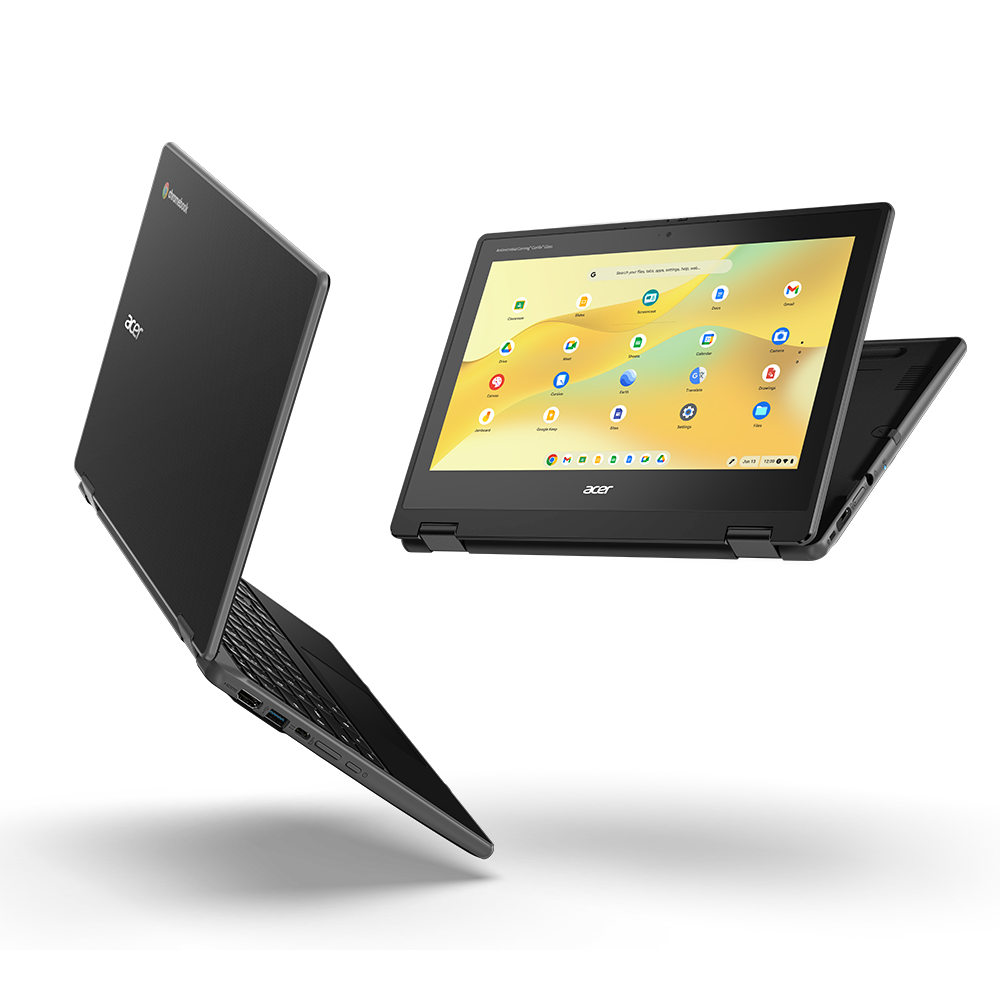
- CPU: Intel® Processor N150 / N250
- Display: 11.6-inch FHD (1920×1080) or HD (1366×768) display
- Storage: Up to 128 GB eMMC storage
- Memory: Up to 8 GB LPDDR5X SDRAM
- Battery: Up to 10 hours of battery life
- Connectivity: Wi-Fi 7 or Wi-Fi 6E, Bluetooth 5.3, Optional LTE
- Ports: Two USB Type-C, two USB 3.2 Gen 1, HDMI 1.4, headphone/speaker jack
- Other features: Spill-resistant keyboard, MIL-STD 810H compliant, optional 1080p webcam
Acer Chromebook Spin 511 (R757T)
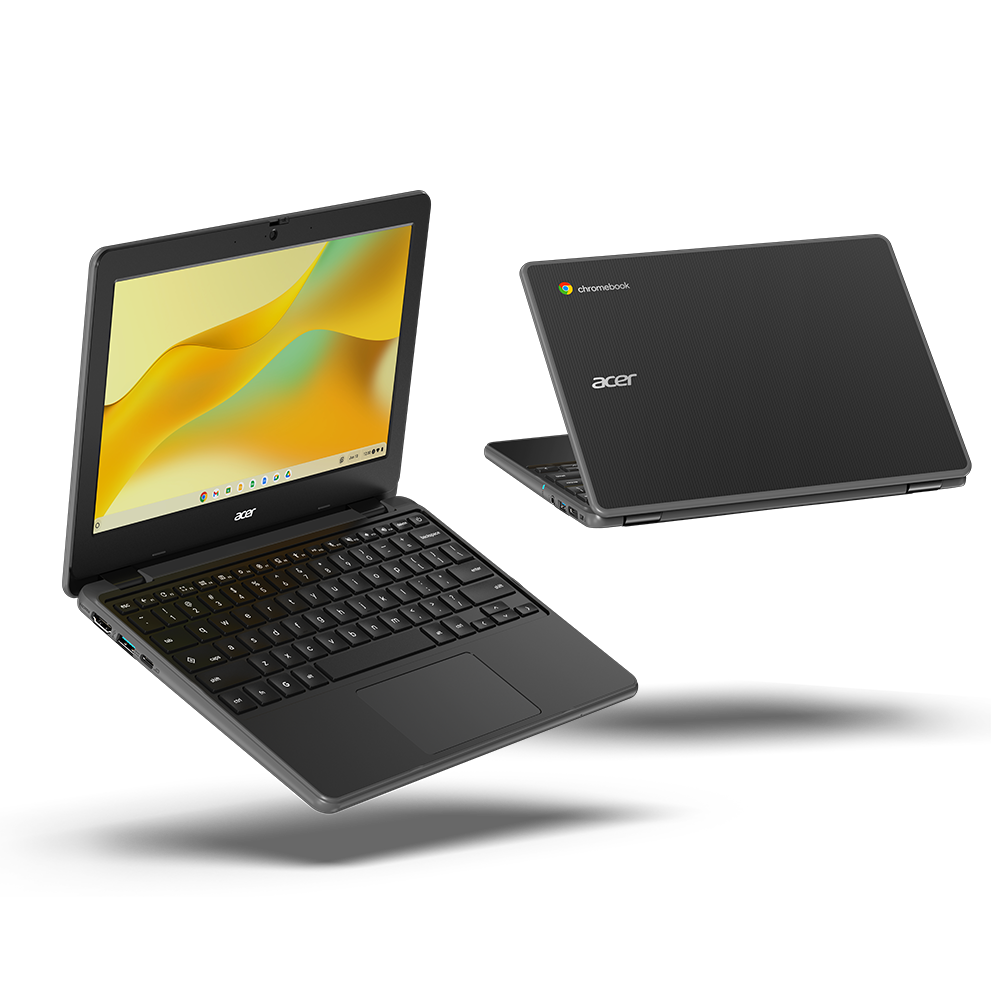
- CPU: Intel® Processor N150 / N250
- Display: 11.6-inch FHD (1920×1080) IPS touchscreen
- Storage: Up to 128 GB eMMC storage
- Memory: Up to 8 GB LPDDR5X SDRAM
- Battery: Up to 10 hours of battery life
- Connectivity: Wi-Fi 7 or Wi-Fi 6E, Bluetooth 5.3, Optional LTE
- Ports: Two USB Type-C, two USB 3.2 Gen 1, HDMI 1.4, headphone/speaker jack
- Other features: Spill-resistant keyboard, MIL-STD 810H compliant, optional 1080p webcam
Acer Chromebook Spin 512 (R857T)
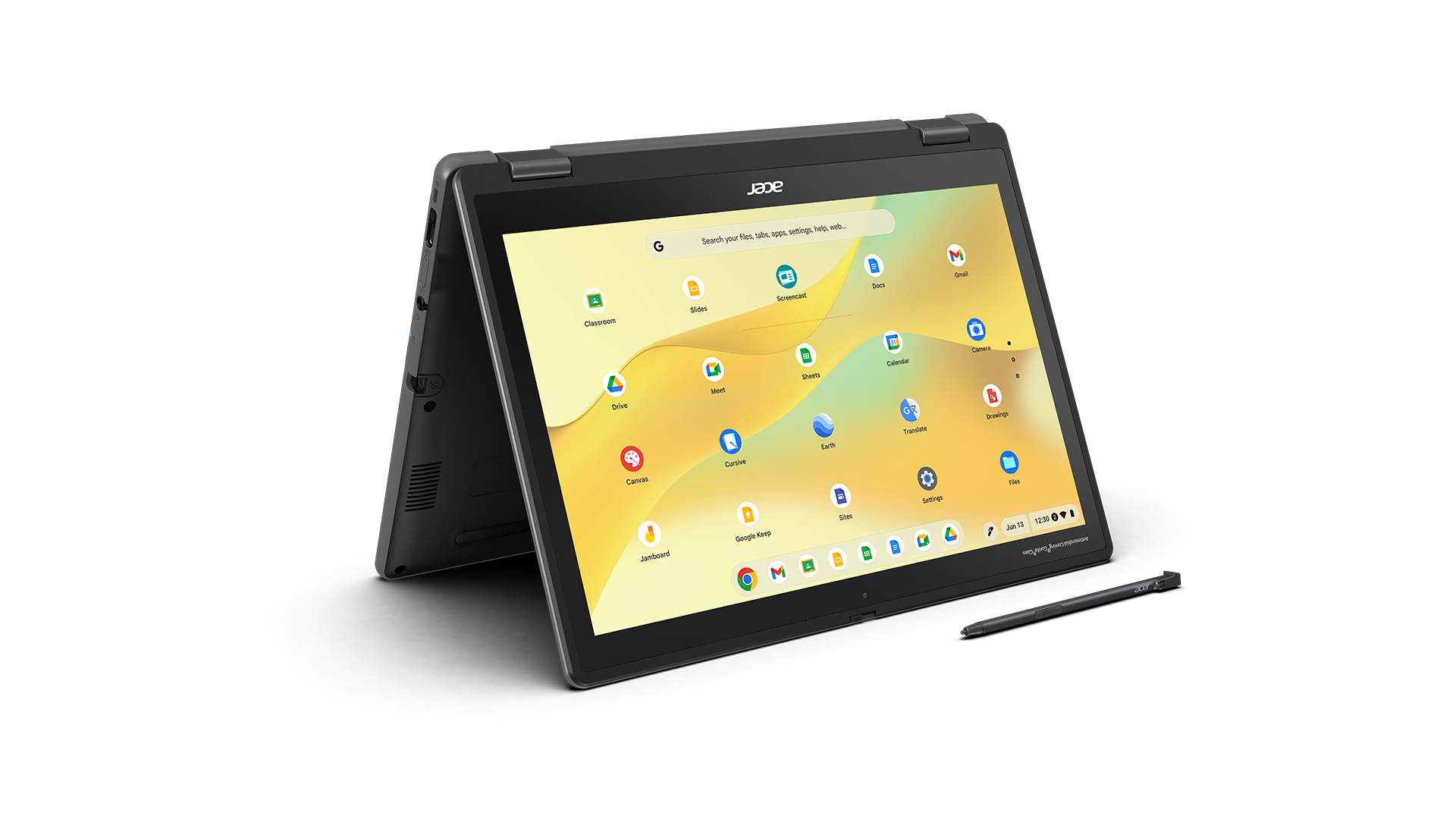
- CPU: Intel® Processor N150 / N250
- Display: 12.2-inch WUXGA (1920×1200) IPS touchscreen
- Storage: Up to 128 GB eMMC storage
- Memory: Up to 8 GB LPDDR5X SDRAM
- Battery: Up to 10 hours of battery life
- Connectivity: Wi-Fi 7 or Wi-Fi 6E, Bluetooth 5.2 or above, Optional LTE
- Ports: Two USB Type-C, two USB 3.2 Gen 1, HDMI 1.4, headphone/speaker jack
- Other features: Spill-resistant keyboard, MIL-STD 810H compliant, optional USI 2.0 stylus, optional 1080p webcam, 8MP world-facing camera
Acer Chromebook Tab 311

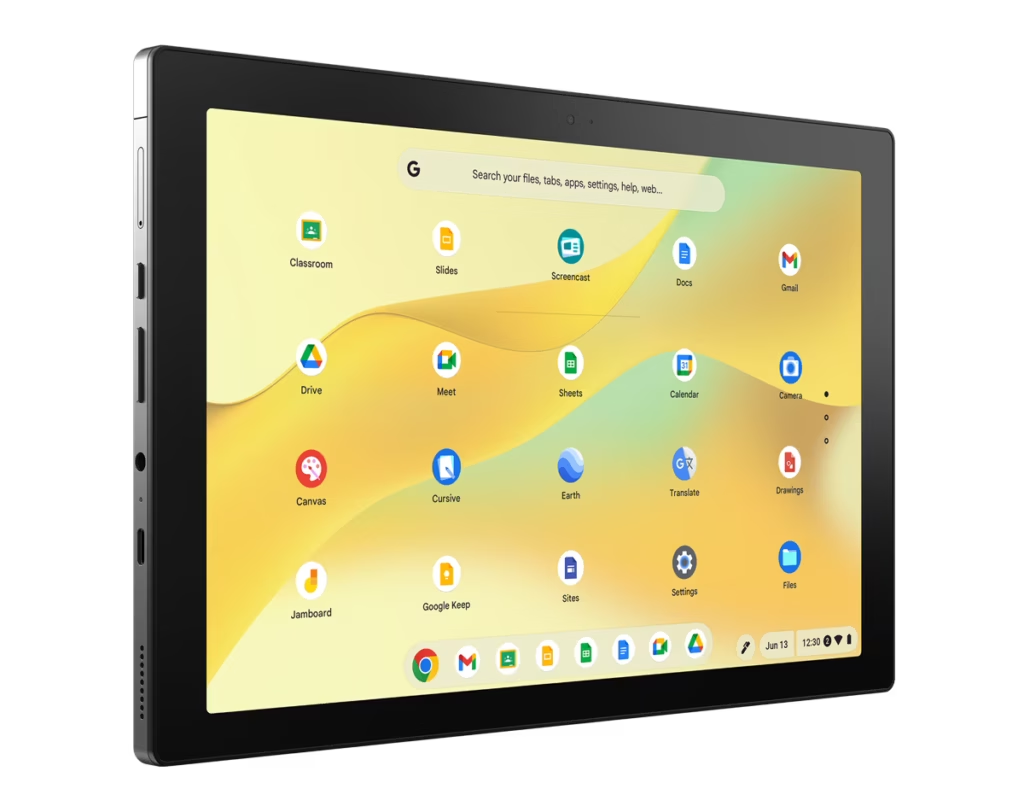
The Acer Chromebook Tab 311 is the one real surprise from Acer’s lineup this time around, and it mimicks quite a bit from what we saw last year in the ASUS CM30 tablet. This one is clearly a bit more drop/spill resistant, but it is powered by the same MediaTek Kompanio 520 processor and has a 10.95-inch display. This model doesn’t come out of the box with a keyboard and kickstand, but they can be added along with the option of a garaged USI stylus. Here are the key specs of the Acer Chromebook Tab 311:
- CPU: MediaTek Kompanio 520 Octa-Core processor
- Display: 10.95-inch WUXGA (1920×1200) IPS touchscreen
- Storage: Up to 128 GB eMMC storage
- Memory: Up to 8 GB LPDDR4X RAM
- Cameras: 2MP front-facing, 5MP rear-facing
- Battery: Up to 10 hours of battery life
- Connectivity: Wi-Fi 6, Bluetooth 5.3, Optional 4G LTE
- Ports: USB Type-C, MicroSD card reader supporting up to 2 TB, audio jack
- Other features: MIL-STD 810H compliant, optional USI 2.0 stylus
The Acer Chromebook Tab 311 will be available in North America in Q2, starting at $329; in EMEA in Q2, starting at €329, and in Australia in Q2, starting at $349.
SUBSCRIBE TO UPSTREAM
Get Chrome Unboxed delivered straight to your inbox
Upstream is our flagship, curated newsletter with the top stories, most click-worthy deals, giveaways, and trending articles from Chrome Unboxed sent directly to your inbox a few times a week. Join 31,000+ subscribers.

