


Support our independent tech coverage. Chrome Unboxed is written by real people, for real people—not search algorithms. Join Chrome Unboxed Plus for just $2 a month to get an ad-free experience, access to our private Discord, and more. Learn more about membership here.
START FREE TRIAL (MONTHLY)START FREE TRIAL (ANNUAL)
Was increasing your cybersecurity among your New Year’s resolutions? It doesn’t sound too sexy, but neither does falling victim to a cyber attack.
Think you’re immune? I did too. That was, until the week of Christmas when I received an email welcoming me to my new Wells Fargo checking account. Problem is, I didn’t open a new checking account. There isn’t a Wells Fargo branch in my state let alone the relatively small town in which I live. Someone had my name, address, email, and social security number. Merry Christmas to me, right? There are a lot of great tools to protect you online, but let’s talk about one of the best — a VPN. NordVPN, specifically. Here are the top 5 reasons it should be your go-to cybersecurity tool for 2022.
Browse privately
The main function of a VPN is to give you privacy on the web. When you connect to a VPN server, your internet traffic is rerouted via an encrypted tunnel securing your data from snoopers. No one, not even your ISP, can sneak a peek at your online activities.
“But most websites already have HTTPS!” I hear you exclaim. Yes! It’s not enough though. HTTPS is not a guarantee for security, and it’s definitely not going to protect you on an unsecured network like a fake Wi-Fi hotspot (“evil twin” hotspot). A VPN also changes your IP address. This means your location, ISP, and actual IP stay hidden. It’s especially useful if you like online gaming — if someone targets you in a DDoS attack, they won’t target your actual IP, but that of a VPN server. And those can take on a lot more traffic than your regular computer.
Enjoy online freedom
Another great advantage of changing your IP is unlimited online freedom. NordVPN has more than 5,200 ultra-fast servers in 60 countries. So, you can change your virtual location instantly with just a few clicks. That means no internet censorship when traveling to restrictive regions and no geo-restrictions on the content you paid for. Going on a trip? Connect to a server in your country and browse the net as if you were home.

Avoid fishy websites
We all make mistakes. But some mistakes online can cost you your precious data. Is the email from your bank informing you your account has been frozen real or a phishing scam? How about that link to your buddy’s wedding video? NordVPN’s CyberSec feature has you covered. It scans the internet and automatically blocks malware-hosting and phishing sites. So, even if you click on that fishy link, your data stays safe.
Block annoying ads
NordVPN’s CyberSec feature not only makes your browsing more secure but also makes it smoother. CyberSec hides unwanted ads, annoying pop-ups, and infuriating auto-play videos on every website. It enables you to get to the content you’re there for in an instant. Not to mention, it improves your load speed and saves mobile data when you’re not connected to Wi-Fi. Download NordVPN and try out smoother browsing yourself.
Get alerted if your data is in danger
With data leaks happening every other day, it’s not unreasonable to think that your private info might show up in one of them. Not to be pessimistic, but it might be just a matter of time. Especially when we consider that even giants like Amazon, Facebook, and Twitter aren’t immune.
But a data leak doesn’t have to turn into a cybersecurity nightmare for you, especially if you act fast. The best way to do that? Turn on Dark Web Monitor on the NordVPN app. It scans the darkest corners of the internet. Then Dark Web Monitor alerts you if it comes across your credentials in any dark web marketplaces or hacker forums.
Try NordVPN risk-free with a 30-day money-back guarantee.
From then on, it’s up to you. Change all of your passwords and make sure they are secure, long, and never duplicate. That’s no easy task, but using a password manager can be a great solution. It keeps all of your passwords in a secure vault, so you don’t have to memorize or leave them on sticky notes next to your monitor.
NordPass is a great password manager with plenty of nifty features for leveling up your security. You can store, organize, and share credentials securely. You can come up with unbreakable passwords with NordPass password generator. You can also stay on top of your credential security with its password health feature.
If you’re looking to protect your business infrastructure and your remote workers with an iron-clad total VPN solution, look no further than NordLayer. 24/7 support, multi-cloud compatibility, and so much more. Find out more about NordLayer here.
Bonus: protect your every device
On top of all the reasons above, you also enjoy security at any time, on any device. NordVPN lets you secure up to six devices with just one account. That means that your entire household can be safe with just one subscription.
NordVPN also works on a router, so if you install it directly onto it, your entire home network stays secure no matter what and you still have five slots for other devices left.
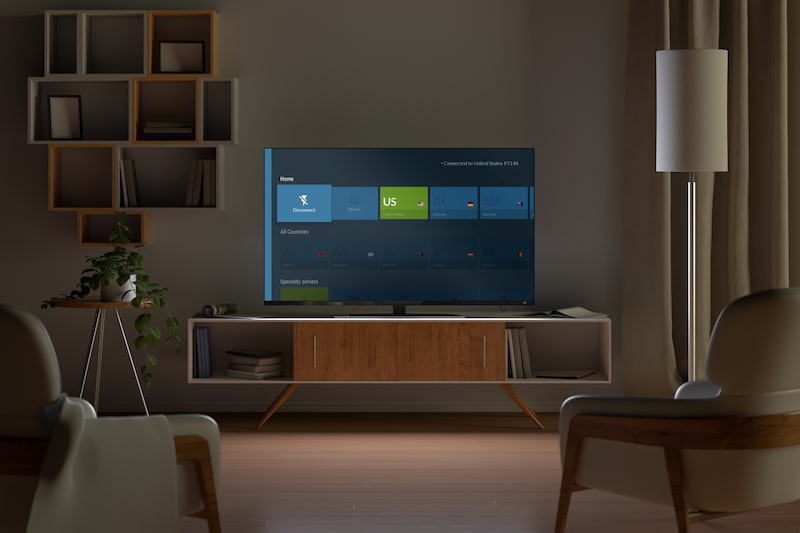
Another great thing about NordVPN — it works on everything. It has apps for all the major operating systems, browser extensions, and less popular platforms. You can even get NordVPN for your AndroidTV, Kindle, Firestick, and yes, your Chromebook. Thanks to NordVPNs Chrome extension and Android app, you can rest assured that your Chromebook’s internet activity is 100% secured and private. There’s even a Linux package if you want to install NordVPN via your Linux terminal. Check out the full list here.
SUBSCRIBE TO UPSTREAM
Get Chrome Unboxed delivered straight to your inbox
Upstream is our flagship, curated newsletter with the top stories, most click-worthy deals, giveaways, and trending articles from Chrome Unboxed sent directly to your inbox a few times a week. Join 31,000+ subscribers.

