


Support our independent tech coverage. Chrome Unboxed is written by real people, for real people—not search algorithms. Join Chrome Unboxed Plus for just $2 a month to get an ad-free experience, access to our private Discord, and more. Learn more about membership here.
START FREE TRIAL (MONTHLY)START FREE TRIAL (ANNUAL)
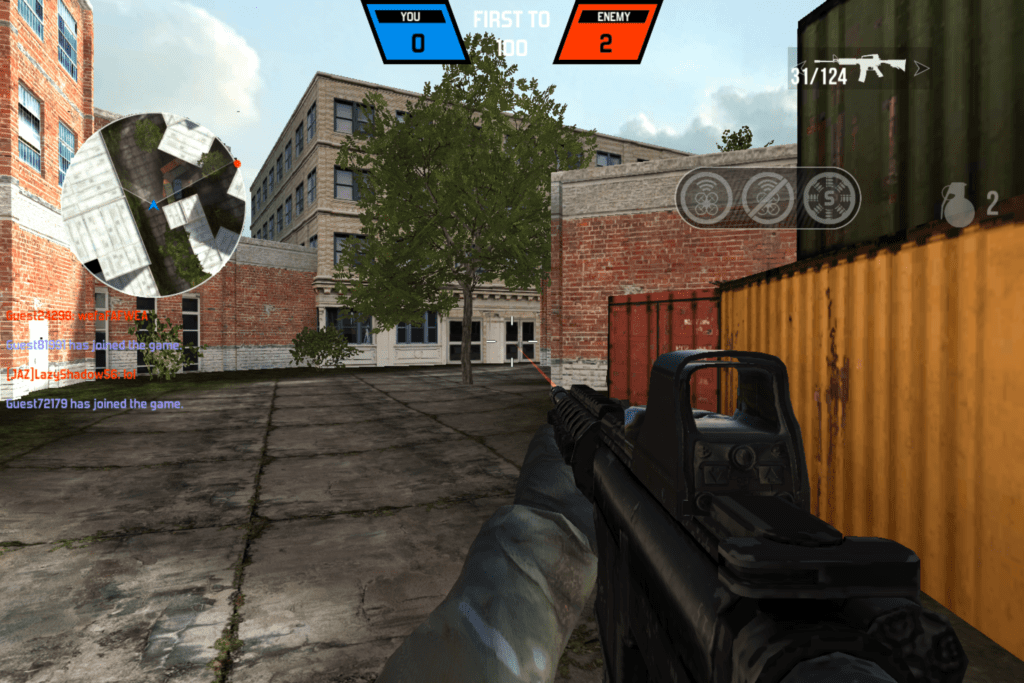 One of the constant knocks on Chromebooks is the lack of gaming options. The Chrome Web Store was never really much help and the web-based nature of the OS in general has made the implementation of 3D games quite slow.
As Android has now invaded the Chromebook space, gaming has picked up considerably but still lacks in a few key areas.
Namely, 3D first-person shooters.
Though there are tons of them in the Play Store, all of them are touch-based and require thumbs on the screen. If you play first-person shooters (FPS from this point on) at all, you know the distinct difference in playing with a touchscreen, controller, or keyboard/mouse.
For me, there is nothing that matches the precision of the keyboard/mouse combo. Unfortunately, I have yet to find a FPS that allows keyboard & mouse support. Don’t get me wrong, if Modern Combat 5 enabled the keyboard/mouse like its Windows 10 version does, I’d likely stop searching and be quite content.
At this point, however, that is not the case. Even controller support is patchy and poorly implemented. The sensitivity on the analog sticks is not accurate and the button setup isn’t customizable. I don’t really feel any benefit is had when using the controller versus on-screen controls.
Moving On
With the frustrations of Android FPS on my Chromebook, I decided to take another look at browser-based gaming. A big shift happened a little over a year ago that has greatly affected this segment: the shut down of the Unity Web Player.
For those who never used it, the Unity Web Player was a plugin you could install that allowed some pretty impressive games to run in your browser. Tons of Facebook’s games, for instance, ran using this engine and plugin. It was available for Windows, Mac, and in a limited way for Linux, but never made it to Chrome OS. So many games that were playable in a browser weren’t playable on a Chromebook.
That made looking for web-based games a bit of a bummer on a Chromebook.
Not too long ago, Unity shut down the Web Player due to the lack of NPAPI support in basically all browsers. Faced with the decision to shut down or pivot, many game developers have responded by building or rebuilding games that utilize the latest web technologies like WebGL in place of the deprecated Unity Web Player. WebGL allows the browser to render 3D graphics without the need of plugins or extensions. You can simply go to a site, load up a game, and start playing.
The last time I checked in on this front (over a year ago), the game selection was still pretty nascent and lacking across the board. Just last night and this morning I went poking around a few sites like crazygames.com, pacogames.com, kongregate.com, and y8.com in search of some good old 3D shooting action.
And I was very pleasantly surprised with what I found.
Where there was once a void of decent FPS that could be played without the Unity Web Player, there are now many. All playable on my Pixelbook and at very high framerates. No downloads, no plugins, no issues. My bluetooth mouse works perfectly and there are tons of players and games to choose from. A few of my favorites so far are Bullet Force, Military Wars: Athena, Military Wars: Strike, and Rush Team. Each of these games can be played via sites like Crazy Games or you can go right to each game’s homepage. Again, that’s the beauty of web-based gaming.
We tested Bullet Force on the Pixelbook, Samsung Chromebook Pro, and the Acer Chromebook 15 with very good results. The games are fun, look good, and are free. With Unity Web Player only being dead for a little over a year at this point, this is all very encouraging. I would fully expect to see more games like this popping up as time goes by.
Perhaps, finally, we are on the cusp of some legitimate, browser-based gaming. Without downloads, plugins, etc., the barrier to entry becomes so low that just about anyone can play. If this trend continues to grow and seasoned, skilled development houses make multiplayer games that can be launched in your browser, the future of online gaming from the browser looks very bright, indeed.
We’ll keep our eyes peeled for continual developments around web-based gaming and, as always, report as we find more.

