


Support our independent tech coverage. Chrome Unboxed is written by real people, for real people—not search algorithms. Join Chrome Unboxed Plus for just $2 a month to get an ad-free experience, access to our private Discord, and more. Learn more about membership here.
START FREE TRIAL (MONTHLY)START FREE TRIAL (ANNUAL)
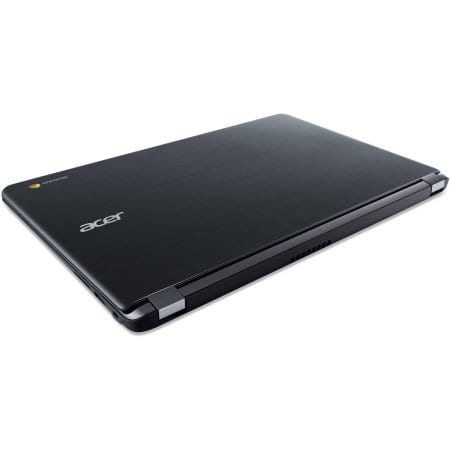
Looking for a budget friendly Chromebook with a massive screen and great battery life? Acer’s newest addition to the 15.6″ lineup may be what you’re looking for.
But, before you run out and drop a couple of Benjamins, let’s take a quick look at what you’ll get for your money.
Processor
Under the hood you will get the Intel Celeron N3060 dual-core processor. Not a bad brain for a budget device but it’s certainly not going to win any benchmark competitions. The Celeron is more than capable of handling day-to-day Chrome OS tasks with little trouble.
Memory
In the RAM department you’re going to get 2GB. That’s it. While that’s not a reason to completely disavow this machine, we have seen that 4GB is the sweet spot for a Chromebook and the cost difference to the manufacturer is negligible.
Storage
16GB on the local drive is all you get. Granted, you do get the free 100GB of Google Drive for two years. But, as we have seen time and time again, 16GB storage is a deterrent for many consumers. Two years ago this would be more than enough for an essentially cloud-based device. That, however, is no longer the case.
Acer has very clearly pointed out that this Chromebook is on the list of devices to receive the Play Store. Since the announcement of Android Apps coming to Chrome OS users have clamored for more space and they want it on-board. More and more Chrome devices are coming with 32GB standard and 64GB is sought after vehemently.
Display
Even if I could get past the inexcusable amount of RAM and the lack of storage, this one piece of hardware that would keep this device from gracing my desk.
15.6″ display sounds really nice. It’s big, really big for a Chromebook. But, dimensions aren’t everything. The resolution on this behemoth of a monitor is 1366×768. You might find this a good device to stream a movie or watch funny cat videos on YouTube. But, you certainly won’t be doing a lot of multitasking with that resolution.
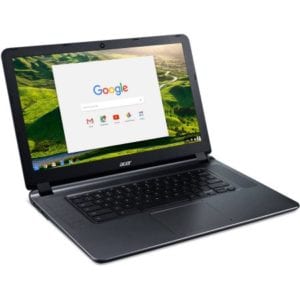 I use a 15.6″ Acer on a daily basis. It is Full HD. 1920×1080 and it works great. The lesser resolution of the budget Acer would have me pulling my hair out just doing normal daily tasks.
But I digress.
If you are a casual user who just wants to browse the web or catch up on some Netflix binging, this device would do just fine.
Battery life
This is where Acer may win over some consumers. Battery life is and always has been a hot-button for electronics users of all types.
Acer is advertising a battery life of up to 12 hours. With the specs of this Chromebook they very well may achieve something close to it. My Acer is usually good for about 7.5 hours.
I will be interested to see how the new Chromebook fairs in real-world use. If the device can deliver anywhere near 12 hours it most certainly would be worth $200 to the casual user.
Here’s a rundown of the full specs of Acer’s budget friendly Chromebook 15.
Acer CB3-532-C47C 15.6″:
Key Features and Benefits:
- 15.6″ display
LED-backlit Display - Intel Celeron N3060 Dual-Core processor
1.6GHz (with Max Turbo Speed of 2.48GHz) - 2GB system memory
- 16GB internal storage
- 12 hours of battery life
- Intel HD Graphics 400
- Weight: 4.3 lbs
- 802.11ac Wireless LAN
Additional Features:
- 720 HD webcam with HRD (High Dynamic Range)
- Bluetooth 4.2
- Standard mini keyboard
- 2 x USB 3.0 ports, 1 x HDMI out port, 1 x 3.5mm audio out jack
- 3-cell lithium-ion battery
- Dimensions: 19.57″ x 10.08″ x 0.95″
Notably, the Acer is a full half pound lighter than its predecessor. 4.3 pounds may sound like a ton when it comes to a Chromebook but, when the device is this big it doesn’t really seem that heavy.
So, if you’re looking for a cost effective device for casual computing, the Acer 15 might be right down your alley.
According to the original article from 9to5Google, this Chromebook is already available for purchase at Walmart online as well as select brick and mortar locations.

About Gabriel Brangers
