

Support our independent tech coverage. Chrome Unboxed is written by real people, for real people—not search algorithms. Join Chrome Unboxed Plus for just $2 a month to get an ad-free experience, access to our private Discord, and more. Learn more about membership here.
START FREE TRIAL (MONTHLY)START FREE TRIAL (ANNUAL)
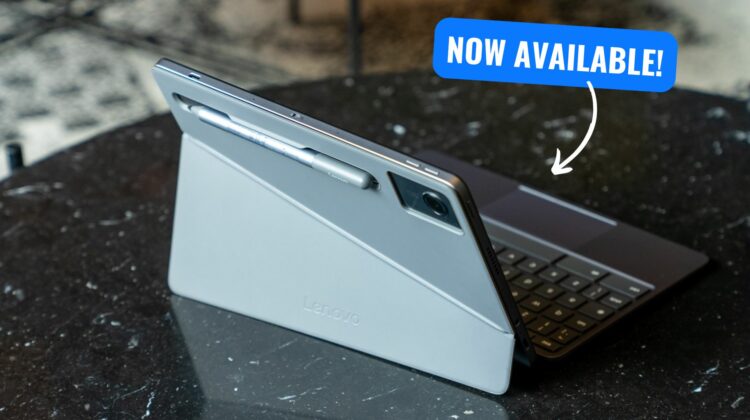
Well, that happened a bit faster than I expected. In un-Chromebook-like fashion, the just-launched Lenovo Chromebook Duet 11″ is now available for purchase at two retailers, though the pricing is a bit off from what Lenovo cited over the past few days. There’s a chance this gets adjusted, so I don’t necessarily want to tell you to go buy one right now, but I also know the price adjustments (if they happen at all) will likely only be $10-20 in either direction, so if you are eager to get this fantastic little tablet in your hands sooner than later, now’s your chance.
Available at Best Buy and Lenovo
The usual haunts for the Lenovo Chromebook Duet 11″ are both in play, with Lenovo currently listing 2 models and Best Buy only having one to choose from. We’ll break it down below, but know this going in: current prices range from $359.99 to $399.99, so think carefully before you make a purchase if you choose to do so. Over the course of the 5-10 years you’ll have this tablet around, $40 isn’t much of a price difference or a reason not to go ahead and get the version with 8GB of RAM and 128GB of storage. Just my 2¢.
For $359.99, Lenovo is listing what I’d call the entry-level model of the new Duet with just 4GB of RAM and only 64GB of storage. It does look to come with the new Lenovo USI 2.0 pen, though, so that’s a nice touch.
A $20 step up from there we have the Best Buy listing that keeps the same 4GB of RAM and moves up to 128GB of storage at $379. I’ve scoured the listing and can’t tell if it does or does not come with the stylus. It would be really odd for it to not include the stylus since both models on Lenovo’s site include it; but I’ve seen stranger moves happen with Chromebook launches before.
And finally, another $20 up-charge gets you 8GB of RAM alongside 128GB of storage and the included USI 2.0 pen for $399.99. Keep in mind, all models come with the keyboard and kickstand cover in the box, and I’m inclined to think they’ll all ship with the new pen as well.
Shipping timelines
Now, we need to talk about shipping windows. Best Buy shows their model will be available for pickup at my local store on Saturday, October 5th. Choosing to go the shipping route pushes this date out to October 9th, but both of those dates are sooner than we’re seeing things arriving from Lenovo’s website.
Over there, both the 4GB model and 8GB model are showing a shipping arrival window of October 16th through the 18th. That could be a bit of a cushion on Lenovo’s part or it may hold true to those dates. I could see them shipping out a bit sooner than that, however, so take those dates with a grain of salt for sure.
Apart from the question of the inclusion of the pen and the RAM/storage changes, all three models will have the same great screen, keyboard, kickstand, processor, and cameras on board, so there are no worries there. And one last time, I do think it would 100% be worth the extra $40 if you can swing it to upgrade to the 8GB/128GB version. And if you do, you can thank me later for the nudge.
SUBSCRIBE TO UPSTREAM
Get Chrome Unboxed delivered straight to your inbox
Upstream is our flagship, curated newsletter with the top stories, most click-worthy deals, giveaways, and trending articles from Chrome Unboxed sent directly to your inbox a few times a week. Join 31,000+ subscribers.

