

Support our independent tech coverage. Chrome Unboxed is written by real people, for real people—not search algorithms. Join Chrome Unboxed Plus for just $2 a month to get an ad-free experience, access to our private Discord, and more. Learn more about membership here.
START FREE TRIAL (MONTHLY)START FREE TRIAL (ANNUAL)
I’ve been unashamedly rocking a Samsung phone for the past few years. I first moved to the Galaxy S23 Ultra and then leveraged a killer deal to snag the Z Fold 5 as well. Between the two, I’ve been pretty happy – if a tad bit uninspired – with the phone in my pocket for the past 20 months or so.
In that time, I’ve tried out Samsung’s desktop software, DeX, and had mixed feelings about it. I love – LOVE – the idea, but the execution is lackluster. Android is still weird in so many ways as a desktop OS that it makes general productivity I rely on a bit difficult for one main reason: the lack of a proper desktop-class browser.
So many things I do on a daily basis necessitate the Chrome browser to underpin them, and without that, it doesn’t really matter how windows are managed by the underlying OS or what multitasking looks like: I can’t get my stuff done without desktop Chrome.
There’s a potentially better way
But there’s a better way to accomplish this phone-as-desktop setup, and Google’s been toying with it a bit this year behind closed doors. They’ve also been quick to dismiss it as an experiment, but even with that being said, there’s still a real hope that one day we could see ChromeOS running in a container on Android phones.
I know, I know…it’s a tad bit backwards to what we’ve had for nearly a decade at this point with ChromeOS and its container approach to bolting on software solutions. With the ChromeOS team so eager to add the Android, Linux, and Steam containers for public consumption over the years, I never really thought about this all working the other way around.
But with Android’s new containers, it’s not only possible, but it has been accomplished in a somewhat-rudimentary way. The experiment was run back in May, and though Google made it clear that it was simply a test, more work has continued on ‘Ferrochrome’ – the container that holds ChormeOS in Android. While not a clear signal that full support for running ChromeOS in a container on Android will definitely happen one day, the fact that there is still momentum behind the effort is encouraging for sure.
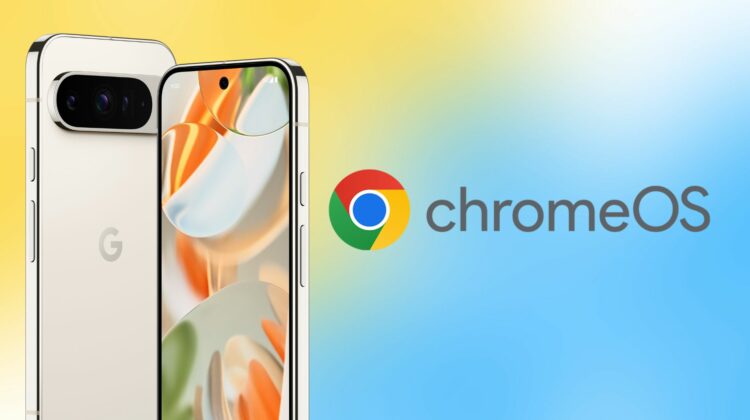
Pixel 9 Pro XL and Pro Fold with ChromeOS
And that brings me to the new Pixel 9 phones from Google. With 16GB of RAM on the Pro models and more processing power from Tensor G4, there’s no reason whatsoever to think that ChromeOS wouldn’t run smooth as butter on these phones. With Geekbench scores relatively close to what we see on current-gen Intel Core i3 processors in Chromebooks, Tensor G4 would easily hold its own running ChromeOS.
With all of that hardware, now imagine plugging one of Google’s new phones into a USB Type-C dock and instantly being loaded into ChromeOS. Plug in a mouse, keyboard and screen and you’d be off and running. And on the go, a portable USB Type-C monitor and Bluetooth accessories would make for an easy, portable desktop setup wherever you wanted it.
The truth is, that sort of flexibility has been a dream of mine for so many years at this point that the relative closeness we have to that reality is too tantalizing not to consider. Would it be amazing or too much hassle? Would it be highly useful or not worth all the effort? Honestly, I’m not sure. I feel like it would be fantastic, but until it was real and I had a desktop emerging from my phone on a daily basis, there’s no way I can actually know.
What I 100% do know is that using the Pixel 9 Pro XL makes me want that reality quite badly. While I don’t think it would be my primary setup, I love the idea that it could be. I also love the idea of those who may never purchase a Chromebook getting the opportunity to see how great ChromeOS is just by plugging in a display to their Pixel phones; and I really do hope things play out in such a way that we eventually see this happen down the road a bit.
SUBSCRIBE TO UPSTREAM
Get Chrome Unboxed delivered straight to your inbox
Upstream is our flagship, curated newsletter with the top stories, most click-worthy deals, giveaways, and trending articles from Chrome Unboxed sent directly to your inbox a few times a week. Join 31,000+ subscribers.

