


Support our independent tech coverage. Chrome Unboxed is written by real people, for real people—not search algorithms. Join Chrome Unboxed Plus for just $2 a month to get an ad-free experience, access to our private Discord, and more. Learn more about membership here.
START FREE TRIAL (MONTHLY)START FREE TRIAL (ANNUAL)
While HP and ASUS have already debuted their newest EDU Chromebooks ahead of the annual BETT show in London, we knew Acer would have a new line of Chromebooks to bring along to the the yearly education-focused tech expo, too.
You can watch our hands-on video from CES below and see how impressive the newest Gemini Lake devices are. We’ll talk about the specs of these two new devices in just a second and Gemini Lake processors are part of that equations, but Acer has done one thing that may make their newest classroom-focused machines a bit more desirable than the competition.
For the first time in an EDU Chromebook, we’re seeing a 3:2 screen.
That’s right! For the first time in an education Chromebook we’ll see a 3:2 screen make an appearance. For many, 3:2 is the sweet spot for web-based tasks and tablet mode functions and we’re seeing more and more devices adopt this aspect ratio across the board.
Up to this point, EDU Chromebooks have always had leftover 16:9 panels. The fact that Acer has gone and found a 3:2 1366×912 display for this device is a pretty significant thing. I’ve not seen a panel of that size and resolution on anything prior, so kudos to Acer for getting this thing sourced and ready to ship.
Let’s Talk Specs & Pics
There’s a lot going on with these new devices. Both are 12-inches and share nearly all specs across the board, including model numbers. We’re looking at the Acer Chromebook 512 and Spin 512. The Spin 512 adds both a 360-degree hinge and a stylus to the equation, but other than that the internals are identical.
Outside, the aesthetics are a bit different between the two, however. We have quite a few more pics of the standard 512, which starts off at $329. The Spin, starting at $449, could easily creep over the $500 mark with the upgraded RAM and/or processors. Take a look at the two devices below and then we’ll get to specs.
ACER CHROMEBOOK 512


ACER CHROMEBOOK SPIN 512
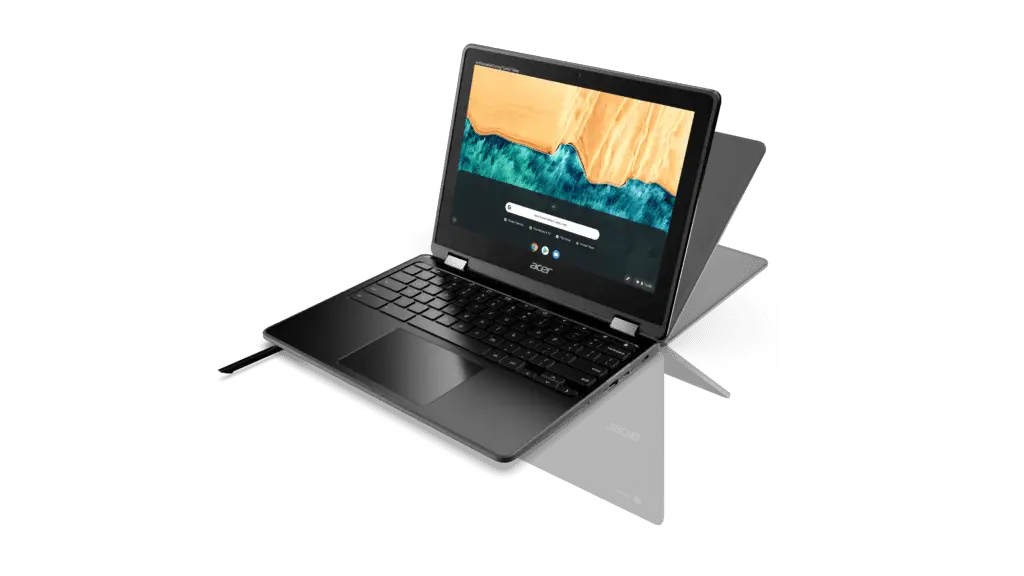
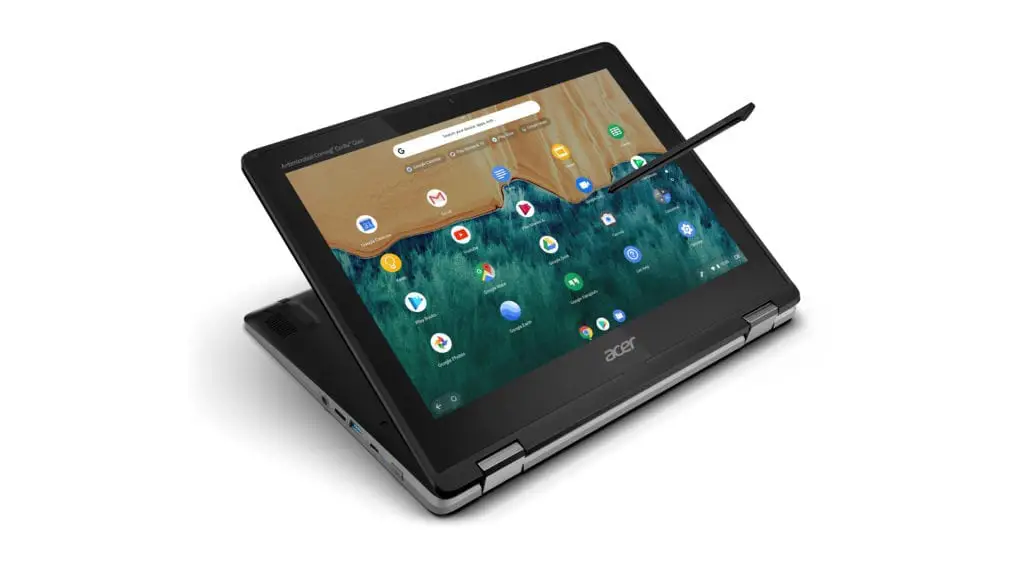
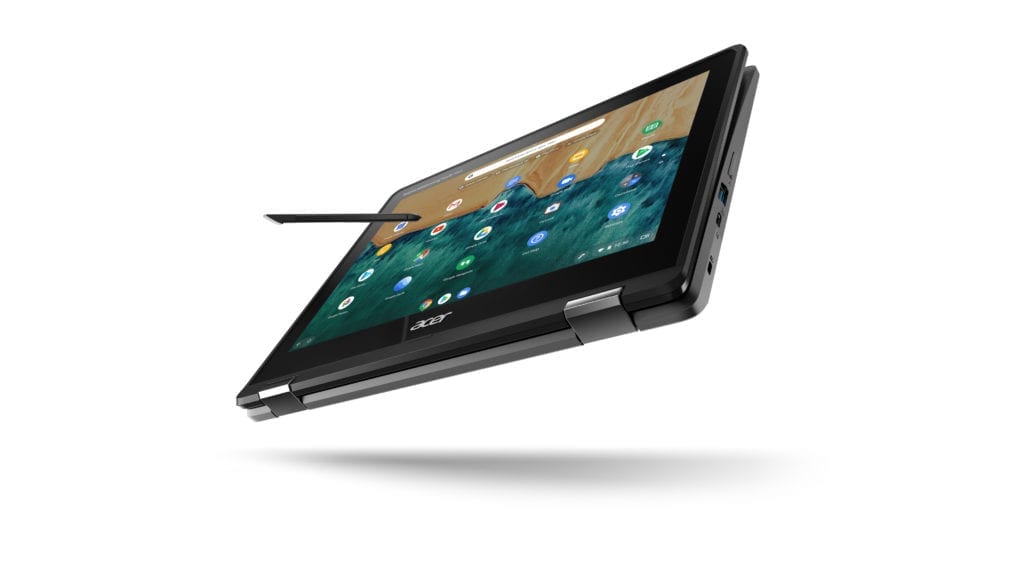
Now that we have those out of the way, let’s look at the spec breakdown for these two devices.
Display: 3:2 12-inch IPS 1366×912 high-brightness Acer CineCrystal LED TFT LCD – Wide viewing angle up to 170 degrees
Processor: Quad Core N4100 Gemini Lake or Pentium Silver N5000
Memory: 4GB or 8GB LPDDR4
Storage: 32GB or 64GB w/microSD Card Slot
Wireless: 802.11a/b/g/n/ac 2.4/5GHz, 2×2 MU-MIMO, Bluetooth 5.0
Camera: 8MP webcam, 720p video with HDR
Ports: 2 USB-C (3.1), 2 USB-A (3.0), 3.5mm Headphone/Mic
Ruggedized: MIL-STD 810G Compliant, spill-resistant keyboard (up to 330 ml/11 fl. oz. of water), moisture-resistant trackpad
Stylus (Spin only): Acer Active Pen (Wacom EMR)
Battery: 45 Wh 3920 mAh 11.4V 3-Cell Li-ion (12 hours)
Weight: 3.31 pounds (1.5kg)
Dimensions: 11.65(W) x 9.08(D) x 0.77 (H) inches (296(W) x 230.6(D) x 19.5(H) mm)
When it comes to EDU devices, these two Chromebooks look to be giving students the absolute best on offer in an affordable, ruggedized package. Assuming the wide viewing angles and bright displays look as good as the spec sheets say, we feel pretty confident these machines will be fast, durable, well-built, and extremely capable.
In addition to the previously-mentioned specs, Acer is also touting a tamper resistant, easily-fixable keyboard deck for the standard 512 as well. The MIL-STD 810G means these devices will also be able to withstand drops from 4 feet in addition to 132 pounds of downward force. With the spill and moisture resistance added to the mix, the 512 and Spin 512 will be able to stay around the classroom for a long time.
I, for one, am so excited about this entire generation of new education Chromebooks. This feels like the first time we’re seeing manufacturers really start to put better hardware into these devices for students, and I can’t wait to finally be able to recommend an entire line of Chromebooks not only to teachers and students, but to consumers as well. Sure, the starting price of $449 for the Spin 512 gives me a bit of pause, it’ll be very interesting to see how both version perform and what price hikes will come with the added benefits of the 512 Spin.
I’m sure we’ll have our hands on both very soon for some proper review time, and for the first time ever for an EDU unit, I can’t wait!

