

Support our independent tech coverage. Chrome Unboxed is written by real people, for real people—not search algorithms. Join Chrome Unboxed Plus for just $2 a month to get an ad-free experience, access to our private Discord, and more. Learn more about membership here.
START FREE TRIAL (MONTHLY)START FREE TRIAL (ANNUAL)
After a bit of a hiccup in the official launch of Stadia, I was up and running with my Founders Edition setup by about 5pm and spent a good portion of the next 24 hours testing Stadia in all its forms. From using the Chromecast on a big TV to using Stadia in a Chrome browser to playing on my Pixel 4 XL, the whole experience was in some ways better than I’d imagined. In other ways, however, Google still has some real work to do.
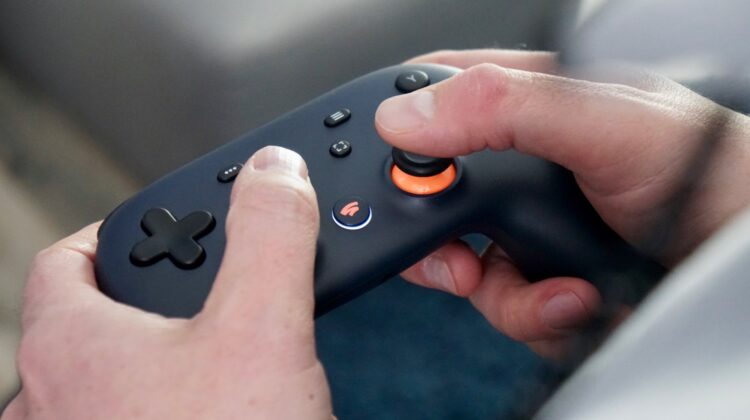
As it stands right now, there’s no perfect playing scenario in my eyes. Each of the ways to play Stadia come with a drawback. Playing on the Chromecast with the Stadia controller on the WiFi network looks great, but the input lag is too severe for me to enjoy. It feels like nearly a quarter of a second between me pushing a button and the game actually responding. We have gigabit internet at the office and I don’t get this issue when the controller is plugged in physically, so I’d imagine there are some issues with that part of the equation.
Visuals on the Chromecast look great with frame rates staying smooth the entire time. We played on a 1080p television, so I can’t speak to the 4K crowd, but visuals and smoothness weren’t an issue for me at all. Setup happened quickly and without need of any real instructions from the box, so that was great too. Apart from the bit of input lag, the Chromecast setup was really good.
I quickly moved to the Chromebook where things get much, much better on the input side of things. First off, I was able to just pull up the web interface at stadia.google.com and hit play on the game I was playing and it took me right to where I was on the TV seconds ago. That was pretty cool. From what I can tell, using a keyboard and mouse or the plugged in controller yields no discernable lag. Guns fire when you hit the right button and characters move on screen exactly when you execute the action. All of that is great.
On the Chromebook (or in Chrome on Windows or Mac), however, there were some pretty big graphic studders and hiccups. No different than playing a high-res YouTube video with a crummy connection, there were times when the feed would hang, stop for a split second, or just erode to a mushy mess of pixels. It would only last for a second, but it happened a couple times each time I had an extended play session of 30-45 minutes.
SUBSCRIBE TO UPSTREAM
Get Chrome Unboxed delivered straight to your inbox
Upstream is our flagship, curated newsletter with the top stories, most click-worthy deals, giveaways, and trending articles from Chrome Unboxed sent directly to your inbox a few times a week. Join 31,000+ subscribers.
I then moved over to the phone where you have to plug in the controller. One issue is the lack of an adapter for the included USB-C to USB-A cable. I have one from my phone’s box, but not everyone will. Why they shipped the Stadia controller with a USB-A to USB-C cable is a tad odd, but a small adapter made it work. I also tried another USB-C cable I had around and it worked fine, too.
Though I had to prop my phone up on a random glass on the table, playing in this mode was by far the best mingling of great, uninterrupted visuals and lag-free controls. I played for about 20 minutes and never saw frame rate drops, input lag, or visual degradation. Apart from the fact that it was on a screen too small to really play games on for extended periods, this setup was the best overall experience.
So, where does that leave us? I think it is a good start, but it all needs to be cleaned up. We’re not saying it out loud, but those of us in on the Founders Edition are all in a pay-to-play beta test right now, and I think this real-world data will be very helpful in making Stadia a better platform. They need to get the visuals cleaned up in the browser and they most definitely need to fix the controller lag on the Chromecast, but I feel pretty confident that they will.
Once those core things are cleaned up, they need to quickly get to launching all the other fun stuff that was promised like real-time YouTube streaming and the Google Assistant. Those things will be great and when they arrive, they’ll add to the experience, but I’m not too worried about those right now. Google needs to make sure the core part of the gaming experience works better than it currently does. For a user like me, I want to play the majority of the time on my Chromebook, and right now it feels a bit like a chore. With a few tweaks and cleanup, it could feel like magic, and that’s the future of Stadia I’m rooting for.

