

Support our independent tech coverage. Chrome Unboxed is written by real people, for real people—not search algorithms. Join Chrome Unboxed Plus for just $2 a month to get an ad-free experience, access to our private Discord, and more. Learn more about membership here.
START FREE TRIAL (MONTHLY)START FREE TRIAL (ANNUAL)
Here we are in early 2024 and Apple has made good on the promise of delivering a new VR/AR headset (yes, that is what it is whether or not Tim Cook wants anyone to call it that) to the world that is trying against all odds to usher in a new form of computing: the spatial kind. Do I think a face-mounted Macbook that costs $3500 and makes you look like Lloyd from Dumb & Dumber while you wear it will revolutionize computing? No, I don’t, but I think Apple is pushing in a direction that could one day be the way that we do a lot of our computing.
The Spatial Computing dream
For me – and I assume many like me – the idea of what Apple is doing is very interesting. But there are clear limitations with the physical technology for now, and those generally revolve around the headset being too big for all-day wear, too short on battery, and generally too expensive for wide adoption. But the concept, the underlying idea, is compelling for sure.
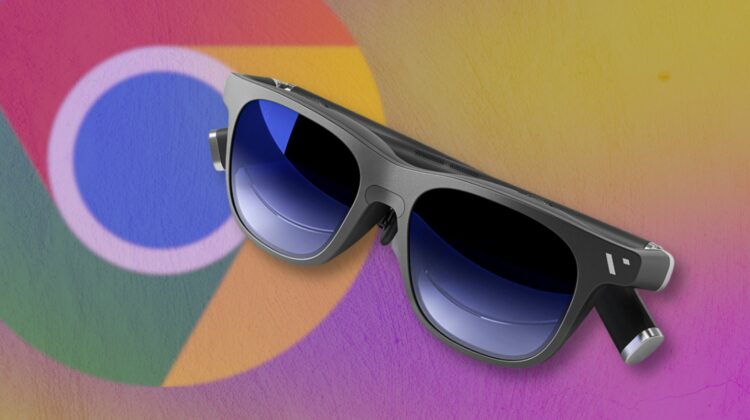
In a dream scenario, spatial computing would happen much like Apple is imagining, but with hardware that doesn’t hinder the experience. Think about Tony Stark when not in the Iron Man suit when his normal-looking glasses have all sorts of computing smarts built right in. It feels like a pipe dream right now, but we’re only a few technological breakthroughs from seeing that sort of hardware actually become reality.
Why ChromeOS could be a good fit
And that’s where Chromebooks and ChromeOS could actually fit in. Part of the issue with daily-use wearable technology of any sort – be it a watch, glasses, or earphones – is the need for it to be both compact and mostly self-sufficient. You don’t want to have to tether a watch to your phone or be forced to hard-wire your headphones, right? And if you are really going to start doing a lot of your computing from lenses on your face, they need to do most of that work all on their own without the need of hard-wired connections to something else.
Consider the evolution of VR headsets as an example of this. The earliest Rift from Oculus had wires that kept you tethered in space to a PC. The Quest, Quest 2 and Quest 3 have all remedied this issue, allowing some of the coolest spacial experiences I’ve had on the Quest 3 thanks to the power of the CPU inside and the fact that I’m not relying on any other hardware for the experience to happen. Apple’s Vision Pro is similar in this way, strapping what amounts to a Macbook Pro to your head and needing only a tether to the battery to do everything you want it to do.
But that’s only taking part of the equation into consideration. Untethered spatial computing is great, but no one wants to wear a bulky, goofy headset all day at work. I like the Meta Quest 3 a lot, but I wouldn’t want to wear it all day, and the same goes for the Vision Pro. These types of headsets are simply not ready for mass adoption the way that Apple is positioning spatial computing: as an all-day, all the time computing solution.
But something quite a bit smaller, sleeker, and able to run on very small form factors could help this along. Enter ChromeOS. Just this year, we’re seeing some of the smallest Chromeboxes ever, and I’d reckon you could make them even smaller. Imagine a phone-sized brick that had a battery, motherboard, and everything you need to run ChromeOS. Drop that in your pocket, tether some sleek glasses to it and you have a lighter, simpler all-day solution quite quickly.
Then there’s millimeter wave. With this newer, wireless tech, that Chromebox in your pocket could feasibly connect to glasses with no need of wires. And with ChromeOS being so lightweight and easy on battery, something the size of a modern smartphone could keep you up and running for a long time.
Eventually, fitting a tiny motherboard into a normal-looking set of glasses could happen, but I think we’re still quite far from that reality. Processor, battery and display tech are evolving, and they’ll all three need to converge to make a decent computing experience small enough to fit in standard-looking glasses. But we’re moving towards that future for sure.
And as we creep closer, the simplicity of the OS on the glasses will be important. We’re not going to see the most powerful processors shrunk down to micro sizes first: it’ll be the less powerful SoCs that will get there, instead. And as they do, I could see something like ChromeOS being a crazy-good fit for that use case thanks to its ease of use, lightweight nature, and access to multiple app platforms. Will it ever happen? Who knows, but it’s fun to think of a future where you have the option to buy a Chromebook that resides on your face during the day. And if that reality does ever arrive, I sure hope I’m around to see it.
SUBSCRIBE TO UPSTREAM
Get Chrome Unboxed delivered straight to your inbox
Upstream is our flagship, curated newsletter with the top stories, most click-worthy deals, giveaways, and trending articles from Chrome Unboxed sent directly to your inbox a few times a week. Join 31,000+ subscribers.

