


Support our independent tech coverage. Chrome Unboxed is written by real people, for real people—not search algorithms. Join Chrome Unboxed Plus for just $2 a month to get an ad-free experience, access to our private Discord, and more. Learn more about membership here.
START FREE TRIAL (MONTHLY)START FREE TRIAL (ANNUAL)
Search within the confines of a search box is just not enough anymore – or at least that’s what Google admits is happening right now. In the era of TikTok and researching via tweets, Google is challenged to reinvent search and find more natural and visual ways to serve their customers the information they need. This is exactly what was discussed at Google’s “Search On 22” event that took place yesterday, as per the video featured below:
Now, if you don’t want to sit for 51 minutes to watch the video, we got you. In short, Google is introducing new ways in which people can search the Internet that will help with getting results quicker and more accurately, in addition to helping you formulate that search if you are not sure what you are looking for.
Multisearch
Earlier this year, Google introduced “Multisearch,” which lets you take a picture or use a screenshot and then add text to it. Having previously only supported English, Multisearch will begin to support over 70 languages in the next few months. Additionally, at I/O, Google previewed a new feature called “Multisearch near me” that enables taking a picture or a screenshot of an item and then letting you know instantly where you can find it nearby. This particular feature will start rolling out in English in the U.S. later this fall.
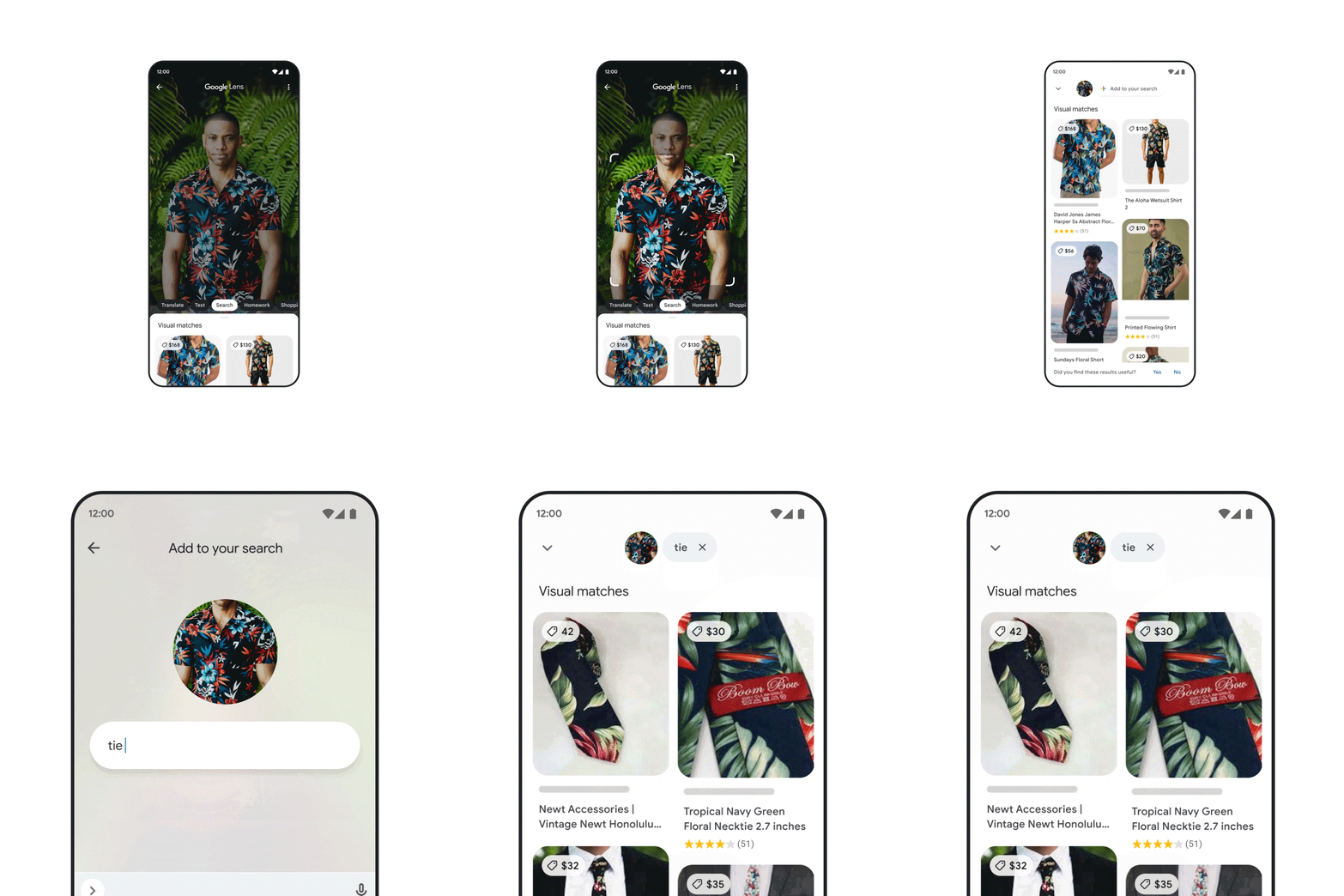
Google Lens
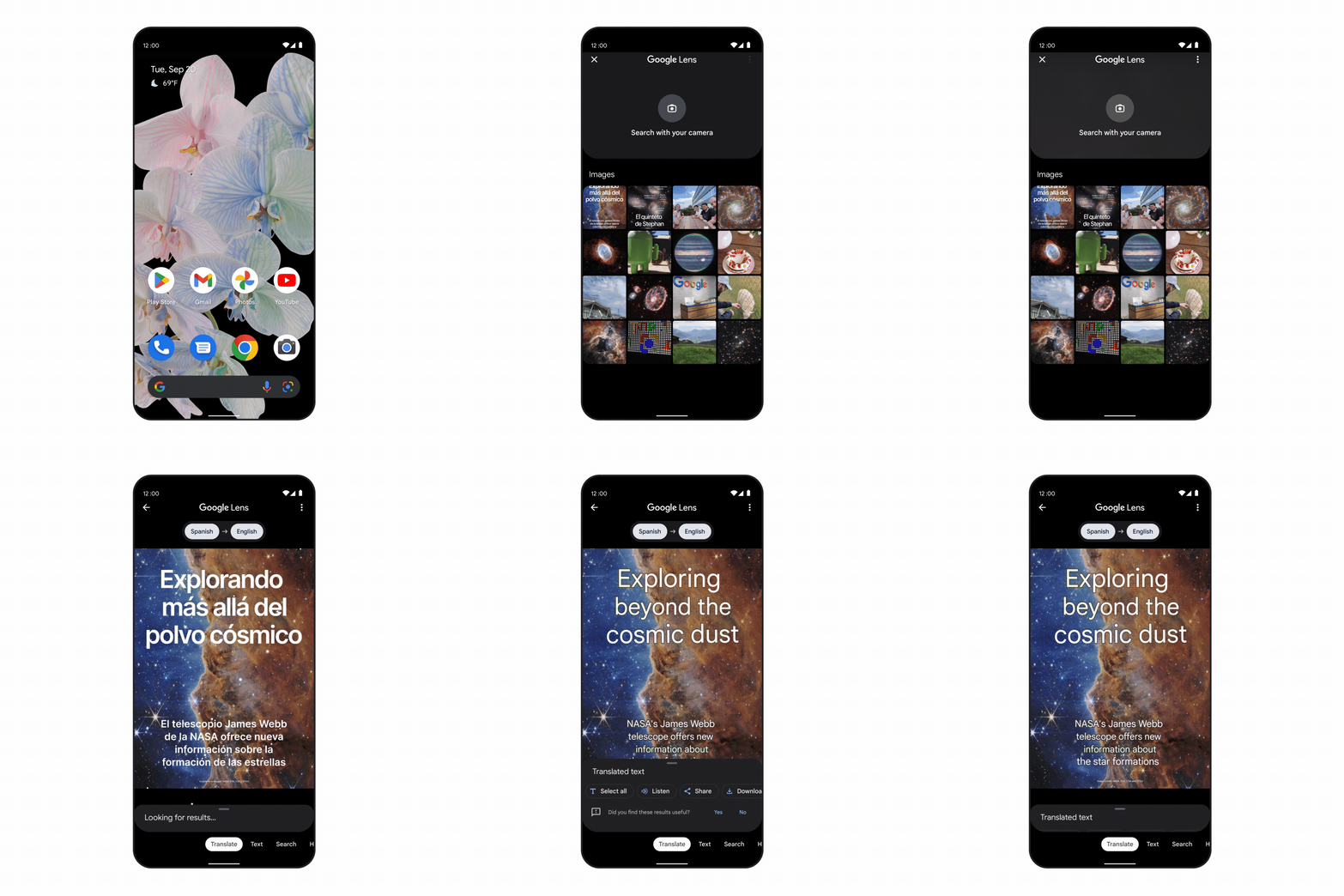
We all know how instrumental Google Lens has been to translation, especially when it comes to translating pictures of street signs or instructions. Beginning later this year, with the same machine learning technology that powers “Magic Eraser” on Pixel, Google can now weave translated text into detailed visuals, making it look more genuine. Moreover, they’ve refined their machine learning models to perform all this in 100 milliseconds.
Search Shortcuts on iOS
The Google app for iOS is getting some significant search improvements with the introduction of shortcuts right under the search bar that will allow you to shop screenshots, translate text with your camera, hum to search, and more. These improvements will be available starting today.

Quicker and Guided Search
Google aims to make it so you can ask anything with fewer words — or none — and still be understood and get results quicker. In the following months, Google will be rolling out a speedier search so that you can get relevant content even before you’re done typing the question.
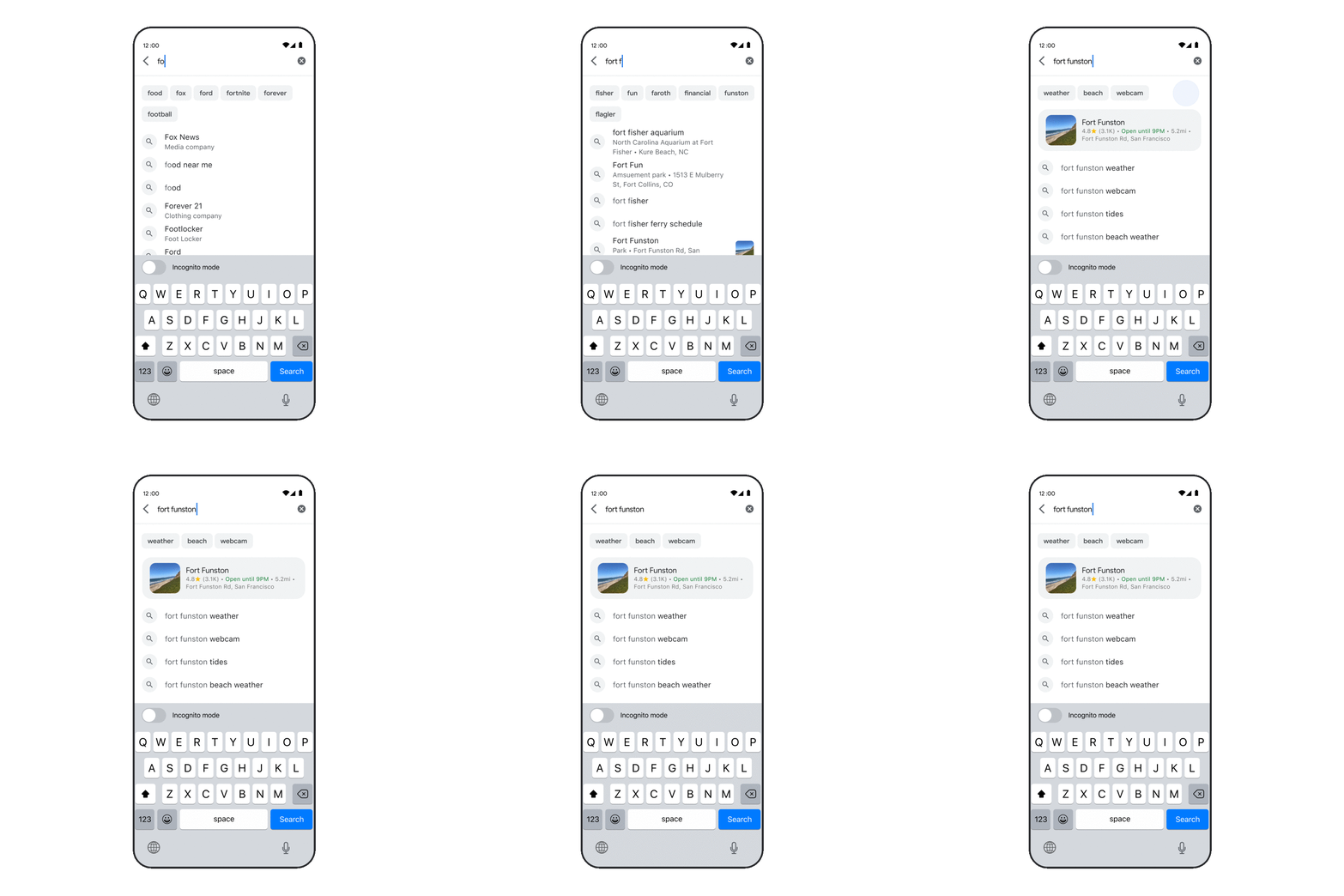
However, sometimes you’re unsure how to phrase your search until you see the results, so Google is launching new search experiences to help you explore Google more organically. For example, as you type your query, Google will suggest keywords or topics to help you complete your thoughts. Additionally, as you’re learning about a topic, Google is making it easier to explore it by highlighting the most relevant and helpful information about it, even including content from creators on the Internet.
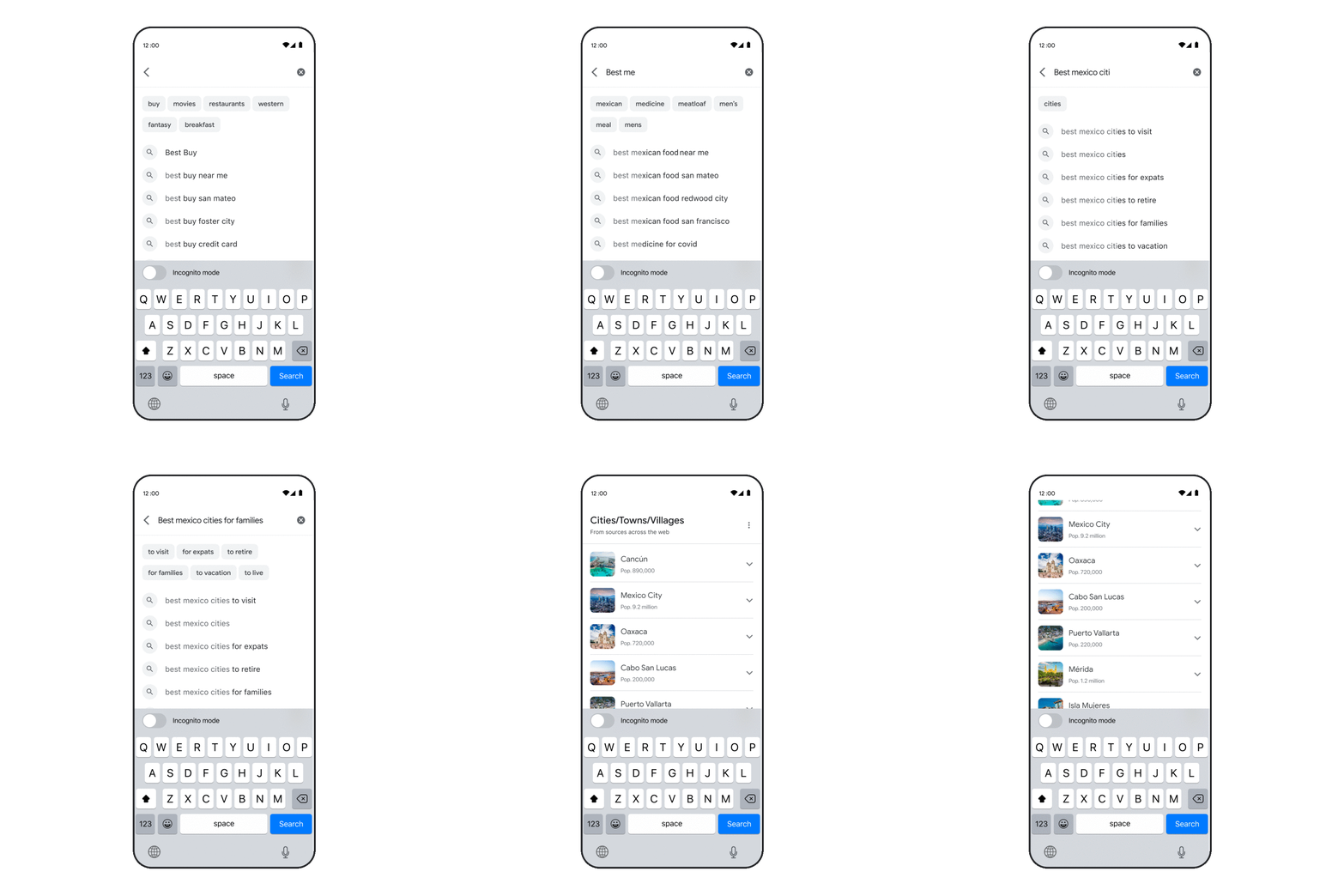
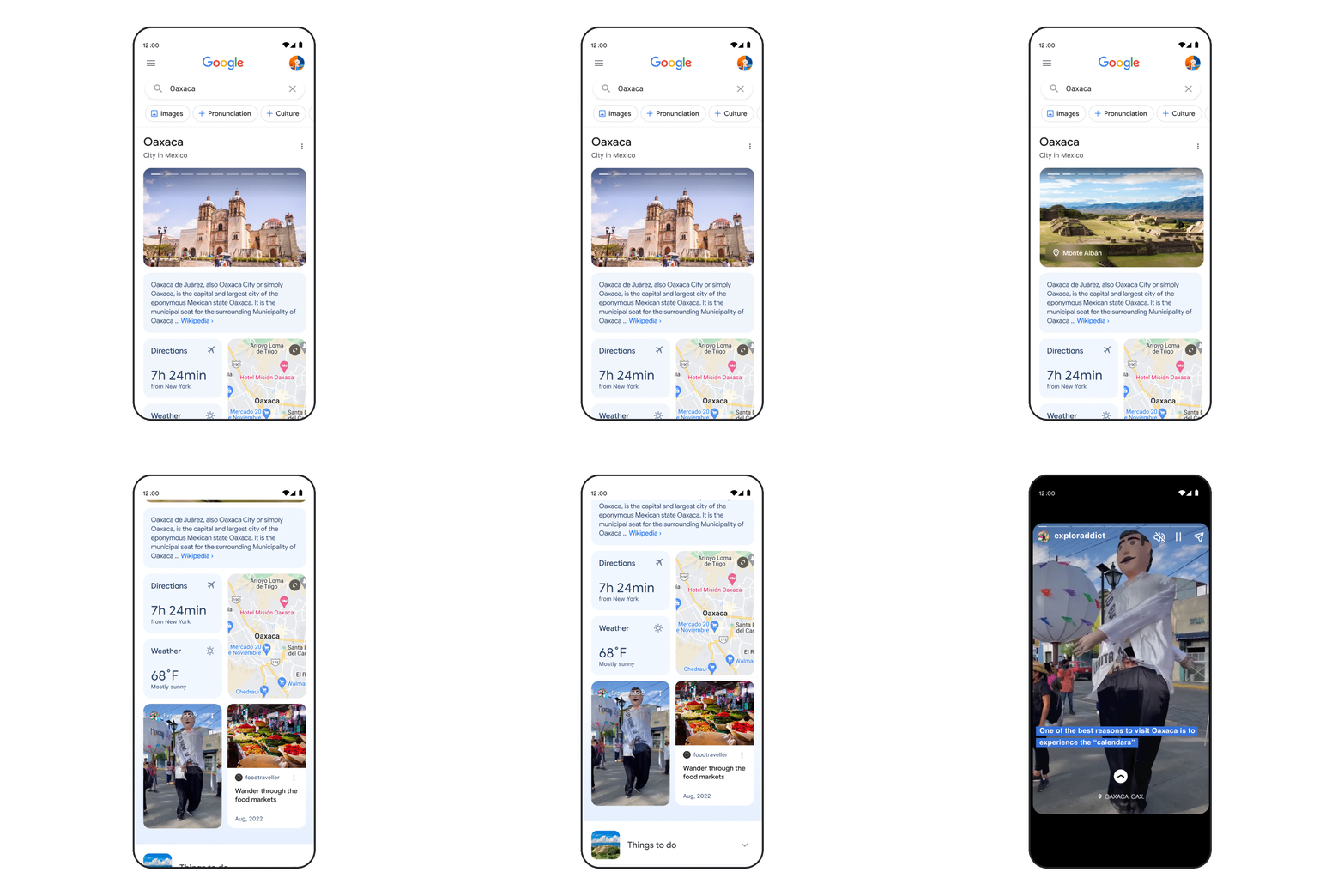
But that’s not all. Soon, Google Search will begin to show you topics to help you dig deeper or find a fresh direction on a subject. When zooming, you’ll be able to add or remove topics. This can help you find things you hadn’t even considered. Google is also reinventing how results are displayed in order to reflect how people search. You’ll start seeing related text, photos, and videos from several sources. Also, as you scroll, you’ll notice related search topics. All of these search improvements will begin rolling out in the coming months.
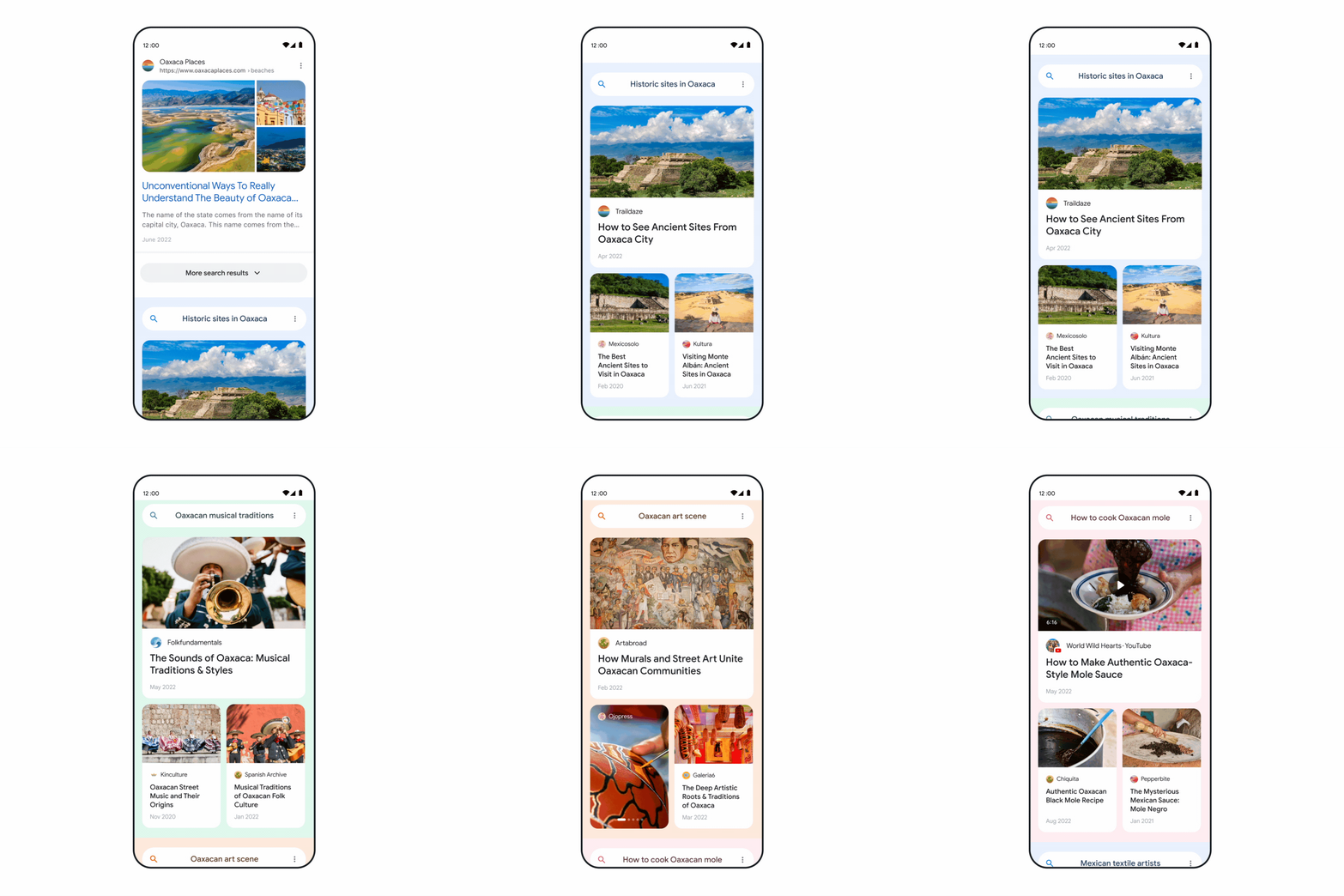
Google states that these changes are just the beginning of how they’ll be modernizing their products to let users move beyond the search box. By designing technology that adapts to us and our daily lives, we, as users, can make sense of this information naturally.
SUBSCRIBE TO UPSTREAM
Get Chrome Unboxed delivered straight to your inbox
Upstream is our flagship, curated newsletter with the top stories, most click-worthy deals, giveaways, and trending articles from Chrome Unboxed sent directly to your inbox a few times a week. Join 31,000+ subscribers.
