


Support our independent tech coverage. Chrome Unboxed is written by real people, for real people—not search algorithms. Join Chrome Unboxed Plus for just $2 a month to get an ad-free experience, access to our private Discord, and more. Learn more about membership here.
START FREE TRIAL (MONTHLY)START FREE TRIAL (ANNUAL)
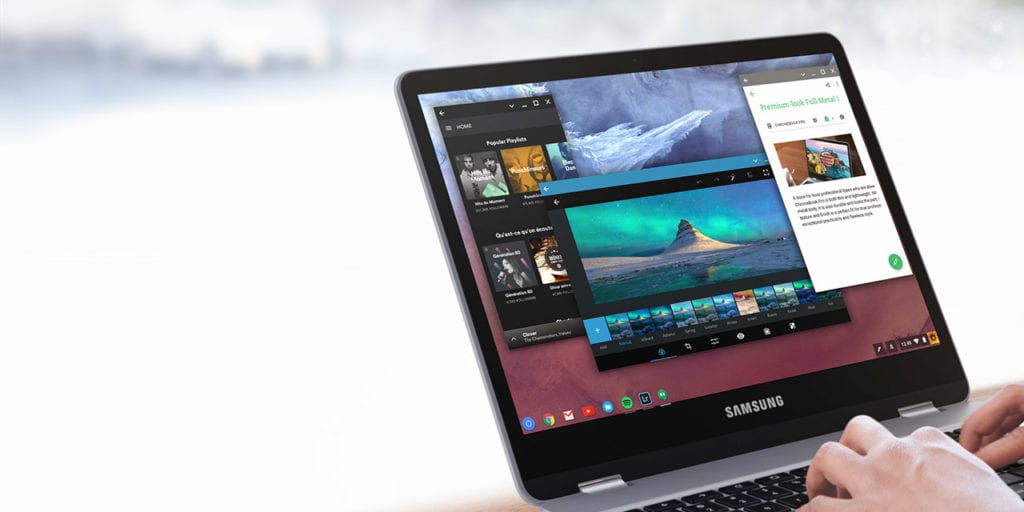 For about a decade, widescreen monitors have been the de facto standard for most laptops and desktop screens. Their aspect ratios have changed here and there, but the widescreen display has been a long-standing staple in our collective computing concious for long enough to simply become standardized.
Yet, in a few circles, those thoughts are finally starting to shift.
Lets Talk Specs
A quick bit aspect ratios before we continue. When we began seeing HDTVs hit the market, widescreen viewing became a new thing. From broadcast television to DVD, 16:9 became the agreed-upon standard pretty quickly. With an agreed-upon setup, we all could start buying new displays and not have to bother with the big black bars anywhere on our screen.
So, what does 16:9 mean? Simply that the measurement of the screen can be broken down to a 16:9 ratio or fraction. There will always be 16 units of width for every 9 units of height. It is simply a measure of aspect ratio.
So, when you see a monster TV with a display 80 inches across (not diagonal), you can guarantee it is 45 inches up and down. Most screens are classified by their diagonal length, so some math is involved to figure out specifics if all you have is screen size, but you can trust me that most screens and monitors stick to this screen aspect ratio.
How Did We Get Here?
If we look back at older computers and TVs, we see what once was the standard: 4:3. This is much more square in dimensions, but wasn’t optimal for movies and wider-angle broadcast television.
So, as the consumer market shifted to the wider displays, computer makers started following suit. And, don’t get me wrong, on a larger screen (17″ and up), I love a widescreen, 16:9 experience.
Wider displays gave us more productivity in side-by-side setups and gave users a new perspective on how to multitask.
Then came the full explosion of the internet. Sure, the internet was around when the switch to 16:9 happened, but no one really considered the web. Windows ruled the day and side-by-side Microsoft Office apps were way more productive than anything on the web at the time.
Another factor that didn’t really exist at the time was tablets and mobile devices.
Enter iPad
Apple was one of the first to understand this back in the sea of 16:9 displays. The original iPad was 4:3 in resolution. A tablet like no one had ever seen burst onto the scene without a wide screen and instead opted for a more square display.
Of course, there were naysayers and people who worried that movies had the dreaded letterboxing, but the stuff the iPad was really geared to do performed best at 4:3. This also gave the device great feel and usability in both landscape and portrait modes.
Seriously, have you tried using a 10″ tablet in portrait mode with a 16:9 display? It feels ridiculous.
On the heels of the iPad, Macbooks began seeing a bit more vertical real estate as well. For years, 16:10 has been their standard, not 16:9.
Fast forward a few years and we finally see this trend hitting other OEMs as well. The Surface line, both tablet and Surface Book, have much more square displays. 3:2. More tablet makers are seeing this logic as well and are finally beginning to let go of the 16:9 screens in their larger mobile devices.
Chromebooks, though, have been slow to adopt this new/old trend. The Pixel came out in 2013 and people weren’t sure what to do with the 3:2 display. There wasn’t much out there like it and so its intrigue stayed more at a distance instead of stepping into disruption. The follow up in 2015 also did little to move the 3:2 ratio forward.
Google got it. Others just didn’t.
But now, here we are in 2016 and we have the Samsung Chromebook Pro right on the horizon, and Samsung gets it. Granted, they’ve been making tablets with 3:2 and 4:3 ratios for a few years, but this Chromebook Pro is a bit different. Just as much notebook as tablet, Samsung is stepping up to show other manufacturers that this is not simply a design trend, but a useful change in screen layout.
For any smaller device meant to be used in a tablet fashion, this needs to become the new standard.
Right in line with the Surface Pro 3 and 4, the ASUS Transformer 3, and the Hauwei Matebook, Samsung has decisively exchanged an old standard for what I hope becomes a new one. Detachables, tablets and convertibles deserve this form factor. Do the math: the closer your ratio is to square, the more actual screen real estate you get for your diagonally-meaured inch.
A 16:9, 10″ screen has fewer square inches than that of a 4:3, 10″ screen. It’s basic math. And, the overall layout is way easier to handle and is infinitely less unwieldy.
My hope is that this move by Samsung begins to open up the eyes of designers when they consider a device that is convertible or detachable under 13.3″. Samsung has made a great move here, being the first OEM other than Google to see the worth and awesome in using a more-square design in Chromebooks.
If this all goes well (and I think it will), the following months should only see more and more devices with these dimensions. And that is a great thing for everyone.

