

Support our independent tech coverage. Chrome Unboxed is written by real people, for real people—not search algorithms. Join Chrome Unboxed Plus for just $2 a month to get an ad-free experience, access to our private Discord, and more. Learn more about membership here.
START FREE TRIAL (MONTHLY)START FREE TRIAL (ANNUAL)
 Since I began using a Chromebook 5 years ago, the one thing I’d conceded was the idea of playing games for any reasonable amount of time on a Chrome OS device. Sure, web games are fun for a few minutes, but any real games (as real as they get for me at my age, anyway) were far out of the realm of reality.
But that’s all changing now.
With the addition of Android apps via the Play Store on Chromebooks, the gaming landscape on a Chromebook is changing drastically.
Now, we have to take this all in along with some perspective. If you are wanting to play the latest, greatest games that you would play on a gaming PC or new console, don’t get your hopes up. We are still talking Android and its selection of game titles.
As a husband and father, the days of playing games on an XBOX or PS4 are a bit out of reach. I simply don’t have the time to commit to them. Trust me, there are days I wish I did. The best effort I’ve made since having children is about 20 hours of gameplay on Watch Dogs.
Yeah, I’m not a gamer any more.
I’m A Mobile Gamer Now
That aside, what I’ve found to still be an outlet for a game here and there is my phone. It’s always with me, so if I can get drawn into a game that is playable on it, I have a chance at actually playing a decent amount.
There have been a few titles that have kept my attention, but my favorite for the last year has been Modern Combat 5. I like multiplayer FPS games and the gameplay, maps, weapons and game modes have kept me plugged in over a long period of time.
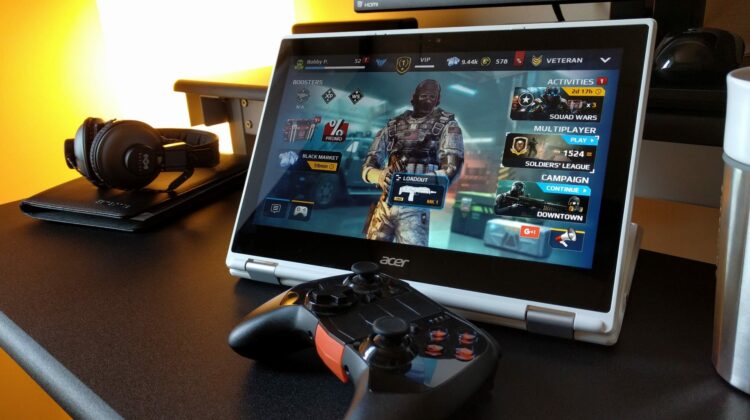
With my Acer R11, the Play Store, and a Mogo Pro Controller, my enjoyment of this game has been given new life.
It is a little hobby of mine to simply install different apps and see how Chrome OS handles them. Up until last week, I’d do this off and on with Modern Combat 5. It has always run just fine, but it wouldn’t recognize my controller or the keyboard/trackpad. Sure, I could play on the touchscreen, but that really wasn’t an attractive offer.
Last week, I decided to give it another try as I’d not installed it in over a month.
My Controller Was Recognized!
Once the game loaded up, I was able to navigate and play the game just as I do on my phone with the Moga Pro Controller. Ostensibly, you could use any controller. I use the Moga in Bluetooth HID mode (not in their proprietary MOGA setup), so any controller would work.
Additionally, I was able to crank all the settings up to full and get to play my favorite game in 60FPS with all the bells and whistles from a graphic standpoint.
I’ve played for a couple hours this week and that’s a lot for me.
What This Could Mean For The Future Of Gaming
With Android tablets being an overall flop over the years, game developers for Android have been relegated to making apps that work great on phones. More complex games and controllers have likely become an afterthought at this point.
After all, why spend time building apps with controllers and keyboards in mind when the VAST majority of users will only ever use a touchscreen to play your games.
However, we are seeing the emergence of a worthy, large-screen platform for Android gaming in Chromebooks. And it is awesome.
The processing power in Chromebooks is more than capable of handling any game made for Android. With a built-in controller in the trackpad/keyboard and the ability to use any bluetooth controller with games that choose to support them, Chromebooks now become a completely viable gaming platform for Android game developers to aim for.
The future looks bright and is extremely exciting for anyone considering a Chromebook as a primary or semi-primary option.
In my testing, most games run just fine on my Acer R11. And for games that support controllers out of the box, those games recognize the controller just like they would when run on a phone or tablet. It would be a fantastic opportunity for developers to grab ahold of and begin targeting Chromebooks as an audience in 2017.
We should see the Play Store in the Stable Channel and out of Beta in the next month, so the real roots of this change will just be beginning at that point.
But what a change it could be!

