0:00
So, the Google Book launch is right
0:01
around the corner with devices hitting
0:03
porches and store shelves just about a
0:05
week from now as we're filming this
0:07
video. But, as excited as we are about
0:09
those devices getting into our hands and
0:11
into your hands, one lingering question
0:13
has been popping up over and over again
0:14
on social media and comments and in our
0:17
Chromebook Plus community. What does the
0:18
arrival of Google Book mean for
0:20
Chromebooks? Are they dead? Are they
0:23
another addition to the infamous Google
0:25
graveyard? Is your current device going
0:26
to become a paperweight? Well, we have
0:28
some good news on that front. So, let's
0:35
But, before we get into all that, a
0:37
special thanks to GoDaddy for sponsoring
0:39
today's video. If you've ever had a
0:41
great idea for a web app or a side
0:43
project or a brand new website, but you
0:45
hit a wall when it came to the technical
0:46
stuff, you definitely need to check out
0:48
GoDaddy's Arrow AI builder. It lets you
0:51
describe what you want in plain words
0:53
and turns that directly into a working
0:55
website, an app, or online experience.
0:58
There's no code required and no rigid
1:00
templates to get boxed into. You just
1:02
build by describing your vision and what
1:05
you need it to do. What makes it so
1:06
impressive is the speed. You can
1:08
literally go from a raw idea to a live
1:11
functional build in minutes, not weeks.
1:14
And once that initial build's generated,
1:16
the real fun can begin. You can start
1:18
refining it through simple conversations
1:20
until it matches exactly what it is
1:22
you're looking for. You just talk back
1:24
and forth with it and tweak the styling,
1:26
adjust your layouts, or add entirely new
1:28
features and sections just on the fly.
1:31
It really takes all the friction and
1:32
heavy lifting out of launching something
1:33
new on the web. So, if you're
1:35
interested, check out the link in the
1:37
bio or you can scan the QR code right up
1:39
here on the screen to get started using
1:41
GoDaddy's Arrow AI builder with 50 free
1:45
So, spoiler alert right up front. No,
1:48
Chromebooks are not dead and Chrome OS
1:50
isn't going anywhere anytime soon. We've
1:52
talked about all this quite a bit over
1:54
on the website, but with all the buzz
1:56
around the new Google Book hardware, we
1:57
really haven't talked about it much here
1:59
on YouTube. And I think it's important
2:00
to clear the air because
2:02
there's this like false narrative
2:04
starting to circulate around the
2:05
internet that Google's somehow pulling
2:07
the plug on the whole Chromebook
2:08
ecosystem, and that just isn't the
2:10
reality of this situation at all. First
2:12
and foremost, Google has officially
2:14
confirmed that existing Chromebooks will
2:17
continue to receive their full promised
2:19
software updates. So, if you bought a
2:21
Chromebook recently that has like 8, 9,
2:22
10 years of updates left in the
2:24
expiration window, Google's commitment
2:27
to regular updates, security patches,
2:29
and platform stability remains
2:31
completely unchanged. In fact, if you
2:33
look at Google's own enterprise and
2:34
education documentation, Chrome OS
2:36
devices are going to continue receiving
2:38
regular updates through at least
2:42
I mean, Google has millions upon
2:43
millions of students, enterprise fleets,
2:45
and everyday users relying on these
2:47
devices. They're simply not going to
2:49
pull out the rug from underneath them.
2:51
And on top of that, Google has already
2:53
confirmed that many qualifying
2:54
Chromebooks will actually have an
2:56
upgrade path to transition to the new
2:58
Google Book OS down the road if they
3:00
choose to do so. So, if you already own
3:02
a modern capable Chromebook Plus model,
3:05
there's a chance that you'll soon get
3:07
the opportunity to transition it over to
3:09
Google Book OS. But here's the thing,
3:11
even if your Chromebook never gets that
3:13
upgrade, you haven't lost a single
3:15
thing. If you consider what made you
3:18
purchase that Chromebook in the first
3:19
place, you likely wanted a computer
3:21
that's fast and simple and secure and
3:23
gets all-day battery life and boots up
3:25
in seconds without a pile of background
3:27
bloat, and it's just an all-around
3:30
easy-to-use device. Simply put, any
3:32
Chromebook bought today is going to keep
3:34
doing exactly what you bought it for for
3:37
years to come. And just as importantly,
3:39
we have to talk about price and value.
3:41
The initial fleet of Google Books that
3:42
is launching is clearly targeting the
3:44
premium tier. They start at $899 and go
3:47
up over $1,200. It's impressive hardware
3:49
for for launch of a new platform, but
3:51
there's still tons of people shopping
3:53
for a laptop for school or light office
3:55
work or casual browsing around the house
3:57
that don't need and probably don't want
3:59
to spend a thousand dollars on a device.
4:02
In that two hundred to five hundred
4:03
dollar range, standard Chromebooks and
4:05
Chromebook Plus models are still
4:07
delivering unreal value. If you need a
4:09
reliable, speedy, secure computer on a
4:11
budget, a Chromebook remains one of the
4:13
absolute smartest purchases on the
4:15
market for that sort of computing. So,
4:17
no, Chromebooks are not dead. Far from
4:19
it, actually. And you can rest easy
4:21
knowing that regular updates are still
4:23
on the way for your device if you own
4:25
one. Or if you're currently eyeing a
4:26
great deal on a Chromebook model that
4:28
will do all the things you need at a
4:29
really great price, you can make that
4:31
purchase with confidence that this OS
4:34
and all the benefits that it still
4:35
offers aren't going anywhere anytime
4:38
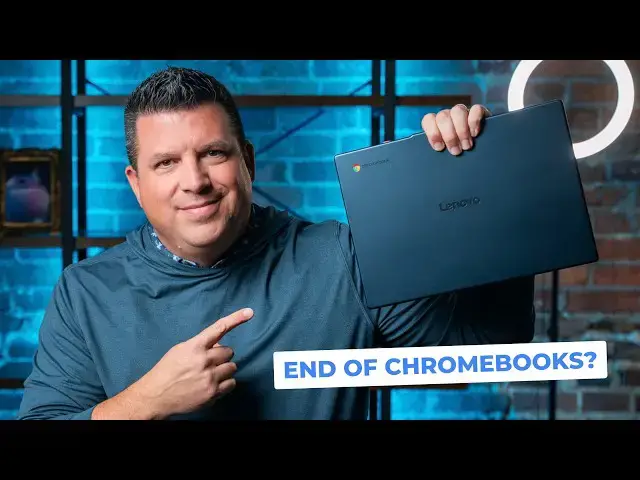
soon. And to that end, we are super
4:40
excited to be giving away a Chromebook
4:42
that I feel like uh hits all the points
4:44
that we just talked about in this video,
4:46
the Lenovo Slim 3 Chromebook. It's a
4:48
device that gives you way more than you
4:50
expect for the money, has an awesome
4:52
screen and ARM processor for great
4:54
battery life, and is built really well
4:56
for an all-plastic Chromebook. If you'd
4:57
like to get entered into that giveaway,
4:59
just head down to the description,
5:01
you'll you'll find a link to go get
5:02
entered in all sorts of different ways.
5:04
We're going to let this giveaway run
5:06
through the month of October, and then
5:07
we'll pick a winner, and you'll get a
5:09
free new Chromebook. But guys, that's it
5:11
for this one. If you enjoyed this video,
5:12
give us a thumbs up. Head down there,
5:14
hit that subscribe button, and be sure
5:15
to ring the notification icon as well if
5:17
you'd like to be alerted when we make
5:19
future videos just like this one. Until