Up next in 10



Join Chrome Unboxed Plus for access to our private Discord, an ad-free website experience, AMAs, exclusive giveaways, and more! Start your 7-day FREE TRIAL here: https://chromeunboxed.com/join/
・・・・・・・
Buy the Acer Googlebook 14 at Best Buy: https://bestbuycreators.7tiv.net/rENDWv
Buy the Dell XPS Googlebook at Best Buy: https://bestbuycreators.7tiv.net/m4yE1M
Buy the ASUS Googlebook 14 at Best Buy: https://bestbuycreators.7tiv.net/KBdXEN
Buy the HP Googlebook 14 at Best Buy: https://bestbuycreators.7tiv.net/dyJVrj
Buy the Lenovo Googlebook 15: https://bestbuycreators.7tiv.net/QYdng9
・・・・・・・
Buy Chrome Unboxed Glowbar merch: https://cottonbureau.com/p/YGGDM3/shirt/glowbar#/23914930/tee-men-premium-heavyweight-black-100percent-cotton-s
Read more:
https://chromeunboxed.com/
・・・・・・・
👉 Shop the best Chromebook deals today: https://chromeunboxed.com/the-best-chromebook-deals-today-updated/
📧 Subscribe to our Upstream newsletter: https://bit.ly/4jVq0de
☕ Fueled by Fresh Roasted Coffee! Buy the special edition Chrome Unboxed bag here: https://chromeunboxed.com/coffee
Subscribe to the channel: http://bit.ly/2xFuj6L
Follow us: https://x.com/chromeunboxed
https://www.instagram.com/chromeunboxed
https://www.threads.net/@chromeunboxed
https://www.facebook.com/Chromeunboxed
Show More Show Less View Video Transcript
0:00
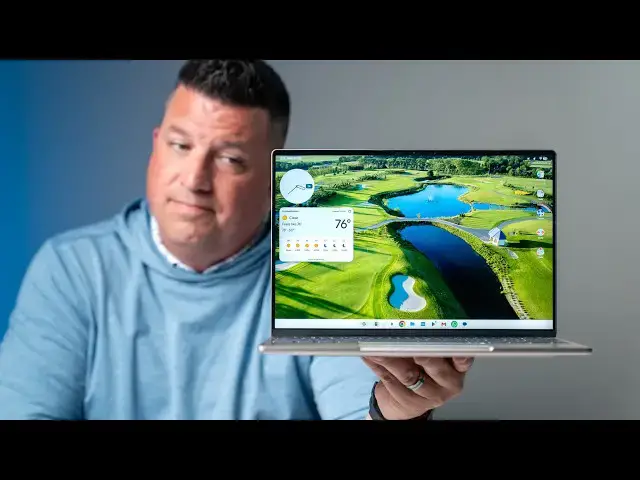
So, are Google Books just absolutely
0:02
trash? Are they garbage? Did Google
0:04
completely fail
0:06
uh to deliver a a good laptop solution?
0:11
It's a nuanced answer. Uh
0:13
I think my initial answer to that would
0:15
obviously be uh no. Uh it's not that
0:17
simple to say that everything's a
0:19
failure, that everything has fallen
0:20
apart. But, it's also not a simple uh
0:23
yes, either. Um and it feels like tech
0:25
media in general has kind of piled on to
0:28
Google Book and uh has created a little
0:31
bit of a narrative that these devices
0:33
are just completely useless and Google
0:35
dropped the ball on everything. And so,
0:37
after a a little over a month of using
0:40
these these laptops, [snorts]
0:43
um
0:43
I wanted to have a little bit of a
0:45
conversation about where we are with
0:46
Google Book. And you can tell like our
0:49
videos so far have been the event and
0:51
then just unboxing these things. And
0:53
I'll get into some of that here in just
0:54
a second. But,
0:56
you know, a lot of things have happened
0:57
in this in the course of this month.
0:59
We've had some big things happen in our
1:00
other business. Joe and his wife had
1:02
their second child. And then Google Book
1:04
arrived. And so, like there are all
1:06
these things that have been changing and
1:07
moving. And so, I didn't really want to
1:09
have a reaction to any of this
1:12
um that was too much of like a knee-jerk
1:14
reaction. Um you can even tell by our
1:17
setup here what we're doing. Um I don't
1:19
I don't want this to be a scripted
1:20
video. I don't want this to be a
1:22
polished thing.
1:23
Uh I just I just want to talk to you
1:25
about where my head is with Google Book,
1:28
the frustrations I have, but also the
1:30
ridiculously high ceiling I see with
1:32
this computing platform. And so, we're
1:34
going to kind of get into all of those
1:36
things because we've heard the comments.
1:37
We've Or not heard them really. We've
1:39
seen them. Uh we've seen the comments in
1:41
YouTube and on the website
1:43
and you know, we didn't want anyone to
1:44
think that we we weren't thinking
1:45
through this stuff. Um but, I wanted to
1:47
take my time and again not have a
1:49
knee-jerk reaction just because uh it's
1:51
cool to have an opinion or a take on
1:53
something.
1:54
Uh I think a lot of those happen too
1:55
quick. Um and and things have changed.
1:58
And there there was even an update today
1:59
before we started filming this right
2:01
now. There's an update to this Dell XPS
2:04
Google Book and and I think it's
2:06
possibly fixed one of the issues that
2:08
I'll talk about in this video. And so,
2:10
things are moving quick. Um I think it's
2:12
silly to completely judge a brand new
2:15
operating system so quickly.
2:17
Uh but I do have some thoughts and
2:20
they're going to mirror a lot of some of
2:21
the things that you all have been saying
2:23
and thinking.
2:24
Um but then I hopefully have some some
2:26
thoughts from a fan of Google stuff and
2:28
a fan of Chromebooks
2:30
uh that can make you feel a little bit
2:31
better about the future of this new OS
2:34
platform. So,
2:35
let's get into all that, shall we? So,
2:37
first off, let's talk about why it was
2:39
um our initial coverage of all this is
2:41
so positive. For one, uh going into it,
2:44
we'd never used a Google Book. We had no
2:45
like insider knowledge or anything. Uh
2:47
so, at the event, we were just excited
2:49
about the hardware. I'm a hardware guy
2:51
at the end of the day. You can tell that
2:53
from our unboxings and our Chromebook
2:55
reviews. And honestly, the underlying
2:57
stuff in Chrome OS hasn't really changed
3:00
over the years. And so, like when we
3:01
would do a new uh a new um
3:04
review on a device, we didn't have to
3:06
think too much about the operating
3:07
system. It's the same Chrome OS that was
3:09
on everything else. And so, really what
3:11
we focused in on was the hardware. And
3:13
so, when we got these Google Books out
3:15
of the box, I was still forming my
3:17
opinion about what they are, what they
3:19
do, what they can't do. I had not yet
3:21
gotten into even a review process yet
3:23
with them. So, we just talked about the
3:25
hardware. Like, what's the screen like?
3:27
What's keyboard feel like? How's the
3:29
track pad? Is it fast? Is it nice to
3:31
look at? What's it feel like in your
3:32
hands? Are the speakers awesome? That
3:34
kind of stuff that we generally talk
3:35
about with Chromebooks.
3:38
Uh and yet everyone kind of wanted us to
3:39
talk about the OS because that was what
3:41
was like getting headlines and what was
3:43
going on with it. And so,
3:45
um
3:45
you know, we want to do that here. I
3:47
want to talk about what's going on with
3:48
that stuff. But that's that's why our
3:50
initial unboxings were the way that they
3:51
were.
3:52
Um it was like if we get into all of
3:54
this this the whole discussion we're
3:55
going to have right here. I didn't even
3:56
have all these opinions formed when we
3:58
unboxed them. But if we got into that
4:00
with every single video now, we got 30
4:01
and 40-minute unboxing videos, and that
4:03
would just be crazy. So, that's the
4:05
reason we kind of went that route um
4:07
with with our unboxing videos and uh and
4:10
why we're uh sitting down to do this
4:12
now. So, a quick note on the hardware
4:14
across the board, across the entire
4:16
lineup, just like we saw at the launch,
4:18
uh just like we've seen in our unboxing
4:19
videos, the hardware with Google Book
4:21
absolutely delivers. It's it's great
4:23
across the board. Screens are awesome.
4:26
They're high resolution. They're they're
4:28
fast refresh rates. A lot of them are
4:29
OLED screens.
4:31
Um they're just they're nice to work
4:32
from. They look really nice in front of
4:34
your face. I mean, you're staring at the
4:35
screen all day. It's a big deal. All the
4:37
keyboards are great in kind of their own
4:39
way. The haptic trackpads, and even the
4:41
ones that aren't haptic are great. The
4:42
build qualities are firm, one-finger
4:44
lift. All of that stuff is there. And
4:46
so, from a hardware perspective alone,
4:49
like if we just ignore the OS for just a
4:51
second, if we can if we can get
4:52
ourselves out of that mode and think
4:54
just about the hardware,
4:56
I think Google and the OEM partners
4:58
absolutely delivered something pretty
4:59
special. I mean, five devices on a new
5:01
operating system that are all just
5:04
really well built. They're great to use.
5:06
They feel great in the hand. They're a
5:08
joy to open up. And yes, I know we have
5:10
to talk about the software, but from a
5:12
hardware perspective, man, Google did
5:14
something pretty special here with the
5:16
five OEMs. But, you can't take high-end
5:18
hardware and and, you know, you got to
5:20
pay for all that stuff. All the stuff I
5:21
just listed isn't free. So, you got to
5:23
you got to pay for it. So,
5:25
um you know, Google chose to go this
5:27
route, and then you can't
5:28
take high-end hardware and mix it with
5:30
software that has all kinds of problems.
5:33
And and the problems with Google Book
5:35
are on two fronts. One, it's the
5:37
expectations when you put it up against
5:39
something like uh macOS or Windows.
5:43
That's one one issue. We'll talk about
5:44
that in a second. But, the other side of
5:46
the coin is you can't launch a new
5:49
laptop from a company from Google uh
5:51
that doesn't at least do what its
5:53
predecessor did. And there's a lot of
5:54
ways that that Google Book failed people
5:57
like me and probably people like you who
5:58
are watching our channel who are
5:59
Chromebook users who enjoyed
6:01
Chromebooks.
6:02
Uh and and these devices,
6:04
for right now, for the moment, don't
6:06
quite deliver on some of the experience
6:08
you get currently on cheaper
6:10
Chromebooks. So, let me start with a lot
6:12
of the good stuff. Uh stuff that I
6:14
actually really do like about Google
6:16
Book and that on Chrome Unboxed I wrote
6:19
about specifically like, you know, I
6:21
got frustrated one day, went back to my
6:22
Chromebook, and then realized there are
6:23
parts of this that I miss. And a lot of
6:25
it comes down to like UI and animation.
6:27
So, like if I click around, like the way
6:30
that folder opened right there.
6:32
The way the the the
6:35
the app tray opens up or three-finger
6:37
swipe down brings up my notifications.
6:39
Like it's this really nice it's it's the
6:42
Pixel experience. It feels like using a
6:43
Pixel phone. Everything feels really
6:45
considered, very nice.
6:47
If I go to my overview, I don't really
6:49
have anything open here, but let's open
6:51
a Chrome window there, and then we'll do
6:54
files here. And so, you know, you can
6:56
see this this really nice animation
6:59
between the two. Stuff like peaking the
7:02
Google key and V, and you can see the
7:04
screen. Like little little stuff, like
7:05
these little thoughtful animations
7:07
really do help the overall aesthetic. It
7:10
makes it pleasing to use, and it's what
7:12
Google has gotten really right with
7:13
Pixel devices that they've brought over
7:15
to the desktop. And I just love it. And
7:18
you can mix that along with, you know,
7:19
what you're seeing on the screen with
7:21
with
7:22
widgets here. And so, I can I can move
7:24
these widgets around. I've got the
7:25
Google weather widget here, so it's
7:27
Pixel exclusive generally, but works
7:29
perfectly fine here on on Google Book. I
7:32
can right click and remove it, resize
7:34
it. So, all this stuff is really cool.
7:36
It's stuff that we've wanted for a long
7:38
time on on Chromebooks, and we now have
7:40
it. We have We have folders, and you can
7:42
move stuff around on your desktop and
7:44
just put it where you want it. And it's
7:45
nice to have all that kind of stuff.
7:47
It's nice to have those little niceties
7:49
that make using the device just a little
7:51
bit better. And then, you know, we got
7:52
to talk about Android apps. I mean, this
7:53
is based on Android 17 after all. And
7:56
so,
7:56
stuff like Discord for instance. So,
7:58
Discord is always something on a
7:59
Chromebook that I would, you know,
8:01
appify the the web portal of it, but the
8:04
Android app for Discord's actually
8:06
really good.
8:07
And now I can just install Discord. So,
8:09
you can see I'm in our I'm in our
8:11
community here. Um, and so I can scroll
8:14
around. I can long press and reply and
8:16
do all the stuff I would normally do on
8:17
my phone right here in in the app. And
8:21
this is just one example of a ton where
8:23
you've got all these great Android apps
8:25
that that just work really really well.
8:28
So, if there's an Android app you're
8:30
you're wanting to actually rely on to
8:32
work on your on your desktop, well,
8:34
Google would make that much much easier
8:36
than than Chrome OS ever did where
8:38
you've got a bolted-on containerized
8:40
version of Android where some stuff
8:42
worked and some stuff didn't. This is
8:44
Android. So, generally speaking, Android
8:47
apps just when they do install
8:49
Android apps just work much better on
8:52
this than they ever did on a Chromebook.
8:53
And then, of course, we have to talk
8:54
about the
8:56
the all the better together stuff. So,
8:58
app streaming,
9:00
files that just work kind of between the
9:02
devices simply, continue on. So, as you
9:04
can see on my screen right now, I just
9:06
opened up Proof Golf, our other
9:07
business, the golf simulator business. I
9:09
opened up that, but if I click on this
9:11
this little icon down here that says,
9:13
"Hey, you were doing that on your phone.
9:14
Click this." And now I can see it on my
9:16
screen. I continue where I left off.
9:18
Nice little touch that's just come in
9:20
handy
9:21
even when I wasn't really thinking about
9:22
it, but I was doing something on the
9:23
drive in.
9:25
I walk in, get distracted, grab coffee,
9:27
and sit down, and boom, there's that
9:28
little continue on icon down there that
9:30
I'm going, "Oh, that's right. I was
9:31
doing that on my phone. I forgot." And I
9:33
click that and just pick up where I left
9:34
off. Um, there's the the shared files.
9:37
So, I can click in here and you can see
9:39
Galaxy Z Fold 8's there. I can click
9:41
into my
9:42
my camera and then see all my all my
9:45
photos and stuff. And if I need to drag
9:47
that into an email or I need to drag it
9:48
into Canva to, you know, snap a a photo
9:51
and use it as a featured image. There's
9:53
no like quick share and all that kind of
9:55
stuff. It's almost like they just
9:57
inhabit the same space. And and that
9:58
part's really really awesome. I do I do
10:01
I love that. I use it on a daily basis.
10:03
It's really cool. Um, and then the app
10:05
streaming I've used a few times already
10:07
uh, do something like say I want to
10:09
order some Chick-fil-A. I don't need to
10:11
install the Chick-fil-A app on my Google
10:13
book. I'm not going to be paying in the
10:15
drive-thru with my Google book. So, I
10:17
can just pull this up on my phone. I can
10:18
start my order right here. Then, when I
10:20
get there, I obviously use the app on my
10:22
phone because this is mirroring that
10:23
exact same app. Um, it's not
10:26
reinstalling it and like trying to talk
10:27
back and forth. This is streaming this
10:29
app from my phone right now. And my
10:31
phone's not showing it. It's not like
10:32
it's controlling my phone. It's in the
10:34
background just kind of running as an
10:36
additional app. And all of those little
10:38
things are really cool. And and it's
10:40
some of the stuff that Google chose to
10:41
really focus on whenever they launch
10:43
these devices. And for good reason, it's
10:45
really cool to have uh, a laptop and a
10:48
phone talk together like this on day one
10:51
uh, from the launch. And so,
10:53
um, kudos to them for really nailing
10:55
that part of the experience. So, finally
10:56
on some of the really good stuff that
10:58
Google did here, they they dialed back
11:00
Gemini, I feel like a lot from what they
11:02
were probably planning just based on
11:04
like where we are culturally with AI and
11:07
people kind of having some pushback
11:08
there.
11:09
Uh, but they they left in a lot of
11:10
really cool stuff. And so, like in the
11:12
files, you can um, you can search for
11:15
stuff in your files just by like the
11:17
name of it or you know, find me a
11:18
picture of the dog and it'll find stuff
11:20
like that. That those are fun tricks.
11:22
Um, probably useful here and there, but
11:25
I'm not going to rely on that probably
11:26
on a day-to-day basis.
11:28
Uh, and you've got you know, the wiggle,
11:30
the magic pointer, wiggle your cursor
11:32
and select stuff on screen. I I've
11:34
honestly, for me, I've just not find
11:36
found a whole lot of utility in doing
11:38
that. Uh, but what I have found a ton of
11:40
utility in
11:41
uh, is Rambler. And Rambler is a Pixel
11:44
11 exclusive right now. I found a way to
11:46
jankily get it onto my uh, Galaxy Z Fold
11:50
8 uh, because I want it so bad cuz I was
11:52
using the Pixel 11 uh, when when we
11:55
began some of the review process here
11:57
cuz Samsung devices weren't supported
11:58
with the better together for the first
12:00
like week. Um, and so I did get the
12:02
Pixel 11 out and really used it. And
12:04
man, I'm telling you, Rambler is a
12:06
game-changer. Um, being able to text,
12:08
just talk and let it fix your your is
12:11
I hate not having it. And so, uh, having
12:14
that actual thing baked into the OS
12:17
across the board is amazing. So, you can
12:18
see like I just have a doc open here,
12:20
but when I hit the um
12:23
the dictation
12:25
you can see that pops up and it's going
12:26
to it's going to say all the stuff I
12:28
just said, but
12:29
um
12:30
actually, you know what? Don't don't say
12:32
any of the stuff I just said. Let's
12:33
start fresh here.
12:35
Hi, my name's Robbie and I like
12:38
Chromebooks and I'm trying to really
12:39
start to love Google Books.
12:45
There you go. It spelled my name wrong.
12:47
But, it got like it understood me saying
12:49
scratch all that stuff. Like the uhs and
12:51
the ums, you can obviously see where
12:53
this could come in incredibly handy. Uh
12:55
it's a super useful feature. It works in
12:58
text messaging, in in Gmail, in
13:00
documents, and all kinds of places. It's
13:02
fantastic. I love having it at the OS
13:04
level. It's an absolute game-changer.
13:07
But, as I said in the open, this isn't
13:08
all um
13:10
unicorns and rainbows. Um there are a
13:12
bunch of very legitimate complaints
13:15
against Google Book right now. And
13:17
unfortunately, um bafflingly actually,
13:21
uh a lot of that starts with the Chrome
13:23
browser. So,
13:25
the way that Chrome is built on Google
13:27
Book is interesting. So, it clearly is
13:29
an Android version an Android desktop
13:32
version of Chrome that they've then
13:33
added things to. So, this is not
13:36
um like a desktop binary that they've
13:37
somehow
13:39
uh moved into Android. It is the Android
13:41
version of Chrome,
13:43
but it shows itself as desktop a lot of
13:45
times. I'm not exactly sure
13:48
what sort of thing is all going on here,
13:49
but the team is aware of all of these
13:52
shortcomings. Um so, none of this stuff
13:55
is new, but it's stuff that people are
13:57
frustrated by. So, things like um not
14:00
being able to have split tabs in the
14:01
Chrome browser.
14:03
Uh extension support being a little
14:05
wonky here and there because of it not
14:07
being the same binary. Um
14:10
you know, there's there's there's been
14:11
this flickering issue in Chrome that I
14:13
think I think with that update I was
14:15
speaking of earlier maybe fixed. Um I
14:18
haven't seen it yet. So that's good cuz
14:20
it was doing it like crazy just
14:22
yesterday.
14:23
Um but we were getting these full screen
14:25
flickers in Chrome and in PWAs. When it
14:27
launched uh
14:29
Chrome wouldn't allow you to make a like
14:31
a you know a windowed app out of
14:33
anything you wanted. There were a bunch
14:35
of sites that just said it I can't do
14:36
that.
14:37
Um
14:38
stuff that I'd had on Chromebooks for a
14:40
long time. Had an issue where tabs were
14:42
when you would close them they were
14:43
moving around. So like you'd try to
14:45
close more tabs and they'd move into one
14:47
slot and you'd close the wrong tab and
14:49
it just kind of made a mess of things.
14:51
Um it's just a bunch of tiny little
14:54
issues with Chrome that we've had. Um I
14:57
the the dev tools for instance. I know a
15:00
lot of people don't use that but you
15:02
know dev tools on every other platform
15:04
and you open them open in a sidebar of
15:06
the existing tab you're in and then you
15:08
know you can change that size of that
15:10
tab and you can pop it out if you want
15:11
to or you can pop it down to the bottom.
15:13
You can do none of those things on
15:15
Google book. Um it it opens up in a
15:17
floating extra little browser but on a
15:19
single screen if I'm trying to figure
15:21
out you know an item on the screen that
15:23
I want to change that that window goes
15:25
behind my main window and I've got to
15:27
bounce back and forth. It's it's just a
15:28
mess and it's it's all these little
15:30
things in Chrome that
15:33
people like me and I'm sure some of the
15:34
people like you that have used
15:35
Chromebooks for a long time just
15:37
expected them to get right. We expected
15:39
the Chrome experience to be right uh out
15:42
of the box and unfortunately
15:44
um it's not quite there. It's not
15:46
terrible. It's just not quite there.
15:49
There are just little things missing
15:51
kind of all over the place with this
15:53
implementation of Chrome. Now I could go
15:55
on probably for a while and we could
15:57
really get down in the into the weeds
15:59
with Chrome. It's just it it's not worth
16:01
it for the purpose of this video. Just
16:02
know that there are going to be little
16:04
things that come up with the Chrome
16:05
browser
16:06
that are kind of aggravating. Um tab
16:08
groups is another one like tab group
16:10
sync isn't working right now. Again
16:12
they're aware of all of these things and
16:14
I think a fix for literally all of it's
16:15
on on
16:16
Uh Chrome 156 that just came out this
16:18
week fixed a bunch of stuff. And so,
16:21
I think with Chrome having a 2-week
16:22
update cycle, we're going to see a lot
16:24
of this stuff cleaned up really quickly.
16:26
It's just
16:27
unfortunate that a month out from
16:28
launch, we're still kind of dealing with
16:30
stuff that's like this this should have
16:32
been here on day one. Like that these
16:35
things that we've gotten used to on
16:36
Chromebooks and on Windows and on
16:37
MacBooks should have just been here on
16:39
day one. And so, that takes me to
16:41
probably the biggest issue I've got
16:43
right now with Google Books, and that's
16:44
virtual desks. Um you know, if you're
16:47
around Chrome Chrome OS inbox for any
16:49
amount of time,
16:50
um you know that we
16:52
we covered virtual desks being
16:54
implemented from start to finish
16:57
in in the Chrome OS world. And it
16:59
started really simply. Uh but even in
17:02
the most simple version of virtual
17:04
desks, you could have four of them.
17:05
There was no gesture to swipe between
17:07
them or anything, but you could move
17:09
stuff between those virtual desks pretty
17:11
easily.
17:12
You can't even do that. So, let me let
17:13
me just show you here. So, if I go um
17:16
let me open up a
17:17
Chrome browser in this one.
17:19
And then we'll go to this one that I've
17:20
got over here just reopen the files app.
17:23
So, say I'm like, "Ah, man, I meant to
17:25
put the files app over here." You would
17:26
think I could just grab it and move it.
17:28
Nope. Well, maybe I can move the desk
17:30
over.
17:31
Nope. You can't do anything. You quite
17:33
literally can't do anything with these
17:36
virtual desks. I can't name them. I
17:38
can't reorganize them. Uh there's no
17:40
gesture on them on the trackpad to move
17:42
between them. Now, I can I can swipe two
17:44
fingers cuz that's the equivalent of
17:45
swiping with my finger on the screen.
17:48
Once I've opened them up, I can swipe up
17:50
and then two-finger swipe carefully
17:52
over. If not, you miss, you know, you
17:54
can kind of see I'll do Let me just open
17:56
a couple more of them.
18:00
It's You can see it like it wants to
18:01
grab.
18:03
Then eventually it goes, and then
18:04
sometimes it just flicks all the way.
18:06
It's [snorts] not good. Um I end up just
18:08
working in one desk most of the time and
18:10
just having all these floating windows
18:12
in there because it's so frustrating to
18:13
move around. And that's one of the
18:15
things like when I look at Chrome OS and
18:18
I look at all the years they spent
18:20
making something so good, making a
18:21
feature so good.
18:24
I I just don't understand the
18:25
implementation lack here. I don't
18:26
understand why Google Books are so bad
18:28
at this. Now, will it get better? Yes,
18:31
it will. But it's so hard to tell
18:32
people, "Hey, go buy this thing. I
18:34
promise it's going to get better. Trust
18:35
me, bro. It's going to get better." Uh
18:37
that's just never a way to go buy
18:38
anything, especially not something
18:40
that's a thousand bucks. And so uh
18:42
that's one of the regressions for me
18:43
that just has hit the hardest and made
18:45
it more frustrating than it should be uh
18:47
to get work done on a Google Book. And
18:49
while I've got this Chrome tab open
18:51
here, you'll notice that there's a
18:53
little profile head up there. So, when
18:54
it launched, we saw that and immediately
18:56
assumed, and I think fairly so, that
18:58
that meant I'm going to be able to click
19:00
that and change profiles in Chrome. I'm
19:01
going to be able to have Chrome
19:02
profiles. Since this thing isn't built
19:04
on the Chrome browser like a Chromebook
19:05
is, it's not as big of a headache. We're
19:07
finally going to have different profiles
19:09
in Chrome. But when I click it,
19:11
it just shows me my profile stuff and
19:14
some [snorts] options I've got in my
19:16
account, and that's all because there
19:17
are no multiple profiles in Chrome on
19:20
Google Book. And again,
19:23
that's a swing and a miss. That's one of
19:24
those things that could have been there
19:26
right from the beginning. It's not super
19:28
frustrating. I know a lot of people,
19:30
especially coming from Windows or Mac,
19:32
they're going, "Hey, this is a cool
19:33
laptop I can have with my Android
19:34
phone."
19:35
It doesn't have account switching
19:37
yet. It's coming. They're working on it.
19:40
But again, it's like a couple of these
19:41
things, why not get these things done,
19:44
finish these things before launching the
19:46
product? And then again, you've got
19:47
other regressions and system-level apps
19:50
like the file manager. Now, as cool as
19:52
it is that I can jump in and see files
19:54
on my phone,
19:55
I also have lost now the ability, just
19:58
like even Windows or even Chrome OS, of
20:00
having any like hierarchy in this left
20:02
panel over here on the side. So, like if
20:05
I click into
20:07
um
20:10
that folder there. It doesn't have
20:11
anything in it, but I should see the
20:12
folder over on the left. If I needed to
20:14
move stuff between folders, like I don't
20:16
even know where I'm at now. I've lost uh
20:18
where I am. Um so, and trying to go to
20:22
another spot that's got some folders in
20:23
it. None of this has folders. I'll open
20:26
my phone up. That's a good one. So,
20:27
click in the movies.
20:29
I'm now I'm [snorts] now multiple levels
20:30
deep, but there's nothing over on the
20:32
left that would indicate that to me. I
20:34
can't see the hierarchy of my folders.
20:36
And again, this is something that's been
20:37
on Chrome OS for years at this point.
20:40
And now all of a sudden it's gone, and
20:42
it's not something until you go to use
20:43
it, until you go to find where you were
20:45
in the hierarchy of that thing and move
20:47
a file between those folders that you
20:49
realize, "Oh, that's gone." And that's
20:51
super weird. And then another one for me
20:53
that has come up a lot. Um I do a lot of
20:56
multi-paste. So, I'll And I did this
20:58
well, you know, Chrome OS has had uh
21:00
five multi-paste items for quite some
21:02
time now, where you could copy this,
21:04
copy that, copy that. And then when you
21:05
go to paste it somewhere, so say social
21:07
media, I've got like the meta
21:08
description, I've got a link, and maybe
21:10
a photo. And I want to paste, paste,
21:12
paste in a certain order. I could bring
21:14
up that multi-paste menu, pick the one I
21:16
want, paste it in, good to go. We can do
21:18
that here. There's multi-paste available
21:20
in multiple ways. So, like if I go back
21:22
to my Well, I just go right here.
21:24
Um if I hit this um quick insert button,
21:27
um if I had some cop stuff copied, it'd
21:29
be right there, which is nice because
21:31
the quick insert button on
21:33
um
21:34
um on Chromebooks, I'd never found that
21:37
useful. Quick insert's been pretty
21:38
useful on the Google Book. Now,
21:41
the fact that if I go to paste, say I
21:43
copied three things, if I if I paste the
21:45
thing I just copied, I can get all the
21:47
markdown in it. So, if I had some
21:48
headings in there, some links, or
21:51
whatever, anything more than just plain
21:52
text, it would copy that stuff in. So,
21:54
if I copied it from one place, drop it
21:57
into another place, one document to
21:58
another document, no problem.
22:01
But if I if I paste the second or third
22:03
or fourth or fifth thing back in the
22:05
clipboard, all plain text. It all just
22:07
goes away. Now, I've been told that
22:08
that's going to be fixed, again, soon.
22:11
But it's one of those workflow things
22:12
that really disrupts things. It's really
22:14
frustrating every time I go to
22:16
multi-copy and then multi-paste. I'm
22:18
like, "Nope, I can't do that. I got to
22:19
go back to that one at a time." Go here,
22:21
swipe back over, get over here, copy
22:23
that thing, go back over here. And it's
22:24
just frustrating because it's something
22:26
that has been a thing on Chromebooks for
22:28
so many years. And I'm just like, I
22:30
don't get why they didn't just say,
22:32
"Hey, everything Chromebooks can do,
22:34
this can do. And then we'll move forward
22:36
from there." I think that's the source
22:38
of a lot of people's frustration,
22:40
including mine. So, I've got some notes
22:42
in front of me. I I just want to quickly
22:43
go through a couple of these cuz there's
22:45
there's nothing really to show you, but
22:46
other aggravations that other people
22:48
have brought up and stuff that I've had
22:49
problems with. So, um when I open my my
22:52
Google Book for the first time in the
22:53
morning, even though I've dismissed like
22:56
notifications while they're both open,
22:57
my phone and my Google Book, if I swipe
22:59
it away on one, it goes away on the
23:00
other. It's It's fantastic. It's really
23:02
great.
23:03
But overnight, when it sits, when I open
23:05
it up, I get flooded with every
23:07
notification that I got [clears throat]
23:08
on my phone and already dismissed,
23:10
already triaged, already dealt with
23:12
overnight, all come flooding back on the
23:14
Google Book.
23:16
No good. Like it's just it's it's crazy.
23:18
I hate it. Every time it opens in the
23:19
morning, I just let it all flood in and
23:21
hit clear and get rid of all of them. I
23:23
probably get rid of, you know, I throw
23:24
out the baby with the bathwater probably
23:26
most days when I do that, but I don't
23:28
I'm not going to spend 30 more minutes
23:30
going through a bunch of notifications
23:31
I've already gone through for the past
23:33
12 hours since I had my Google Book
23:35
open. And then on the PWA Android app
23:38
front, I like PWAs for the most part,
23:40
but sometimes I want to use the Android
23:41
app. I'd like to use the YouTube Music
23:44
Android app. I like the Android app.
23:46
It's really good and it works really
23:47
well, and I don't get the option. Google
23:49
has decided certain apps are better on
23:51
the web, and that might be so in your
23:54
opinion, but there are going to be some
23:55
users that want to use the Android app.
23:57
So, why are we putting up this false
23:59
gate and forcing people? Like, I think
24:02
Gmail should be used on the web. It's
24:03
just better on the web. It's great on
24:05
here, actually, because it's a a PWA
24:07
that lets me change accounts and doesn't
24:09
like try to pop open a bunch of windows.
24:10
It stays in its window and lets me
24:12
switch accounts. Fantastic. I love that.
24:15
But there are people that want to use
24:16
the Gmail app for whatever reason. And
24:18
it's not like, "Oh, you shouldn't do
24:20
that." It's you can't do that. And
24:22
again, just weird stuff, weird choices
24:24
that are kind of frustrating, and I just
24:27
don't I don't get it. And I know a lot
24:29
of other users that aren't even going to
24:30
think that hard about it, that don't get
24:32
it, don't like it, and get just really
24:34
frustrated with it. So, there there are
24:36
more. Um you know, I've got games that
24:38
won't install cuz it still thinks that
24:39
they're an emulator or something. That's
24:41
probably more on the developer. Like
24:42
Call of Duty and PUBG won't install on
24:44
these devices.
24:45
I don't really understand that, but
24:47
I'm sure there other nitpicks, and maybe
24:50
I didn't get to yours. I'm sorry about
24:51
that if if I didn't. Um I didn't I
24:53
didn't try to skip over anything, but
24:55
those are the big things that have been
24:56
troubling me.
24:58
Um and and there are more. Don't get me
25:00
wrong. There are more missing features
25:01
that I I hope will come over, but I
25:04
think if Google could iron out most of
25:06
what we've talked about in this video, I
25:08
think we'd be in a good spot to kind of
25:09
move forward
25:11
um with with laptops that are able to be
25:14
productive and can get stuff done. But,
25:16
that all brings me back to
25:18
um thinking about Google Book from a
25:20
different perspective.
25:22
I think a lot of people um a lot of
25:25
people from
25:26
uh different media outlets are likely
25:28
coming from and I got to credit this
25:31
thought to Joe.
25:32
Are likely coming from Windows devices,
25:34
are coming from MacBooks. Um most of
25:36
them are not coming from Chromebooks.
25:38
And anecdotally, we can kind of know
25:40
that because
25:41
we go [snorts] to press events and stuff
25:43
like that, and we talk to people, and
25:44
they still even to this day are still
25:46
blown away that I do a lot like all of
25:48
my work on a Chromebook. Um and they
25:50
can't believe that. And so, that tells
25:52
me a lot of people just don't use
25:54
Chromebooks. Like they talk about them a
25:55
little bit, but they actually use them
25:56
on a daily basis.
25:58
And so, if you're coming from the world
26:00
of Windows or the world of macOS, and
26:02
you have this land in your lap, and it's
26:05
in the same price range of a device that
26:07
maybe you owned um with one of those two
26:09
operating systems, there's some certain
26:10
expectations you have, and a lot of
26:12
that's around, you know, desktop
26:14
productivity, uh desktop apps. And
26:17
[snorts] right now Google Book doesn't
26:19
deliver on that at all. Like it it just
26:21
doesn't deliver the desktop app
26:23
experience. You're not going to get
26:24
full-blown Photoshop or uh Adobe
26:26
Premiere Pro or, you know, for Mac
26:28
users, you know, Final Cut. And like
26:30
those those level of desktop apps that
26:32
are that are massively productive,
26:34
you're getting mobile apps on here or
26:36
web apps on here.
26:37
And so, the the the framing gets really
26:39
messed up when we talk about coming to
26:41
it from that perspective. And I think
26:43
that's part of the problem. And as Joe
26:45
and I were talking earlier today, he
26:47
pointed out just the fact that look,
26:50
that would be the same argument. It
26:52
would be the same reception if
26:55
people didn't really know about
26:55
Chromebooks. As good as I think
26:57
Chromebooks are, I'm coming from
26:58
Chromebooks and going "Ah, it doesn't do
26:59
the stuff my Chromebook does." You
27:00
handed him the best Chromebook, the
27:02
Lenovo Chromebook
27:03
14, Chromebook Plus 14, and said "Okay,
27:05
here, you know, see what you think." And
27:08
they'd really never used a Google or a
27:09
Chromebook. I'm going to do that
27:10
forever, I think.
27:12
Um
27:13
they would probably do the same exact
27:15
thing in reviewing that device. They
27:16
would see all the limitations. They
27:18
would see all be frustrated. It's a
27:19
thousand-dollar laptop, uh if you don't
27:21
catch it on sale. And so, I could see
27:23
people coming at it from macOS or from
27:26
Windows and having that same issue that
27:28
they do with Google Book. And so, it's
27:30
not specifically unique to Google Book.
27:32
This this reframing is more specifically
27:35
unique to
27:36
older type of computing, legacy types of
27:40
computing with big, heavy desktop apps
27:43
to a more mobilized style of computing
27:47
that that leans on apps. Hopefully more
27:49
productive apps as time goes. You know,
27:51
I think we'll get some desktop quality
27:53
Android apps as time goes. But also
27:55
realizing that the web is incredibly
27:57
powerful and there are all kinds of
27:58
tools like Figma that exist on the web
28:01
that massive companies are utilizing on
28:04
a daily basis to get crazy amounts of
28:06
work done. So,
28:07
I think the the the framing of the
28:09
entire argument against Google Books is
28:11
a little messed up. And part of that is
28:13
on Google. Had Google come out in the
28:15
initial launch and said "Hey, look,
28:18
this is the heir apparent to Chromebook,
28:20
which means we're going to leverage web
28:22
apps. We like PWAs. We still believe in
28:25
the power of the web.
28:26
But now we're going to box that up in
28:29
nicer laptops and an OS that has a much
28:33
higher ceiling that down the road as
28:35
things continue to evolve we don't
28:37
aren't going to run into roadblocks as
28:38
far as building new stuff. And by the
28:40
way, we already have big teams working
28:42
on Android that now can we can kind of
28:44
merge this up. We can be more efficient
28:46
and then we can have something that we
28:47
can build for in the future.
28:49
I think I think that everything would
28:52
have landed a little bit differently.
28:54
Now, you still would have people like
28:55
myself who use Chromebooks every day
28:58
come to this a new OS and be frustrated
29:00
by the things that it doesn't do as well
29:02
as a Chromebook.
29:03
I'm still frustrated by that and no
29:05
reframing is going to fix that.
29:08
But I think they're going to fix those
29:09
things quick. I think those things are
29:11
going to change very very rapidly. I
29:13
would say by the end of the year more
29:14
than likely the things that you can't do
29:17
on a Google Book that you can do on a
29:18
Chromebook that list is going to dwindle
29:20
and be really tiny. And so when that
29:22
happens like I will be all hoorah hoorah
29:25
Google Book because I don't need
29:27
Premiere Pro. I don't need Microsoft
29:30
Word's desktop version in order to get
29:32
work done. But that doesn't mean that
29:33
you don't need that. And if you do I'll
29:35
tell you the same thing I would have
29:37
told you with a Chromebook.
29:39
Maybe this isn't the right tool for you
29:41
because there's lots of people on the
29:42
internet that are really loving these
29:43
devices that maybe are coming at this
29:45
from a completely different angle and
29:47
saying, "Hey, this works great with my
29:48
phone. It's kind of like a tablet with a
29:51
desktop interface. It's got a keyboard
29:53
and a trackpad and really nice hardware
29:54
and I just enjoy using it for the things
29:56
that I do on my computer." And if that's
29:58
you then I say Google Book is going to
30:01
be awesome for you right now. And if
30:03
you're coming from Chromebooks and
30:04
you're looking for all the same
30:06
productivity
30:07
then probably in the next couple months
30:10
Google Books are going to be for you,
30:11
too. And if you're coming from Windows
30:13
or Mac OS expecting to just ditch those
30:15
things right now, I just don't think
30:18
that's reality. I don't think you're
30:19
going to be able to do that unless
30:20
you're willing to do the same things you
30:22
would have had to do with a Chromebook,
30:24
which is decide that you're going to
30:25
work in different ways, that you're
30:26
going to find different ways to do the
30:28
things that everyone else does one way.
30:30
And that's always been the case with
30:32
Chromebooks.
30:33
It's going to be the case for a while
30:34
with Google Books and that's just where
30:36
we are. Obviously, we'll have tons more
30:39
to talk about with Google Book over the
30:41
months and hopefully years following.
30:44
Um it's not been perfect. It's not been
30:47
the launch maybe that uh everyone wanted
30:49
it to be, but I also think that Google
30:51
probably knew just as the point we made
30:53
earlier, if they launched Chromebooks
30:55
the same way, like people would have
30:56
received those and been upset that they
30:58
don't do X, Y, and Z. At some point,
31:00
they had to just launch the things, and
31:02
you know, that point is now. That's
31:04
where we're in. That's that's that's the
31:05
reality we live in now. And so, Google
31:08
Book is here. It is flawed. Don't get me
31:10
wrong. Um but I'm really hopeful uh that
31:13
in the coming months um we're going to
31:15
see tons of this stuff fixed, and we're
31:17
going to see even more hardware coming
31:19
in at maybe even lower prices and
31:21
devices like the Duet M with detachable
31:23
form factors and really leaning into
31:25
some of the Android stuff on tablet mode
31:27
as well. So, we're excited about it. I
31:29
hope you all are excited about it as
31:31
well and realize that uh it doesn't have
31:34
to be perfect uh for you to kind of root
31:36
for it to to do well. And and I think
31:38
over time, you give it some time, I
31:40
think Google Book is going to do well.
31:42
That's it for this one. If you enjoyed
31:43
this video, give us a thumbs up. Head
31:45
down there. Hit subscribe. Be sure to
31:47
ring the notification icon as well if
31:48
you'd like to be alerted when we make
31:50
future videos just like this one. Till
31:51
next time, we'll see you.
31:57
>> [music]
Science