Up next in 10



Join Chrome Unboxed Plus for access to our private Discord, an ad-free website experience, AMAs, exclusive giveaways, and more! Start your 7-day FREE TRIAL here: https://chromeunboxed.com/join/
Buy the ASUS Googlebook 14 from Best Buy: https://bestbuycreators.7tiv.net/4aD053
Buy Chrome Unboxed Glowbar merch: https://cottonbureau.com/p/YGGDM3/shirt/glowbar#/23914930/tee-men-premium-heavyweight-black-100percent-cotton-s
・・・・・・・
Read more: https://chromeunboxed.com/the-asus-googlebook-14-is-official-2-18-pounds-3k-oled-and-panther-lake-power/
・・・・・・・
👉 Shop the best Chromebook deals today: https://chromeunboxed.com/the-best-chromebook-deals-today-updated/
📧 Subscribe to our Upstream newsletter: https://bit.ly/4jVq0de
☕ Fueled by Fresh Roasted Coffee! Buy the special edition Chrome Unboxed bag here: https://chromeunboxed.com/coffee
Subscribe to the channel: http://bit.ly/2xFuj6L
Follow us: https://x.com/chromeunboxed
https://www.instagram.com/chromeunboxed
https://www.threads.net/@chromeunboxed
https://www.facebook.com/Chromeunboxed
Show More Show Less View Video Transcript
0:00
On the table in front of me is the
0:02
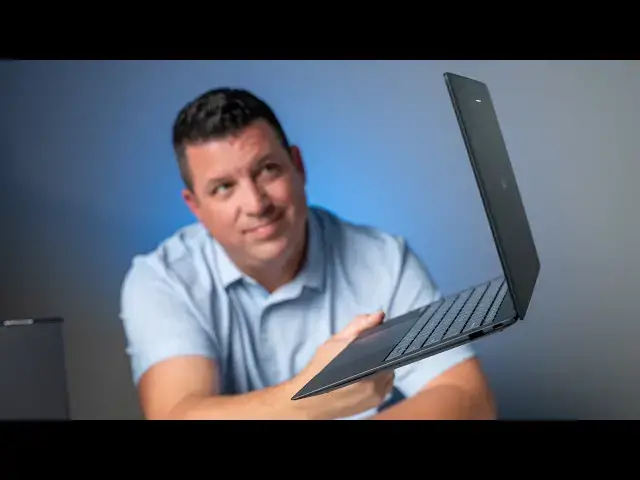
brand-new ASUS Googlebook 14. It is the
0:05
lightest of the entire launch fleet, and
0:08
yet it's in one of the largest boxes.
0:11
So,
0:12
um I'm super interested to get this
0:13
thing out of the box. We've had hands-on
0:15
time with it in New York City, but uh as
0:18
one of the most striking Googlebooks
0:20
that launched, I'm super excited to
0:22
actually get this thing out of the box
0:24
and see what's in here. So, uh
0:26
let's do it. All right. So, yeah.
0:28
Big huge box for
0:30
a very svelte device. So, just under 2
0:33
lb here
0:34
uh with ASUS's um alloy material. Like
0:38
again, I remember getting hands on it.
0:40
Like a super sandy kind of grit coating,
0:43
but super duper light. Uh
0:45
[clears throat] right around 2 lb. And
0:47
uh
0:48
excited to get in the box. But just like
0:50
every other uh Googlebook, I think at
0:53
this point, big box for all the extra
0:55
stuff. And then the Googlebook gets its
0:57
own little like cool-looking box, which
0:58
is
0:59
I kind of like it.
1:00
Uh 65-W charger. So, it's two-piece.
1:03
Uh these are great for
1:06
uh most situations.
1:08
I was kind of hoping this was one of
1:10
those like two parts where you like the
1:11
the prongs would flip out, and you could
1:14
plug it directly into a wall if you
1:15
wanted. Then you can extend it if you
1:16
want to. I think the the original
1:17
Pixelbook had a charger like that.
1:19
Either way, I I do enjoy the two-piece
1:22
because when you you know, if you're in
1:24
a crowded uh
1:25
uh
1:26
power surge or you only have like one
1:28
outlet in the wall, this is much easier
1:30
to kind of fit in there. But yeah, 65-W
1:32
charger. Nothing else really in this
1:33
larger box. Again, huge box
1:37
uh for a for a very svelte device. So,
1:40
let's open this bad boy up.
1:47
That's interesting. Almost like there's
1:49
a spot for like a pen or something, but
1:51
this wouldn't strike me as a device that
1:52
would ever work with a pen, but who
1:54
knows.
1:56
Uh
1:57
just general
1:59
paperwork there. So, let's get this guy
2:01
out of the way
2:03
and get to what it is you came here for.
2:11
Oh, yeah. This is just absolutely light
2:15
and thin as I remember. Yeah, almost
2:17
like
2:18
super duper duper fine grit sandpaper.
2:21
Like it's a very interesting finish.
2:24
Um, and
2:26
of course just completely rigid, but so
2:28
light. I mean, that is wild.
2:32
And yet full on ports. So, um, let's go
2:35
and just talk about ports, shall we? So,
2:37
we've got HDMI, we've got USB, we've got
2:39
USB type C, headphone microphone jack.
2:42
And then over here we got another USB
2:44
and another USB Oh, wait. Is that
2:45
another USB? Yep. Another USB type C.
2:48
So,
2:49
plenty of ports on something that is
2:50
just
2:51
wildly thin. So, here's it next to my
2:56
my Pixel 11. I mean, it's it's
2:59
technically thicker. Let's This is more
3:00
fair. Here we go. That's more fair cuz
3:03
we don't have to put the feet in there.
3:05
>> [snorts]
3:05
>> Really thin, incredibly light. Uh, this
3:08
is
3:09
Again, I said this in a video before.
3:11
There's just something wild about how
3:13
thin and light this is, but I can't tell
3:14
you
3:15
um, as gross as it may sound,
3:18
um,
3:18
if your hands are dry, like you have
3:21
skin cells, it because there's a a
3:23
little bit of a grit to this, like I can
3:25
see kind of off angle, it is kind of
3:28
like like picking up a little bit of
3:30
that. So, you might want to Normally,
3:33
you put lotion on your hands, you get
3:34
fingerprints all over it. This one is
3:35
going to like
3:36
pick up skin cells, unfortunately. Uh,
3:38
it's just got a little bit of that just
3:41
roughness to it. It's an interesting
3:43
texture. I really do like it. The outer
3:45
chassis is just amazing looking. Huge
3:47
fan ports here, huge fan ports here, but
3:50
other than that, nothing else going on.
3:52
And man, this is one of those like you
3:53
just hand it to somebody and they go,
3:54
"Oh, wow. That's incredibly light." So,
3:58
yeah, very, very impressive. And as with
4:00
all the Google Books,
4:02
one finger lift, which feels
4:04
almost impossible again with a device
4:06
this light and thin. Like it's We We
4:09
actually talked to them in New York
4:11
about this device and how they really
4:13
engineered the hinge not only to have a
4:15
one-finger lift,
4:17
but when you bring it down
4:20
to about this point, it actually reverse
4:22
hinges
4:24
and pulls itself shut. Uh it's just a
4:26
nice touch, and it's the type of
4:27
engineering you see
4:29
uh from these manufacturers with Google
4:31
Book. So, let's crack this open real
4:32
quick and show you kind of what's on the
4:35
inside here. Bump the brightness down a
4:37
little bit. So, on the inside, we're met
4:40
by 14-in 16 by 10 2880 by 1800
4:43
touchscreen with incredible um
4:46
anti-glare finish. I mean, I'm looking
4:49
off angle, and what should be hitting
4:50
this thing and just shining crazy off of
4:52
it, it rejects all that kind of stuff.
4:54
You got a 1080p webcam up here with the
4:56
privacy shutter, uh incredibly small
4:59
bezels all around, upward-firing
5:01
speakers, uh
5:02
really nice-looking keyboard. I'll type
5:05
on a little bit more as uh we do the
5:06
setup process here. Haptic trackpad that
5:09
goes all the way to the edge, very nice
5:11
and large for a 14-in device. And then
5:13
the exact same uh kind of sandpapery
5:16
material uh on the inside. But again,
5:18
when you pick this thing up, incredibly
5:21
light. I mean, but also just
5:23
almost impossibly rigid. It's It's crazy
5:26
that something's this rigid and this
5:28
light at the same time. So, um super
5:30
impressive on that front. Uh you got
5:32
backlighting on the keys. Let's see.
5:34
Google in this. Nope, went the wrong
5:37
way.
5:38
You can probably see those a little bit
5:39
now.
5:40
Um but yeah, very uh
5:42
straightforward Google Book keyboard,
5:45
trackpad, speakers, and screen and
5:49
impressive completely from top to bottom
5:51
from weight to the way it feels.
5:54
Obviously, when we do the setup process
5:56
here, I'll feel the keyboard a little
5:57
bit more and this haptic trackpad
6:01
which kind of unlike the Lenovo doesn't
6:03
have the hollow sound to it.
6:07
That feels I mean that feels like it's
6:08
moving. That's crazy. Haptic trackpads
6:10
are crazy.
6:11
But yeah, let me get through the setup
6:12
process. Again, I've said this in every
6:15
other video. We're going to do a full
6:17
out of the box experience video because
6:19
there's a lot of steps that go into this
6:22
that just would make this video
6:23
incredibly long. So, let me get this
6:24
thing set up and then we'll talk through
6:26
a couple of the other features here.
6:28
All right, so we got through the whole
6:30
setup process which is really awesome.
6:32
Honestly, like we're going to do a whole
6:34
video about the out of box experience
6:37
and all that stuff. It would make these
6:38
videos way too long to cover all that,
6:40
but
6:41
you know, it really handholds you
6:42
through. You scan a QR code with your
6:44
phone and it just kind of walks you
6:45
through the process of stuff you want,
6:47
stuff you don't, all that kind of stuff.
6:49
Very cool.
6:50
But
6:51
one thing I've got to at least say again
6:54
is I know earlier I said, you know,
6:56
here's the specs on the screen and all
6:57
that stuff 2880 by 1800 quad HD plus
7:01
1000 nits peak brightness. I think it'll
7:02
do 500, you know, as you adjust it, but
7:05
if it sees like sunlight or something
7:06
like that, it can actually do a boost.
7:09
But off angle, the the colors and the
7:13
anti-glare the screen of this OLED
7:15
screen are just they're wild. It's it's
7:17
super impressive.
7:19
I really do just in in a little bit of
7:21
time looking at it. I'm like, man, this
7:23
is an incredible screen. Even from this
7:25
angle way over here with the light
7:27
shining on it and I can still see and
7:29
read stuff on the screen. It's it's
7:31
pretty wild.
7:32
And before we go on to show you some of
7:34
the
7:35
I want to I'm going to let you hear the
7:36
speakers and show you some of the better
7:38
together stuff. I want to talk about
7:39
what's underneath the hood here and it's
7:41
a perfect segue to show you how better
7:43
together works. So, I I pulled up the
7:46
the specs on my phone. Um but say I was
7:50
like, "Ah, you know, I want to read them
7:51
on a bigger screen. I'm getting older.
7:52
My eyes are getting worse as the
7:54
everyday goes by."
7:56
You can see down here because I've got
7:57
this Chrome tab open, there's a new
7:59
little um Chrome icon that shows up
8:02
here. Now, this is work with Docs or any
8:03
other app that's supported with this
8:05
whole better together continue on
8:07
feature. I can click this
8:10
and I can actually pull up the exact
8:12
same search that I pulled uh over on my
8:15
phone and tell you that because Intel
8:18
processors aren't named very well. I
8:20
mean, we all know this. Uh Intel Core
8:22
Ultra 5 325. It does come in an Ultra 7,
8:26
too, as well, 355. Uh but this one's the
8:29
325 for sure. 16 gigs of DDR5 RAM, 512
8:34
gigs of NVMe storage. So, everything
8:38
under the hood is just absolutely crazy
8:40
fast, uh which is really cool to know.
8:43
You get that great port selection going
8:44
on there, as well. Um
8:47
you know, the battery life I haven't
8:48
said anything about battery life and I
8:49
won't in any of these unboxings because
8:52
I don't know what it's going to be like.
8:53
Um
8:54
the Google Book OS doesn't give us a
8:56
clear indication the way that Chrome OS
8:58
did of like, "Here's the estimated time
9:00
left." I don't see that anywhere here.
9:01
Maybe in the settings somewhere in the
9:03
battery, but as far as like in the
9:04
notification panel, we don't see that.
9:06
So, I'm not saying anything about the
9:08
batteries yet. We're hoping to get at
9:10
least a day's use out of any of the
9:12
Google Books. Um my guess is the
9:14
Snapdragon Google Books will be a little
9:16
bit better at battery, but that's just a
9:18
guess. I don't know that for now. Um but
9:20
for sure, you're going to get all-day
9:22
battery with any of these devices. And
9:23
one more thing before we talk about the
9:26
other better better together features,
9:28
uh I want to show you the camera here.
9:31
It's okay.
9:32
Um you know, there are other Google
9:34
Books that do it better than this, but
9:36
this, you know, doesn't look too bad.
9:37
The colors look pretty good.
9:39
Um Um 1080p on the camera here again.
9:42
Um I'll point it back there, Joe, and
9:43
see how it handles some of this. Eh, it
9:45
didn't do too bad there. Um
9:48
completely serviceable for like video
9:50
calls and all that kind of stuff. And as
9:51
I swung it back to me where the lighting
9:53
is extreme, it was obviously super blown
9:55
out and then and then fixed itself
9:57
really quickly. So, for like video calls
9:59
and stuff, it's going to do uh
10:00
incredibly well there. Um
10:03
but the other part of a video call is
10:05
your speakers uh and how well speakers
10:07
work um and and replicate like spoken
10:10
audio and all that kind of stuff. And
10:12
let me tell you, the speakers on this
10:14
thing are pretty wild. So, this is just
10:17
me talking on video. Now, you're hearing
10:19
me talking like in person. Here's me on
10:21
video and I'll slowly increase the uh
10:23
the volume here.
10:25
>> So, the Google Book launches right
10:27
around the corner with devices hitting
10:29
porches and store shelves just about a
10:31
week from now as we're filming this
10:32
video. But as excited as we are about
10:34
those devices getting into our hands and
10:36
into your hands, one lingering question
10:38
has been
10:38
>> Like, that's too loud for me to even
10:40
listen to. Like, it's it's it's
10:42
borderline like abrasively loud. Uh let
10:45
me hear some music here.
10:46
>> Chromebooks. Are they dead or
10:48
paperweight? Well, we have
10:49
>> No, Chromebooks aren't dead, by the way.
10:51
>> Let's talk about it.
10:54
>> [music]
10:56
>> But before we get into all that, a
10:58
special thanks to GoDaddy.
10:59
>> Th- That's incredible.
11:01
>> [laughter]
11:02
>> From a from a 2-lb laptop to put out
11:04
that kind of sound, uh that's that's
11:07
remarkable. And so,
11:09
again, uh we're going to get into the
11:10
better together stuff here just a
11:11
second. Um but to mix in like this
11:14
screen, a pretty usable um
11:17
camera with with a privacy shutter,
11:21
a fantastic-feeling backlit keyboard, a
11:24
fingerprint scanner to get in,
11:26
incredible upward-firing speakers, a
11:28
haptic trackpad, and a that weight
11:30
that's incredibly rigid. I'm like
11:33
I know Google Books cost a lot, and this
11:35
one's $12.99. I get it. They're They're
11:37
not cheap. But, the hardware you are
11:40
getting around this operating system is
11:42
second to none. I mean, the These are
11:44
incredible laptops.
11:46
Uh and I I don't think that can go
11:48
uh that it can be overstated. Um I
11:51
I just I'm so impressed by every single
11:54
piece of hardware. Uh it's not like,
11:56
"Oh, well, you know, this is pretty
11:57
good, but the keyboard's crap, and the
11:59
speakers are okay." Like, everything
12:01
[clears throat] across the board is just
12:02
so good. And, the IO on this one is just
12:04
incredible as well. So, ASUS did an
12:06
incredible job with with putting
12:08
together this overall package. So, let's
12:11
get into as we kind of finish up here.
12:12
Let's get into the better together
12:14
stuff. So, we already showed you the the
12:16
continue on feature
12:18
uh that will let you just kind of pick
12:19
up where you were on your phone.
12:21
Um but, then there's this really cool
12:23
feature, as well, where you can stream
12:26
the apps that are on your phone. So, um
12:29
Instagram.
12:32
So, I I don't think I have Instagram
12:34
even installed on here yet. And, so
12:36
you're going to see like frame rates
12:38
aren't incredible cuz again, this is
12:40
streaming this from my phone. So, it's
12:41
actually creating a uh a content stream
12:44
and streaming it to my to my laptop.
12:47
But, you can imagine scenarios where
12:48
you, I don't know, need to order
12:50
something from Chick-fil-A or you a
12:52
DoorDash order or whatever. Like, a
12:54
quick thing that you don't want
12:55
installed on your laptop uh that you
12:57
just need to pull up on your phone real
12:59
quick and do something. Instead of
13:00
grabbing your phone, you can just hit
13:01
this, open the app, do the thing, close
13:03
it down. It's It's really, really cool
13:06
uh and and really awesome to see that
13:07
working
13:09
uh on the Google Book. And then, in
13:11
addition to that, in your files browser,
13:13
you can actually go to your phone right
13:15
here with all your other files, and just
13:17
grab files from from your device. And
13:20
so, I can go to DCIM, which is where
13:22
your camera files live, and you can just
13:24
see all my pictures and things that I've
13:26
taken pictures of. So, if there's an
13:27
app, an email, a message, something I
13:29
need to drag this file into, just drag
13:31
it right here from your file browser.
13:33
It's as if the phone files live directly
13:36
on your device. And sure, you got to be
13:38
on the same Wi-Fi network and all that
13:39
kind of stuff. You're talking about
13:40
moving files, it'll handle stuff up to
13:42
200 megabytes,
13:44
um which is really cool. I mean, it's
13:45
been it's been super awesome in my early
13:47
testing, uh being able to take a photo
13:50
for like a featured image or something
13:51
and just drag it and drop it into
13:53
whatever application I need to do to
13:55
edit it or to share it online. But,
13:57
those features and more need to be like
13:59
worked through and and and have more
14:02
time to discover all of the uh good
14:04
stuff and some of the frustrating stuff
14:06
that's going to come with a completely
14:07
brand new OS. So, it's going to take us
14:09
a little bit of time to get through all
14:10
the reviews on all of these devices so
14:12
that I can give you real-world hands-on
14:14
experience and not a one-week uh
14:17
you know, off-the-cuff reaction to a
14:19
completely brand new operating system.
14:22
But, there's one more thing I want to
14:24
show you before we get out of here, and
14:26
that's the glow bar. So, this little guy
14:28
up here doesn't do too much when you're
14:30
just kind of sitting here,
14:32
uh but the minute I go to, say, talk to
14:35
Gemini, it turns that blue-purply kind
14:37
of look there, um
14:40
which is kind of cool. But, then
14:42
additionally, when I go to shut the
14:43
device down,
14:45
you get the nice little four-color
14:47
Google
14:48
uh band there. And then, if I were to
14:50
plug it in, it will show me with a green
14:52
bar of how much charge I've got. And
14:55
over time, more developers will be able
14:56
to build stuff for it that
14:58
um do different things based on the
15:00
application that you're using. There's
15:02
even a
15:03
uh uh built-in Google, it's hidden under
15:05
a bunch of layers. We're probably going
15:07
to do a video on this as well, uh thing
15:09
called uh glow bar disco, and it just
15:11
allows you to like kind of play with it
15:13
and do some stuff with different sounds
15:15
and different gradients and stuff that
15:16
you want to. But,
15:18
um it's I think it's going to be
15:19
something that eventually over time,
15:21
developers can build some cool stuff and
15:23
some cool interactivity with that glow
15:25
bar. And mainly, instead of having
15:27
Google Book written anywhere on here,
15:28
that glow bar is kind of the thing that
15:30
when this guy's open and you're at a
15:32
coffee shop or you're doing something,
15:34
people will know you've got a Google
15:36
Book because that glow bar is kind of
15:38
the the thing that shows them that's the
15:39
case. But guys, that's it for this one.
15:41
If you enjoyed this video, give us a
15:42
thumbs up. Head down there, hit that
15:44
subscribe button. Be sure to hit the
15:45
notification icon as well if you'd like
15:47
to be alerted when we make future videos
15:49
just like this one. Till next time.
15:51
We'll see you.
15:55
>> [music]
16:01
[music]
Laptops & Notebooks
Science