0:00
With Chromebook Plus, one of the things I've really enjoyed so far is the fact that these
0:04
devices deliver a solid, steady experience almost without fail regardless of their price
0:09
Sure, the more expensive ones have some nicer perks, but the core Chromebook experience
0:13
is pretty great across the board and I think that's what Google was after. And nowhere is this reality more true than with one of the least expensive Chromebook
0:20
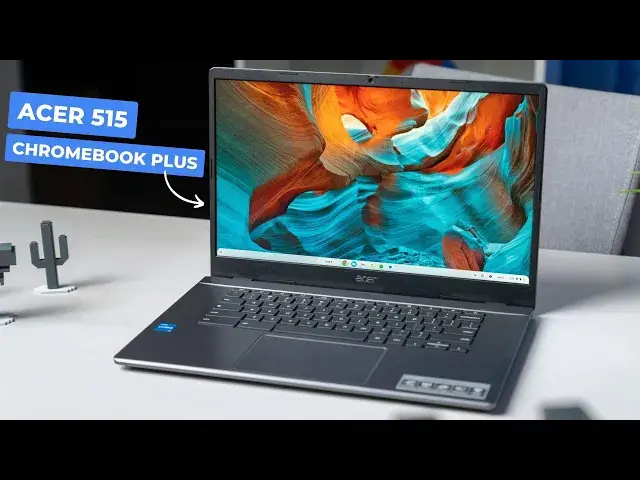
Plus models of the pack, the Acer Chromebook Plus 515. Let's talk about it
0:29
So what makes a great Chromebook experience? Is it processor speed, screen clarity, build quality, or some other factor that really
0:36
sets one device apart from the next? I'd argue it's a combination of all the pieces that make up a Chromebook and how those
0:42
pieces come together. You don't need perfection in every area and reaching for that kind of lofty goal only
0:47
drives up your price, which is another one of those pieces that factor into the actual
0:52
experience of using any laptop. So then what does a Chromebook need to get right
0:57
Well, a little bit of all of it, I suppose. And that means solid performance, a screen that's not a hindrance, a keyboard and trackpad
1:03
that doesn't get in the way, and ports that you need to get connected, and a chassis that
1:07
doesn't feel like it's going to bend under the weight of all of those things. And while you don't have to get all of those things perfect, you do have to be sure not
1:14
to cut too many corners in the process. And that's what I see in the Acer Chromebook Plus 515
1:25
This is a device that absolutely cuts corners, but for the most part, it gets away with it
1:30
The spec sheet is pretty simple. It's a 15.6 inch Chromebook with a 1080p non-touch anti-glare screen, a solid port
1:36
selection, a usable keyboard, nice upward facing speakers, a smooth ocean glass trackpad
1:41
and enough speed inside that you're never going to have to think about it. It's got a 12th Gen Core i3-1215U, 8GB of RAM, and 128GB of storage
1:50
That's a proven combo to make sure that that's the case. But those cut corners are here too
1:55
The screen only hits 250 nits of brightness. The keyboard is fine, but lacks backlighting
2:00
And the lack of a touchscreen does just stink sometimes. For a device that hits prices as low as $220 to $250 with pretty good regularity, those
2:09
tradeoffs are completely fine. I think the $399 MSRP feels a little bit steep for this one considering the other models
2:17
that are available. But as we all know, the S in MSRP stands for Suggested
2:22
And this one dips below that suggested number often. Using the Acer Chromebook Plus 515 for the past few weeks, I've not missed a step
2:30
The inputs are great, the I.O. is solid enough that I don't have to use a dock at the desk
2:35
it's lightweight at only 3.7 pounds, and I don't have to worry at all about speed
2:40
Oh, and the camera. It's like it is on all Chromebook Plus models
2:44
It does a great job at handling various lighting situations when I need to hop into a video chat
2:49
But like the other Chromebook Plus models, this device does a great job using the assets
2:53
that it has to deliver a solid usable experience that doesn't break the bank and really doesn't
2:58
trade too much to get that price down. And with updates scheduled until June of 2032, you'll be able to get every bit of use you
3:05
could want out of this great, if not remarkable, Chromebook Plus. But guys, that's it for this one
3:11
If you enjoyed this video, give us a thumbs up, head down there, hit that subscribe button
3:14
and be sure to ring the notification icon as well if you'd like to be alerted when
3:18
we make future videos just like this one. Until next time, we'll see ya