Up next in 10

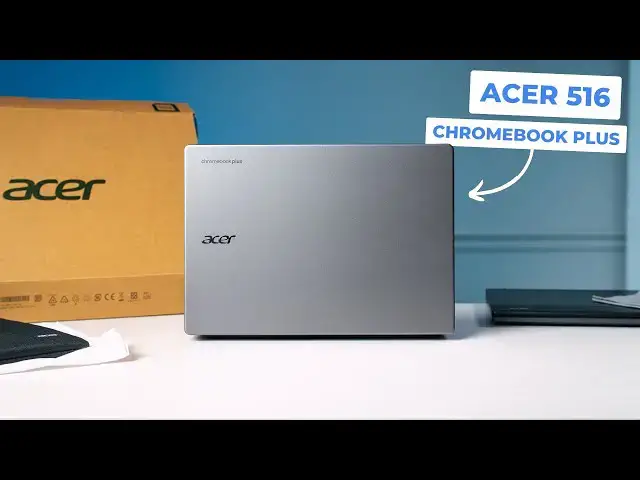
Acer Chromebook Plus 516 Unboxing & First Impressions
Apr 28, 2025


Join Chrome Unboxed Plus for access to our private Discord, an ad-free website experience, ad-free podcast, AMAs, exclusive giveaways, and more! Start your 7-day FREE TRIAL here: https://chromeunboxed.com/join/
👉 Buy the Acer Chromebook Plus 516: COMING SOON
👉 Shop the best Chromebook deals today: https://chromeunboxed.com/the-best-chromebook-deals-today-updated/
📧 Subscribe to our newsletter: http://bit.ly/2WjCDm7
・・・・・・・
Read more: https://chromeunboxed.com/
☕ Fueled by Fresh Roasted Coffee! Buy the special edition Chrome Unboxed bag here: https://chromeunboxed.com/coffee
Subscribe to the channel: http://bit.ly/2xFuj6L
Follow us: https://x.com/chromeunboxed
https://www.instagram.com/chromeunboxed
https://www.threads.net/@chromeunboxed
https://www.facebook.com/Chromeunboxed
Show More Show Less View Video Transcript
0:00
in this giant box in front of me is the
0:02
brand new Acer Chromebook Plus 516 now
0:05
that model name might sound familiar to
0:07
you and it should we've reviewed and
0:10
talked a lot about the Acer Chromebook
0:12
Plus 516 GE that is basically right here
0:15
in front of me this isn't the Plus
0:17
branded one but it's basically the same
0:19
thing and so when Acer announced this
0:21
device I got pretty excited because I
0:24
love the 516G series so the question is
0:27
is this new slightly more affordable
0:29
version of the Chromebook Plus 516 as
0:32
good as these gaming edition versions
0:34
let's jump in the box and find
0:39
out all right so let's take this guy uh
0:42
to the side for now uh and let me check
0:45
on my specs real fast before see yeah
0:48
the the listing for this showed up on
0:50
Best Buy uh just yesterday and it is 379
0:54
or I'm sorry 479 um and this is the 8128
0:58
version with the Core um Core 3 1315U
1:03
processor so I mean pretty quickly uh
1:07
when we start talking about the the
1:08
similarities between this and the
1:10
existing Acer Chromebook plus Acer
1:14
Chromebook plus 516 uh you know on paper
1:18
it's it's really compelling to start
1:19
thinking like oh well I mean if this
1:21
one's a little bit cheaper cuz I mean
1:22
the the one I started the video off
1:25
talking about is $649 uh unless it's on
1:28
sale and so this one's starting at $479
1:30
that's getting close to 200 bucks less
1:32
just like all the time without it being
1:34
on sale so um it also comes with a 16x10
1:38
display um it's obviously a 16in display
1:42
as well and so there's there's some
1:43
similarities here so I'm I'm really
1:45
interested to see kind of what what
1:47
Acer's done particularly uh with with
1:49
this new device uh from that front now I
1:52
don't I don't expect it to be exactly as
1:54
good as the the GE um just based on
1:57
price point alone but if it gets close I
1:59
mean um I know it does have a 300 screen
2:02
too so I'm excited about that um and I
2:06
also verified that uh the Best Buy
2:08
listing for this thing also comes with
2:10
this case so just a nice little touch um
2:13
it's pretty standard Acer fair here um
2:16
you know one pocket up front a nice line
2:19
pocket in the middle and if you don't
2:21
want to take a big bag out with you it's
2:23
a way to kind of protect your device
2:24
it's going to fit it very well we'll set
2:26
that to the side for now and actually
2:28
get in to the box here sorry if this is
2:32
blocking it's a big big
2:36
Chromebook all right here we
2:39
go and yeah standard packaging fair here
2:44
set this guy down
2:47
um yeah pretty standard charging brick
2:50
there so nothing out of the ordinary
2:54
there let's get to the Acer Chromebook
2:58
plus the 516 now this looks to me this
3:01
looks more like an Acer Chromebook than
3:04
this one does this device kind of always
3:06
had its own unique aesthetic you don't
3:08
have the big swoop along the side like
3:10
you see with lots of Acer devices this
3:12
one has the kind of standard Acer Swoop
3:15
curved back all that kind of stuff so
3:16
hearkens back to a lot what a lot of
3:18
Acer Chromebooks look like um I'm pretty
3:21
sure I looked this up yeah those are the
3:24
exact same weight so 3 and 1/4 lb or 3
3:26
and 3/4 lb I'm sorry um so not wildly
3:29
heavy i mean it's substantial um lid
3:32
closed it's nice and firm but definitely
3:34
all plastic here uh so no aluminum going
3:37
on and down the bottom here we've got
3:39
obviously we got fan ports uh but no
3:41
speaker ports because we have upward
3:42
firing speakers here let's look at ports
3:45
uh two USB type-C's a type A headphone
3:49
microphone and the other side full size
3:51
HDMI i did see this is a 1.4 uh but
3:55
because this is a 1080p device we'll
3:57
have to check that for the review to see
3:58
if we can get uh quad HD 120 Hz out to
4:02
my monitor uh a lot of HDMI 1.4s won't
4:04
do that which is kind of unfortunate uh
4:07
USB here and then Kensington lock so
4:10
decent array of ports um pretty easy to
4:12
get this thing connected but I want to
4:15
see what this bad boy looks
4:18
like open so yeah i mean this this just
4:23
it feels like an Acer Chromebook you
4:25
know what I'm saying um pretty sturdy on
4:28
the bottom so I can kind of hold it
4:30
there without a ton of deflection you're
4:31
probably seeing a little bit on camera a
4:33
little bit of deflection there but not a
4:35
ton uh it does not feel flimsy but it
4:38
doesn't feel quite as firm as the the
4:40
516G ocean glass trackpad definitely
4:42
here which I have no complaints about uh
4:44
Acer's been doing that for quite some
4:47
time and they're good click mechanism is
4:50
really
4:50
nice keyboard feels solid and um I
4:54
forgot about this you actually get this
4:56
the new updated keyboard so the keyboard
4:58
that was introduced last fall with the
5:00
Samsung Galaxy Chromebook plus you're
5:02
getting those types of keys up here so
5:04
um your accessibility features like you
5:07
know being able to dictate text um
5:09
there's a button for that up here play
5:11
pause mic on and off all that kind of
5:13
stuff but you've got the quick insert
5:15
key over here and the launcher key down
5:17
here so when Samsung put that on theirs
5:20
um I immediately turned this back to my
5:22
launcher key and made this
5:25
OS you'd think after all these years I
5:28
would realize that's going to pop up but
5:30
the launcher key is now down here quick
5:32
insert i swap those um just cuz other
5:35
keyboards I use other Chromebooks didn't
5:37
have it yet but it looks like we're
5:38
going to start seeing Chromebooks with
5:40
this new setup time might be here for me
5:42
to start changing my habits so uh but
5:45
yeah you get a a very tiny numeric
5:46
keypad over here so this this reminds me
5:50
like spacing wise of the Samsung Galaxy
5:52
Chromebook as well so really tiny um but
5:55
it looks like the inner key now the
5:57
inner key should be over here you should
5:58
have like enter I think in plus and a
6:00
big line over here for you know like an
6:02
old school standard numeric keypad you
6:04
don't have that plus and minus is up
6:05
here so if you're getting this for the
6:07
numeric keypad you're like "Hey I'm
6:08
going to like get crazy with
6:10
spreadsheets." That's not going to
6:12
happen uh with this it's this is this is
6:14
more for punching in some quick numbers
6:16
maybe doing your PIN when you log in
6:18
that kind of stuff um it doesn't appear
6:21
let me
6:22
check yeah so no no keyboard backlight
6:26
no touch screen so uh keep that in mind
6:28
with this again with the 516G there was
6:30
no touchcreen either but you are getting
6:32
a 16 in 16x10 so taller aspect ratio the
6:37
screen size and dimensions are the exact
6:39
same as the the GE so the gaming edition
6:42
the difference here is this is 1080p
6:44
plus so now it's 1920 x 1200 versus the
6:48
quad HD version which is
6:50
2560x,600 so um we'll have to once we
6:54
get in here and look at it I'll I'll
6:55
tell you what that looks like 16 in is a
6:57
big display uh for full HD um so I'm
7:00
curious if it's going to have a little
7:02
bit of pixelization but we'll we'll get
7:03
into that in just a second uh we have
7:05
upward-f facing speakers here so I'm
7:07
hopeful that those sound good again big
7:09
spacious ocean glass trackpad and uh
7:12
yeah so you're looking at it let me get
7:13
logged in um do my normal quick test
7:16
real quick uh and then we'll uh we'll
7:18
talk about some speakers we'll talk
7:19
about the keyboard we'll talk about the
7:21
screen and the brightness and stuff like
7:22
that and we'll take a look at that
7:23
camera as well i'm pretty sure it's a
7:25
just a standard 1080p uh I do like
7:27
before I cut away to do that i like that
7:30
the privacy slider is like right up
7:31
there in the front versus like sliding
7:33
on top it's just nice to have that out
7:35
of the way when you go to lift the lid
7:36
uh that's a small thing but I do I do
7:38
like that positioning so let me get
7:40
logged in and we'll check out some of
7:41
this stuff all right got everything all
7:44
set up and we're in here and uh I'll say
7:46
right off the bat I'm happy with the
7:48
keyboard it's uh the key shapes feel a
7:51
little different than uh standard Acer
7:53
Chromebook for some reason almost like I
7:55
don't know maybe the rounding or the
7:57
spacing is a little different but nice
7:58
and clicky nice and quiet so you kind of
8:01
hear those keys
8:03
here they have a really good tactile
8:05
feedback um plenty of travel on them so
8:08
uh A+ there and again all of the
8:10
accessibility uh buttons and features
8:12
there um I immediately went to go launch
8:16
the camera so I can show it to you and
8:17
hit the uh where the launcher button
8:19
normally is and so obviously uh you know
8:21
your uh quick insert pops up and so
8:23
that's just one of those things like you
8:25
can you can remap it it's very easy
8:27
chromebox.com we've got a a guide on how
8:29
to do that but um I'm trying to decide
8:32
if that's going to be something I'm I'm
8:33
going to change my habits on or not i
8:35
haven't really found like the killer use
8:37
case for quick insert just yet um so
8:40
yeah that that remains to be seen but it
8:42
seems like we're going to see more of
8:43
these keyboards coming out so um let me
8:46
give you a quick listen uh to these
8:49
speakers.com we kind of get into very
8:51
fine details over there but there is one
8:53
story that's kind of been developing
8:54
over the last few months that I think
8:56
latest T81 it promises some of you guys
8:59
about it a bit of
9:03
backstory yeah that's a bummer um those
9:06
speakers sound like this as if I were
9:08
talking kind of into uh some sort of can
9:12
uh and it's it's a bit unfortunate um
9:14
especially with upward firing speakers
9:16
that take up this much real estate on
9:19
the on the deck of the device uh yeah I
9:22
just expect a little bit more than that
9:23
they don't have to like knock my socks
9:25
off or anything but if they're going to
9:27
be prominently displayed like put some
9:29
better speaker drivers in there those
9:31
are not good
9:32
um again not a dealbreaker I guess but
9:35
just really kind of a bummer especially
9:37
when you compare them to the 516G um
9:40
those speakers again aren't like
9:42
mind-blowing they're just they're
9:44
decently loud and full you know and and
9:46
they don't have to be the loudest thing
9:47
they just need some low-end and a little
9:49
bit of high-end not just all mids and
9:51
that's just kind of what those sound
9:52
like so um a little bit of a bummer
9:54
there but on the positive notes the
9:57
screen is very bright um it's got a
10:00
pretty heavy anti-glare coating on it um
10:02
and you can see in this this um layout
10:05
here the other thing I'm noticing is
10:07
like text doesn't look fuzzy or blurry
10:09
um it doesn't feel um ultra pixelated
10:13
like I don't have a hard time reading
10:14
these really tiny text areas it doesn't
10:17
feel as sharp as quad HD but it
10:19
shouldn't uh at 16 at 16 in though I
10:22
would say this is like the limit for
10:24
1080p in a laptop like you won't you
10:26
wouldn't want to go to like a 17.3 in
10:29
1080p screen you're going to really
10:30
start seeing pixels there this is
10:32
pushing it like it's really pushing it
10:34
uh but I think you can get away with it
10:36
here so uh the brightness is very good
10:38
the anti-glare looks really good so I
10:41
think it's a it's a decent screen uh for
10:43
sure i think you're not going to really
10:44
have any problems working from it you're
10:45
just not going to have quite as much um
10:48
like screen real estate when it comes
10:49
down to actually getting stuff done like
10:51
side by side cuz I can crank this quad
10:53
HD down a little bit make things a
10:55
little bit finer on the screen but give
10:56
myself more space to move things not
10:59
going to be the case here but ultimately
11:01
when you look at the uh actual
11:03
resolution you're working at so like I
11:05
need to scale this up a little bit you
11:07
know so that everything's not so tiny
11:09
and I'm going to do the same thing with
11:10
a quad HD as well i'm not running these
11:12
both at their native resolutions and
11:14
when you look at them side by side
11:15
you're running them kind of sort of at
11:17
the same resolution which is uh a little
11:19
above uh 1080p um even on the quad HD so
11:22
it's you're scaling this one up you know
11:25
the elements up and this one you're
11:26
scaling elements down just a little i
11:28
went to 90% of of the full scaling here
11:31
so um the other thing is the camera i
11:34
want to show you that real quick pull
11:36
that up it is 1080p verified that but uh
11:40
one one uh nag I had with both 516 GES
11:44
is the camera isn't great uh it always
11:46
kind of looked a little fuzzy and even
11:48
under our lighting in here and it never
11:49
looked great this one like the dynamic
11:51
range looks really good i can see
11:53
everything around me and so now I'm
11:55
going to point it over at Joe and again
11:57
we we do this all the time but over
11:59
there it's not really that bright um you
12:01
got a lot of light flooding here and not
12:02
a lot of light there and you can see Joe
12:04
and the camera and things are clear and
12:06
not all fuzzed out and stuff so again um
12:09
you know these devices need to be good
12:11
at at video calls that's what these
12:13
speakers are tuned to as well like that
12:15
that mid-range is is for clear spoken
12:18
audio and so it's going to do well on
12:20
like uh uh on on Google Meet calls and
12:23
Zoom calls and all that kind of stuff um
12:26
but yeah overall there's some there's
12:28
some good stuff and some not so great
12:30
stuff here it's going to be really
12:31
interesting to see how often this one
12:33
goes on sale uh versus that new updated
12:36
515 cuz it's not that different from
12:38
that device like I feel like the 516G is
12:41
this much different much more
12:42
differentiated Chromebook than the 515
12:45
516 isn't that much different than the
12:48
515 just has a taller display really and
12:51
a much it's larger because obviously
12:52
it's 16 in and then it's taller as well
12:54
so um definitely going to have to be
12:57
using this for a little bit to kind of
12:58
give a full uh review on it want to see
13:01
how the the HDMI works and and how it
13:04
does uh pushing around my external
13:06
monitor but you know uh 13th 14th gen i3
13:10
i3 yeah it's 13 13 15U 8 gigs of RAM 128
13:14
gigs of storage we know that's going to
13:15
perform it's only pushing a 1080p screen
13:17
here so uh I think performance-wise it's
13:20
going to be good it's just going to come
13:21
down to like how's that keyboard
13:22
trackpad work out uh what's this thing
13:24
like when I take it down to the coffee
13:26
shop or whatever and use it how's it
13:27
fair with you know more sunny um seating
13:30
area all that kind of stuff but I think
13:32
it's going to do okay and if it goes on
13:33
sale on a regular basis and it's like
13:35
350 something like that or 375 I think
13:39
this becomes a pretty compelling option
13:40
up against the 515 but uh it's it's a
13:44
tad bit of a confusing move from Acer
13:46
because again I feel like this size form
13:48
factor is already kind of filled with
13:49
the existing 516 GE but that's it for
13:53
this one uh if you like this video guys
13:55
give us a thumbs up head down there hit
13:56
that subscribe button and be sure to
13:58
ring the notification icon as well if
14:00
you'd like to be alerted when we make
14:01
future videos just like this one until
14:03
next time we'll see you
#Computers & Electronics
#Computer Hardware
#Laptops & Notebooks
#Science
#Shopping
#Gadgets & Portable Electronics